Choosing the best keyword research tool is less about picking the one with the most accurate search volume or keyword difficulty data.
Good keyword research is about looking at multiple metrics and variables, and being able to triangulate them to make the most informed decision. And a good keyword research tool, should support that.
After over five plus in SEO, I’ve come to be realise that a good keyword research software comes with a few key characteristics:
- Access to data on multiple types of keyword metrics
- Competitor analysis
- Search intent analysis
- (not mandatory at the moment) LLM query fan-out data
In this guide, I will list down the SEO platforms I actually rely on for keyword research, competitive validation, clustering, and content gap work, then help you choose the right stack for your goals, whether that is traffic, revenue, or long-term topical authority.
Key Features of a Good Keyword Research Tool
Access to LLM Query Data
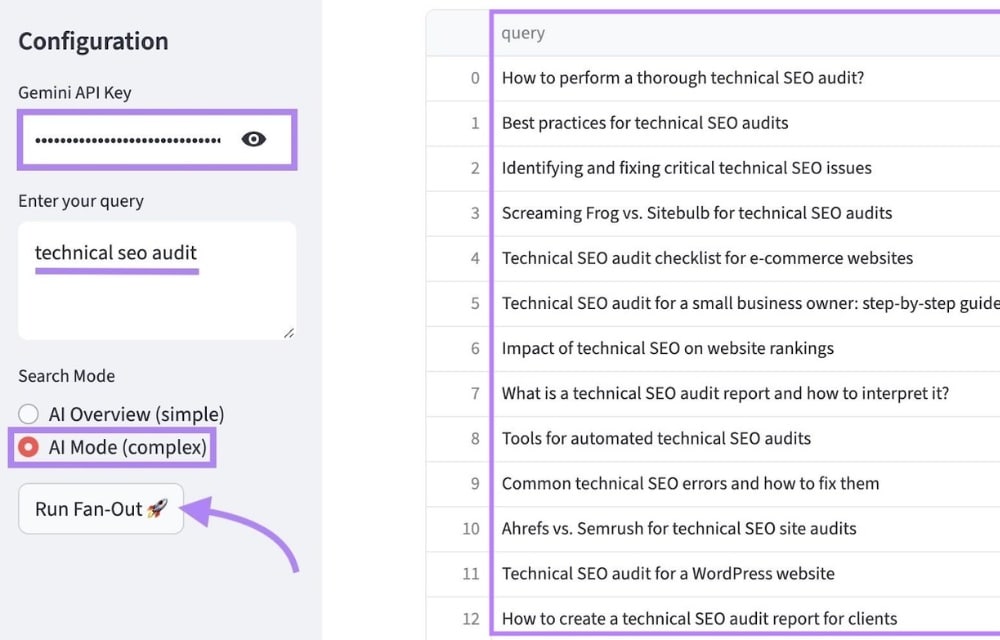
Semrush’s query fan-out feature
In 2026, I do not want to guess what people ask inside AI tools.
LLM query data shows how questions are phrased, how queries are fanned out, and which entities keep appearing. This helps me write content that matches real conversational intent and structure content into retrievable chunks.
When a tool exposes fan-out queries, it shows the follow-ups and pivots users make after the first question. These queries can then either be used to build topic clusters or used as subheadings (H2s, H3s, and more) within my content (e.g. FAQs).
For SEO and GEO, fan-out data highlights recurring entities, comparisons, constraints, and local modifiers, which I can turn into tighter topical architecture and chunked sections that are easier to retrieve in both SERPs and LLM answers.
I typically start by checking platforms pushing AI visibility and conversational insights, including Semrush, Similarweb, and newer GEO vendors like Profound.
Data on a variety of keyword metrics
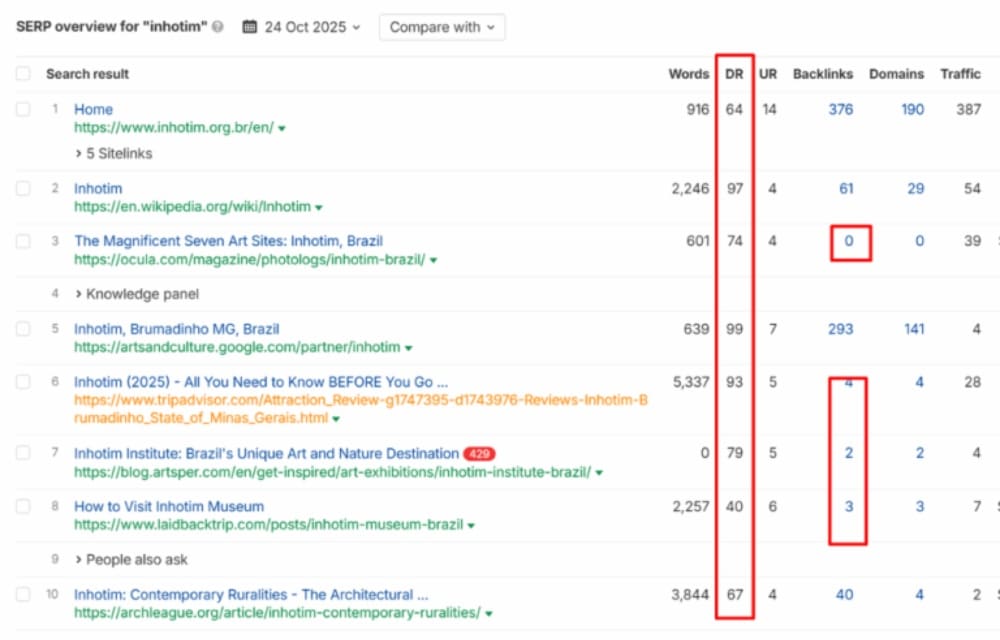
Keyword metrics of competitors ranking for the keyword “Inhotim”
I have seen too many keyword plans fall apart because someone treated one number like the truth.
Search volume can be inflated, difficulty scores can be misleading, and a “low competition” label can still hide SERPs packed with brands that have decades of authority.
For example, “Inhotim” may show a KD of 9, yet the top results often sit on high-DR domains with strong backlink profiles, and that domain authority flows down to their pages. I treat KD as a quick pulse check on competition, but I always validate the actual SERP strength before committing.
So I triangulate: volume, trend, clicks, SERP makeup, and backlink strength proxies like domain rating and URL rating, plus whatever proprietary scoring the tool provides.
For example, a low Keyword Difficulty score does not guarantee an easy win.
Clearly States the Search Intent of each Query
Intent labels prevent wasted pages.
When a tool flags a query as informational, commercial, transactional, or navigational, I can quickly confirm it matches my goal, whether that is traffic or revenue.
Beginners can also match keywords to the correct page type more quickly. Semrush, Ahrefs, Moz, and SE Ranking all offer intent-style classification that speeds this up.
Identify Cluster Topics
Random content does not build authority; clusters do.
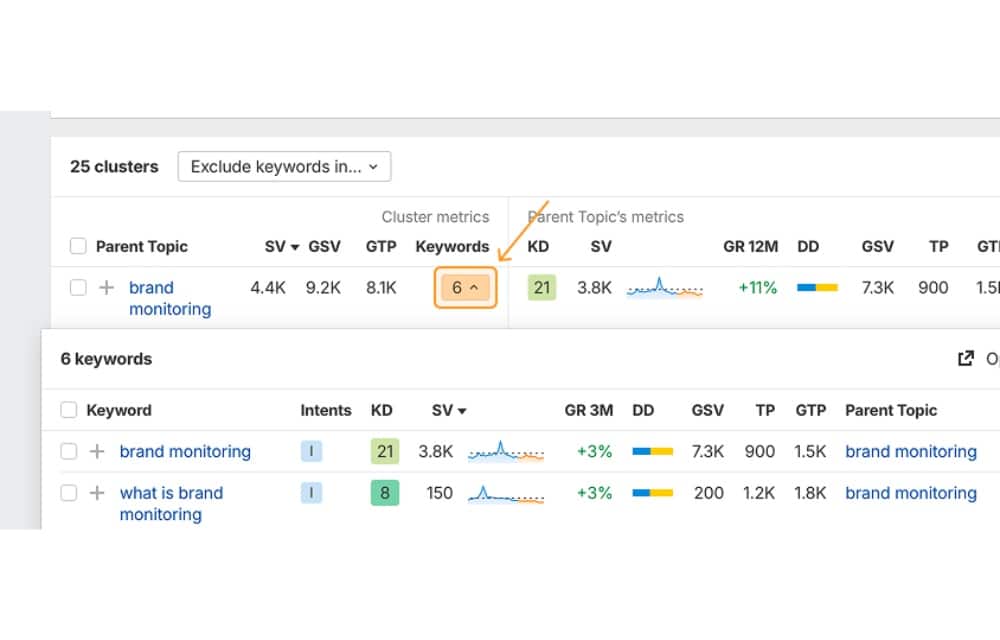
I use clustering to map a pillar topic, identify supporting questions, and create a connected internal linking system that strengthens topical authority and improves discoverability.
Ahrefs allows users to quickly identify a parent topic for keywords they potentially want to target
Easy access to SERP Competitors and their Keyword Performance Metrics
Competitor context turns research into decisions. If the SERP is dominated by high authority sites with link-heavy pages, I can change the angle, narrow the intent, or enter via a long-tail topic and realistically win.
I still like Ahrefs’ Chrome extension for quick SERP validation because it speeds up these calls.
Content Gap Analysis Is Essential
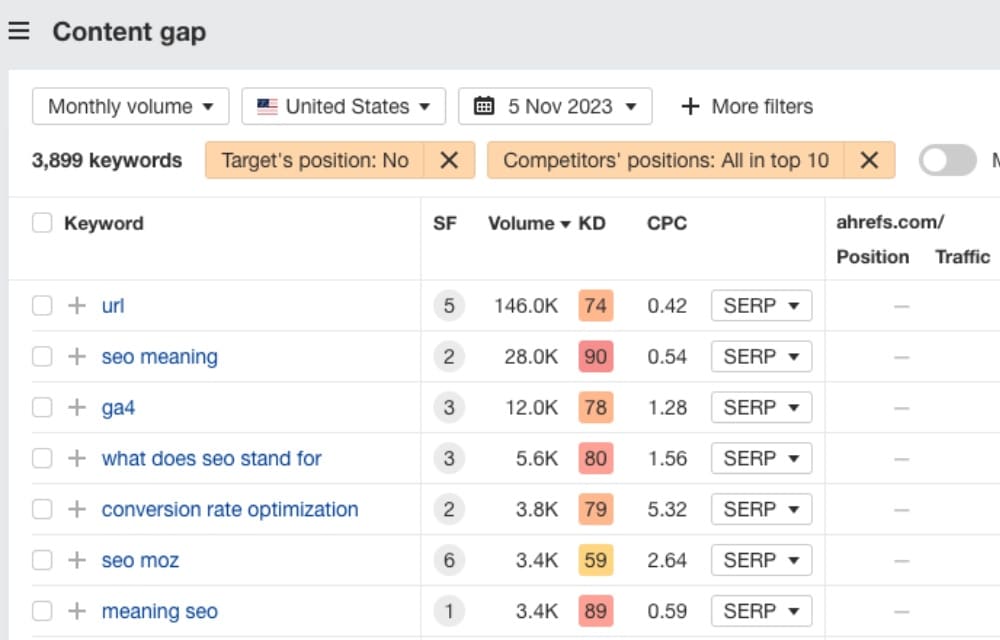
Content gap analysis finds what competitors cover that you do not, then helps you prioritize gaps that matter and that you can actually rank for.
I use it to spot missing subtopics, weak intent coverage, and internal linking gaps without copying anyone’s outline. Ahrefs and Semrush are my usual go tos because their gap reports are built for practical filtering and prioritization.
Best Keyword Research Tools of 2026
Semrush
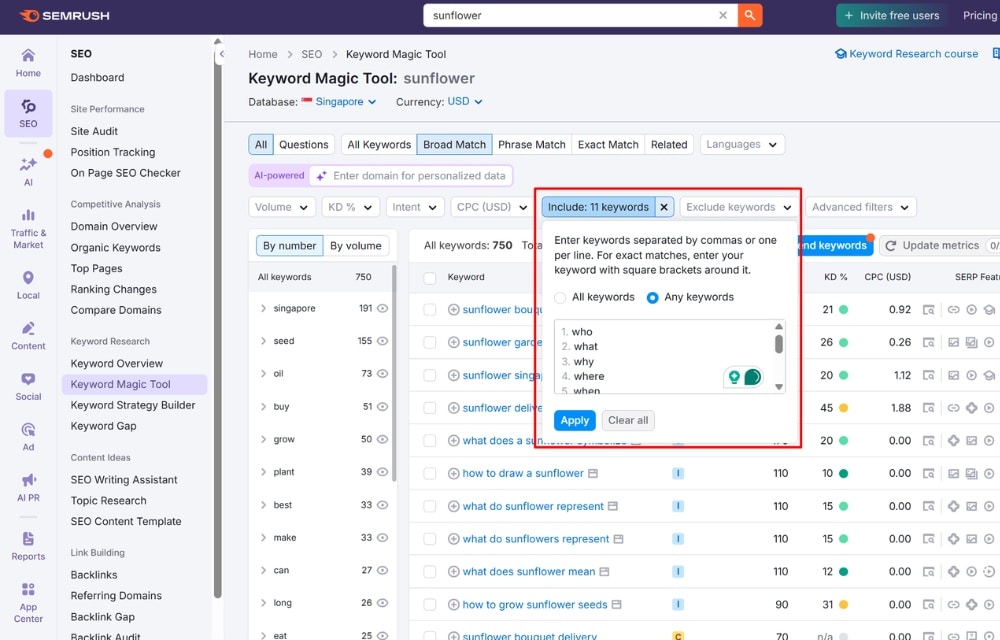
Semrush is the platform I rely on when I need a tool with a powerful keyword filter.
For example, if I were to conduct keyword research for a florist client of mine, I would first type in a generic seed keyword like “sunflower”. Then, I’ll add keyword modifiers as filters to the “include” dropdown. This the generates a list of keywords with the
Pricing Overview
- Lite: From roughly US$130 per month. Best for solo SEOs who mainly need keyword research, basic competitor insights, and position tracking.
- Standard: From roughly US$250 per month. Best for consultants who want deeper audits, broader keyword datasets, and more reporting flexibility.
- Advanced: From roughly US$500 per month. Best for small teams managing multiple sites with heavier tracking, content tooling, and collaboration needs.
- Enterprise: Custom pricing. Best for agencies and in-house teams that need higher limits, governance, and dedicated support.
- Add-ons and user costs: Extra users and certain add-ons can push the monthly spend up quickly, so I usually budget beyond the headline plan price.
Strengths
- Keyword discovery at scale: Strong for expanding seed terms into long-tail variations, questions, and intent-led groupings.
- All-in-one workflow: Research, tracking, auditing, and content support sit under one roof, which reduces tool hopping.
Reporting and client comms: Templates and exports make it easier to package insights for stakeholders who want clarity, not jargon.
Weaknesses
- Cost creep: Pricing is manageable at the start, yet limits and add-ons can escalate spend once you scale.
- Data is directional, not gospel: Volumes and difficulty scores are estimates, so you still need judgement and cross-checks.
- Feature bloat risk: Because it does many things, newer users can get lost and over-focus on dashboards.
- Local nuance: For smaller markets or very niche queries, you may find occasional thin spots in the data.
- Learning curve for teams: To get full value, you often need internal conventions on how you interpret metrics and document decisions.
Ahrefs
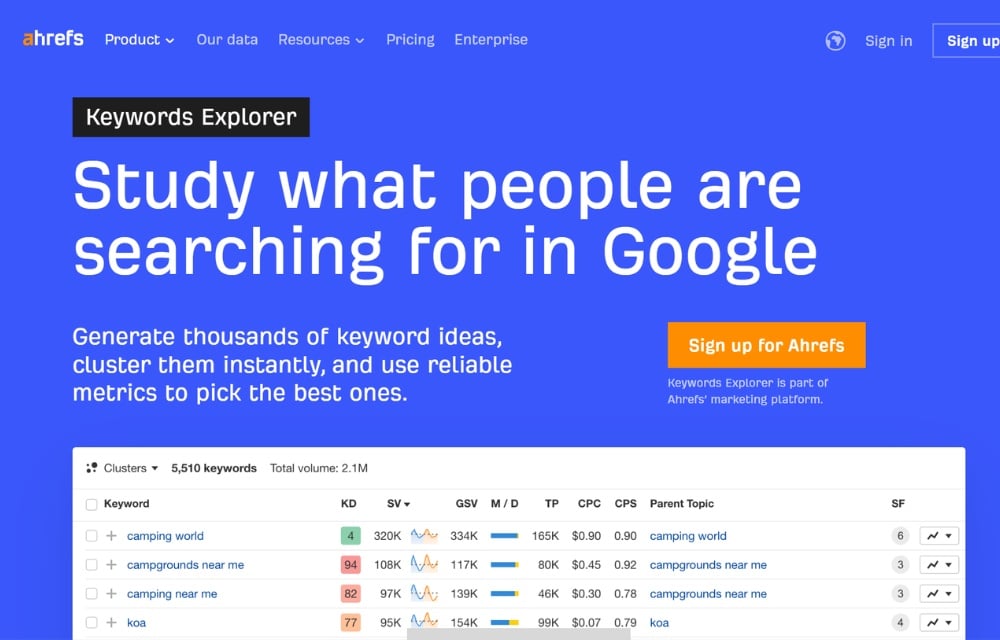
Ahrefs is the tool I open when competitive reality matters more than keyword volume. It excels at showing why certain pages rank and what it would take to compete with them. For SEOs who think in terms of authority, backlinks, and SERP strength, Ahrefs is hard to beat.
Where it falls short is early-stage ideation. It’s not built for brainstorming from scratch. Instead, its features support you incredibly well once you already know the space you’re operating in and want to dissect what’s working for others.
I always say this, but I’m a HUGE fan of their Chrome extension as it gives me quick access to competitor keyword metrics for well-performing content.
Pricing Overview
- Lite: around $129/month, best for solo consultants doing basic keyword research and light competitor checks.
- Standard: around $249/month, best for small teams and ongoing competitive analysis workflows.
- Advanced: around $449/month, best for higher limits, heavier research, and more frequent reporting.
- Enterprise: starts around $1,499/month, best for larger organisations that need scale, governance, and custom support.
- Add-on users: additional seats typically cost extra, so total spend can rise quickly as the team grows.
Strengths
- Backlink-grounded difficulty: Keyword Difficulty is anchored to referring domains, which keeps expectations realistic.
- SERP and competitor context: Strong visibility into what is propping up top pages, including authority and link equity.
- Reverse-engineering winners: Excellent for analysing ranking pages and identifying what it would take to catch up.
- Keyword to plan workflow: Useful clustering and prioritisation that helps turn lists into a workable content strategy.
Weaknesses
- Not ideal for ideation: Less intuitive when you are starting from a blank page and need topic discovery.
- Cost sensitivity: Pricing can feel steep once you scale usage or hit limits.
- Team scaling can be pricey: Extra user fees can add up fast.
- Strict commercial terms: If you realise it is not a fit after subscribing, the experience can feel inflexible.
LowFruits
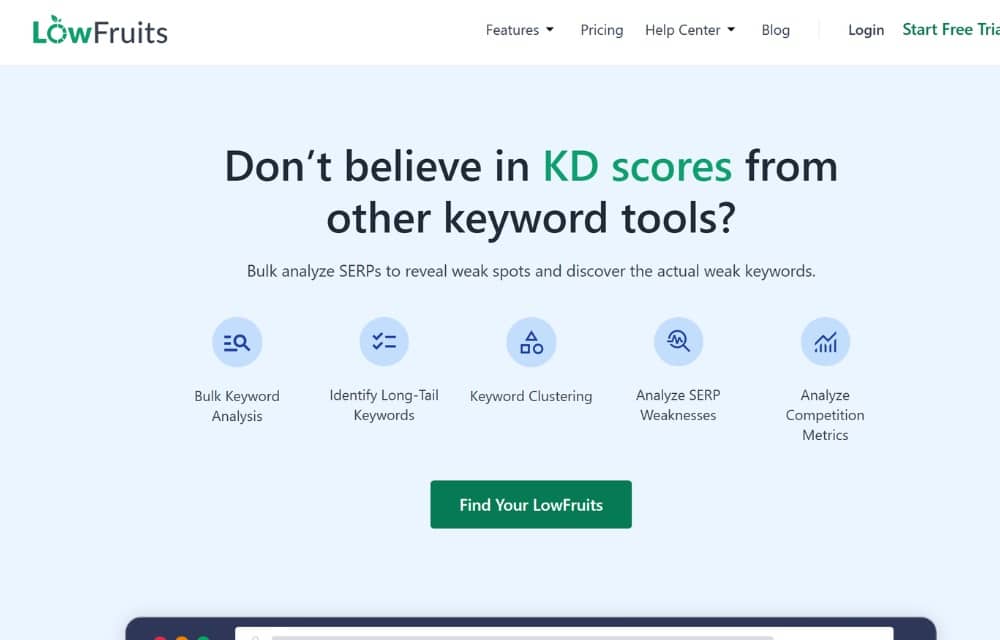
LowFruits was designed for finding, analyzing, and clustering low-competition, long-tail keywords that are easy to rank for, even with low domain authority.
It shines at identifying “weak spots” (low-DA sites, forums) in search results, helping bloggers and niche site owners quickly find profitable, high-intent keywords to build authority with less effort.
When I’m working on niche sites or smaller projects, I don’t need massive datasets. I need clarity on what’s realistically rankable. And that’s where LowFruits stands out.
It’s not a replacement for a full SEO platform, and it doesn’t try to be. For smaller publishers, that focus is a feature, not a limitation.
Pricing Overview
- Standard: around $29.90/month
Includes roughly 3,000 credits for keyword analysis - Premium: around $79.90/month
Includes about 10,000 credits and higher usage limits - Pay-as-you-go credit packs are available for flexible, occasional use
Strengths
- Keyword Difficulty aligns with link reality: I use it to sanity-check whether a ranking is genuinely attainable, based on the backlink landscape.
- Clear SERP context and competitor visibility: It helps me identify what is supporting top results, whether that is link equity, content depth, or intent match.
- Strong for reverse-engineering winners: When I need to map link gaps and fast-track content angles, Ahrefs gets me there quickly.
- Keyword workflows enable clustering and prioritisation: Quickly identify long-tail low-hanging fruit to aid with priotitisation
Weaknesses
- Less suitable for enterprise-scale SEO: It can feel limiting when you need large-scale workflows, permissions, or wider team operations.
- Narrower feature set beyond keyword work: It is strong for discovery and analysis, but it does not cover the broader SEO stack as comprehensively as all-in-one platforms.
Google Keyword Planner
Google Keyword Planner is still the first place I send people who want to understand search demand without paying for software. I’ve been using it since my first year in SEO, and even in 2026, it remains a solid baseline tool. It doesn’t try to impress you with advanced metrics. Instead, it gives you a direct signal from Google about how often people search for topics, which is valuable when you’re validating ideas early.
That said, it’s not an SEO-first tool. The data is designed for advertisers, not content strategists, so you have to interpret it carefully. I treat Keyword Planner as a starting point, not a decision-maker. It helps answer whether demand exists at all, not whether ranking is realistic or worthwhile.
Pricing Overview
- Free to use with a Google Ads account
Strengths
- Direct data source from Google
- Reliable baseline view of search demand
Weaknesses
- Broad volume ranges instead of precise numbers
- Metrics are optimized for ads, not organic SEO
Ubersuggest
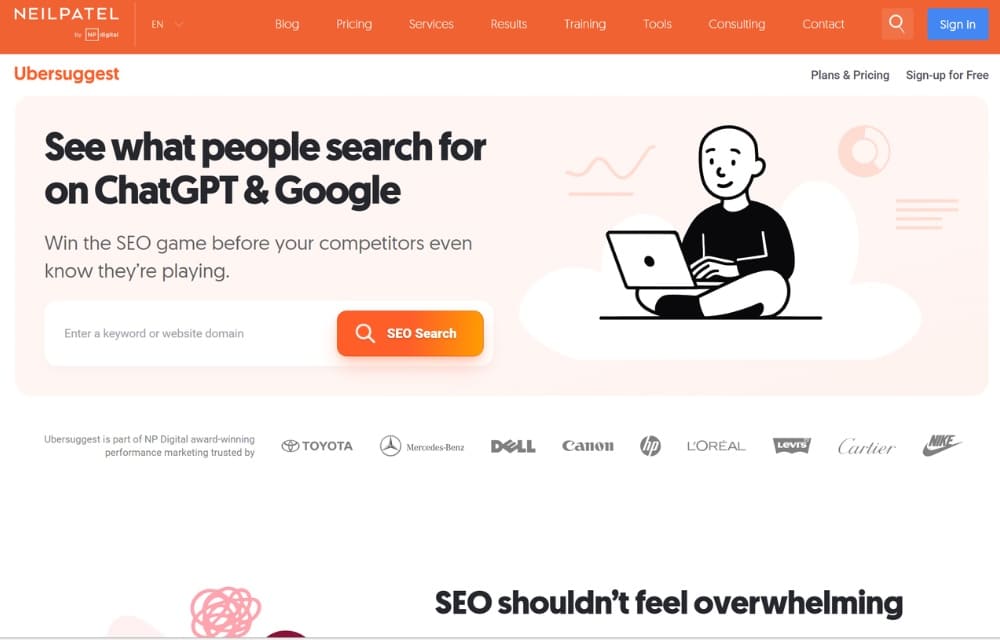
Ubersuggest is what I usually recommend when someone wants something affordable and approachable. It’s clearly built for beginners and solo creators who don’t want to spend hours learning a complex interface. When I need quick keyword ideas or a rough sense of what people are searching for, Ubersuggest does the job without friction.
The trade-off is depth. Ubersuggest gives you enough data to move forward, but not enough to fully trust competitive analysis for tougher markets. For simpler sites or early-stage projects, that limitation is acceptable. For competitive niches, it shows its ceiling quickly.
Pricing Overview
- Free tier with limited searches and data
- Paid plans unlock higher limits and additional features
Strengths
- Very simple and beginner-friendly interface
- Fast keyword and content idea generation
Weaknesses
- Limited data depth compared to premium tools
- Weaker competitive and SERP analysis
Moz
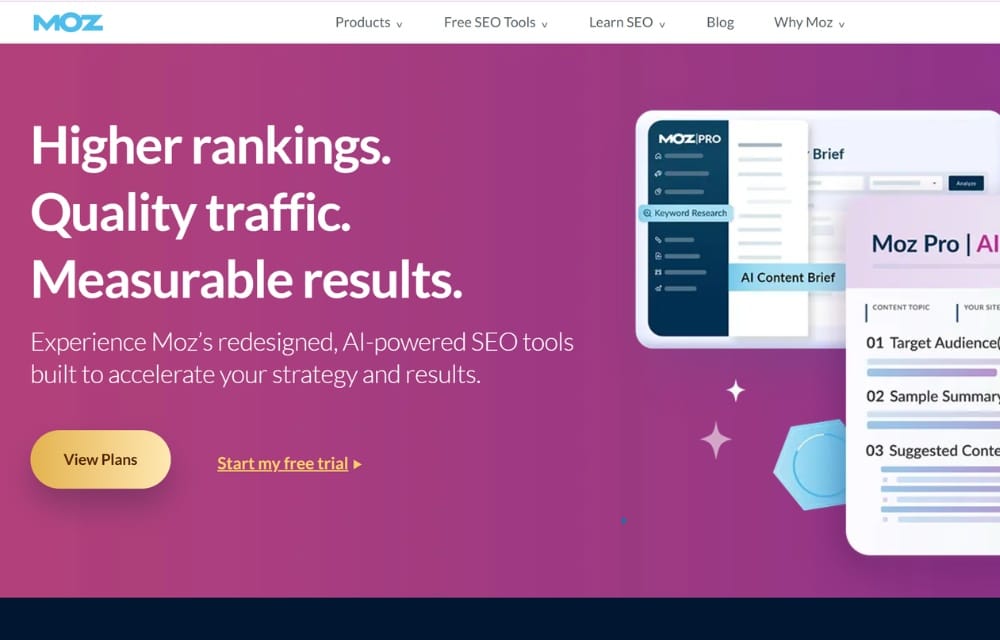
Moz is the tool I associate most with clarity. When I’m working with content marketers or small teams who don’t want to drown in metrics, Moz often fits better than more complex platforms. Its keyword tools are straightforward, and the metrics are explained in a way that’s easy to understand without sacrificing credibility.
However, simplicity comes at a cost. Moz doesn’t offer the same database size or competitive depth as Semrush or Ahrefs. For many teams, that’s a fair trade. If learning SEO and making consistent, informed decisions is the goal, Moz still holds its place.
Pricing Overview
- Entry-level pricing designed for individuals and small teams
- Higher tiers unlock expanded limits and additional features
Strengths
- Clean, intuitive interface
- Metrics are easy to interpret and explain to non-SEO stakeholders
Weaknesses
- Smaller keyword database
- Less competitive depth than larger all-in-one tools
AlsoAsked
AlsoAsked is the tool I pull out when I want to see how a topic branches in the real world, not just how big the search volume looks on paper. It maps People Also Ask question paths into a visual tree, so I can build cleaner topic clusters, tighter briefs, and more human-sounding subheadings. If your goal is to cover intent properly, this is a fast way to stop guessing.
It is not a full keyword suite, though. I treat it as an intent-mapping layer that works best when paired with a tool that handles volume, difficulty, and broader competitive validation.
Pricing Overview
- Lite: Around US$12 to US$15 per month. Best for solo creators doing light question research and occasional exports.
- Standard: Around US$23 to US$29 per month. Best for consultants who want deeper maps, more history, and regular content planning.
- Advanced: Around US$47 to US$59 per month. Best for teams running bulk research, longer history, and workflows that benefit from automation.
- Enterprise: Typically not a classic enterprise tier. Best for organisations that need custom workflows, which usually means leaning on API access and internal tooling instead.
- Add-ons and user costs: The main “extra” cost is usually more credits, because heavy research weeks can exceed the monthly allowance.
Strengths
- Question-first intent mapping: It shows how queries evolve, so my outlines follow natural reading logic rather than a list of keywords.
- Visual clustering that speeds up planning: The tree format helps me spot pillar and supporting pages in minutes.
- Useful for content briefs and updates: I can validate what to include, cut fluff, and plug gaps in existing articles.
- Language and location controls: Handy when I am working across markets and want region-specific question patterns.
- Bulk and API options at higher tiers: Practical when you are doing programmatic or scaling research across many topics.
Weaknesses
- No core SEO metrics: You do not get search volume, CPC, or keyword difficulty, so another tool must do the heavy validation.
- Credit limits can shape behaviour: If you are exploring freely, you may find yourself rationing searches instead of following every good lead.
- Narrow scope: It solves question discovery and clustering, then stops, so you still need a stack for tracking, audits, and competitor benchmarking.
- Maps can overwhelm new users: The output is dense at first, and it takes a bit of discipline to turn it into a clean brief.
Final Thoughts on Keyword Research Tools in 2026
After years of working in SEO, one thing hasn’t changed. The best results come from thinking like a searcher, not chasing metrics in isolation.
Tools are valuable, but only when they support how real people search and make decisions.
My advice is simple. Pick one tool that fits your current stage, run a real keyword workflow from start to finish, and evaluate the outcome honestly.
Once you see how it performs in practice, deciding whether to upgrade, switch, or stack tools becomes much clearer.