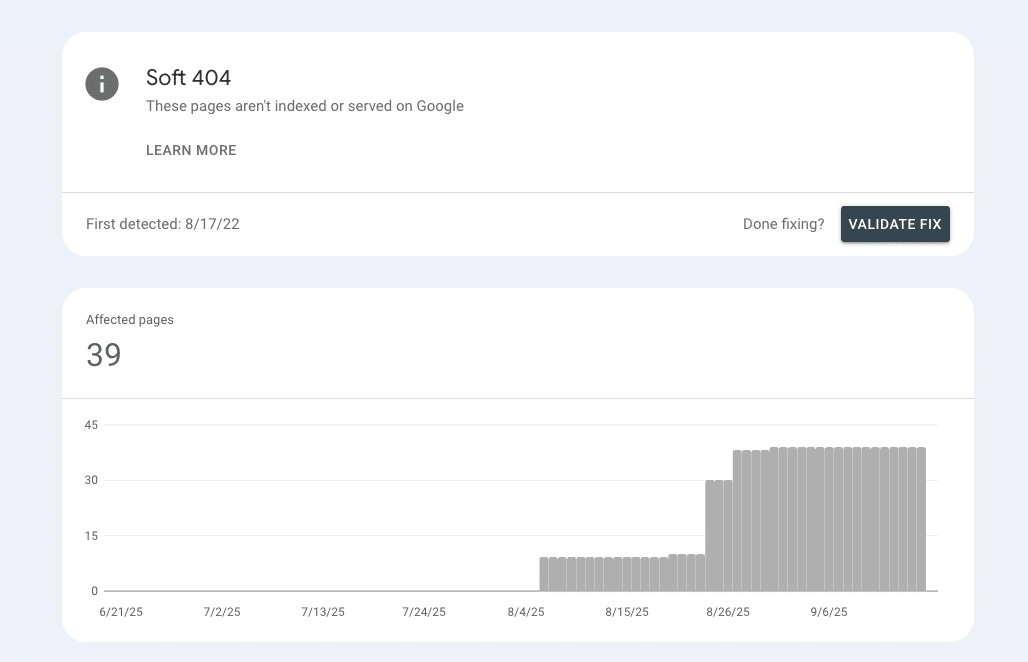
“Soft 404” appears when a URL returns 200 OK but looks to Google like “not found.” Most often it’s because:
- a missing URL redirects to a generic page
- the server still returns 200
- the content says it doesn’t exist (custom 404 text, empty results, placeholders)
This sends mixed signals, Google can’t tell if the page exists or if another URL replaces it, so it’s excluded and labelled as soft 404.
Quick Fixes:
- Verify with URL Inspection (live): check status code and Rendered HTML.
- Decide outcome per URL:
- Gone? Serve 404/410.
- Moved/merged? 301 to the closest relevant page (never mass redirect to the homepage).
- Keep? Keep 200, replace “not found/empty” UI with real content or useful alternatives, and add internal links.
This article is part of our Google Search Console Indexing Errors series. You may find other articles in the series here:
Google Search Console Page Indexing Errors: How To Fix Them
Crawled – Currently Not Indexed
Alternate Page With Proper Canonical Tag
Indexed thought blocked by robots.txt
What the status means
In Google Search Console, Soft 404 means Google fetched a URL that returns 200 OK but the page looks like “not found” (empty/placeholder, thin, or error-like content). Google treats it as not worth indexing and filters it out.
While not a “penalty,” it wastes crawl and can hide real quality issues. You’ll find examples under Indexing → Pages → Not indexed → Soft 404; verify each with URL Inspection → Test live URL to see the actual status code and rendered HTML.
What actually triggers a Soft 404
Most Soft 404s arise when all three of these are true:
- The original URL no longer exists and the user/bot is routed/redirected somewhere else (often a generic page).
- The destination still returns 200.
- The content indicates “not found/empty” (custom 404 text, “no results,” placeholder shells).
That mixed signal (200 + “not found”) convinces Google the page isn’t a valid result. Classic patterns include: blanket redirects of missing URLs to the homepage, custom 404 pages that mistakenly return 200, thin/near-duplicate pages that render like empty templates, and search/category/product pages that show no inventory but still serve 200.
A very common example of this is when ecommerce websites run out of inventory for a product. The website then serves a standard out of stock message across all such pages.
Determining next steps
Prove reality (per URL)
- GSC → the example URL → URL Inspection → Test live URL.
- Check HTTP status, Rendered HTML, and whether the page reads like “not found/empty.”
What is the correct outcome for this URL?
- Permanently gone (old product, deleted post, dead campaign) → Serve 404 or 410.
- Moved or merged (new canonical page exists) → 301 to the closest relevant successor (not the homepage).
- Still valid and should rank → Keep 200, but eliminate “empty/not found” signals and add substance.
Choose the right fix path
- If gone: serve a real 404/410 with a helpful, branded 404 page (navigation, search, popular links).
- If moved/merged: map one-to-one 401 redirects
- If keep 200: upgrade content and template logic so the page is clearly useful (inventory, alternatives, FAQs, internal links).
Prevent regressions
- Never mass redirect all 404s to the homepage.
- Avoid custom “not found” pages that return 200.
- For empty states (search/category), either show meaningful alternatives or return 404/410 when truly nothing exists.
Verify & ship
- Re-test with URL Inspection (live) → request indexing once → monitor the Pages → Soft 404 trend over days/weeks.
Fixes To Attempt
A) Status codes & redirects
- Return 404/410 for URLs that are truly gone.
- Use 301 to the closest topical match when content moved or is consolidated (product page redirected to nearest product or parent category) (article redirected to updated canonical).
- Remove any rule that sends all missing URLs to the homepage.
B) Template logic for “empty” pages
- Category/search pages: when zero results, either (1) show useful alternatives (related categories, bestsellers, popular articles) or (2) return 404/410 if the entity no longer exists.
- Kill “Not Found” or “out of stock” headlines on pages that still return 200. Replace with real content modules.
C) Content & UX upgrades
- Add substantive copy (purpose, specs, comparisons), fresh imagery/data, internal FAQs, and contextual internal links from relevant hubs.
- For products: show variants, close alternatives, and “back in stock” flows; avoid thin placeholder shells.
D) Technical hygiene
- Ensure the rendered HTML contains the main content (no JS errors/blocked resources).
- Check canonicalization (point to the real page), pagination tags where relevant, and that the page isn’t blocked in robots.txt.
- Keep XML sitemaps to indexable canonicals only—remove dead/placeholder URLs.
E) Rollout & monitoring
- Batch fixes by template (e.g., legacy product URLs, empty categories).
- After deployment: sample server logs for correct statuses (200/301/404/410 as intended), re-test priority URLs, request indexing once, and track the Soft 404 count trending down.
Impact: crawl budget & site efficiency
Soft 404s are crawl-time sinkholes. Googlebot still has to fetch these URLs, process the HTML, and decide they’re not worth indexing, only to do it again later if internal links or sitemaps keep surfacing them. The fallout:
- Wasted crawl requests: Bot time goes to “not found” look-alikes instead of new or improved pages.
- Noisy sitemaps/internal links: Listing soft-404-prone URLs in XML sitemaps or linking to them from menus/collections keeps re-inviting crawls.
- Signal dilution: Authority and context that could flow to strong pages gets diverted to placeholders, empty results, or generic redirects.
- Slower feedback loops: If Google spends cycles on duds, validated fixes on real pages can take longer to recrawl and reflect in the index.
Tighten your indexable set (correct status codes, relevant 301s, lean sitemaps, better template logic) and you’ll see fewer soft 404s, steadier crawl stats, and faster reprocessing of pages that actually matter.
Edge cases & misclassifications
Soft 404 isn’t always caused by obvious mistakes. Watch for these gotchas that can make a valid 200 page look “empty” to Google:
- Client-side rendering issues: JS errors, blocked resources, or slow hydration leave the rendered HTML nearly blank. To Googlebot, that looks like “nothing here.”
Fix: Check URL Inspection → View tested page → HTML, console messages, and resource blocking. Ship critical content in HTML (SSR/SSG) where possible.
- Aggressive interstitials/consent banners: Full-screen modals can crowd out primary content in the rendered view.
Fix: Ensure main content is present and accessible without interaction; defer heavy modals.
- Blank “empty state” templates: Category/search pages with zero results that just say “No items found” signal “not found” despite 200.
Fix: Show alternatives (related categories, popular items) or return 404/410 if the entity truly doesn’t exist.
- Homepage catch-all redirects: Missing URLs 301/302 to the homepage without a close topical match often get treated like soft 404s.
Fix: Map one-to-one to the closest relevant page, or use 404/410 when there’s no replacement.
- Moved content with weak successors: Redirecting to a barely related page (or a thin stub) can still be judged low-value.
Fix: Redirect to the best matching canonical and enhance the destination.
- Geo/IP walls and paywalls: If Googlebot gets a trimmed or blocked experience, the page can appear thin.
Fix: Serve equivalent crawlable content to Googlebot and avoid blocking essential assets.
- Pagination/parameters: Empty last pages or parameter combos that yield nothing can resemble soft 404s.
Fix: Don’t link to empty pages; consolidate parameters; use rel=canonical to the populated primary.
When in doubt, live-test with URL Inspection, confirm the rendered experience, and pick the outcome that matches reality: 404/410 (gone), 301 (replaced), or 200 with substance (kept).
At First Page Digital, we are a leading SEO agency with extensive experience analysing and resolving GSC page indexing issues. If you need expert assistance to look into your GSC account, feel free to reach out to our team for professional support.