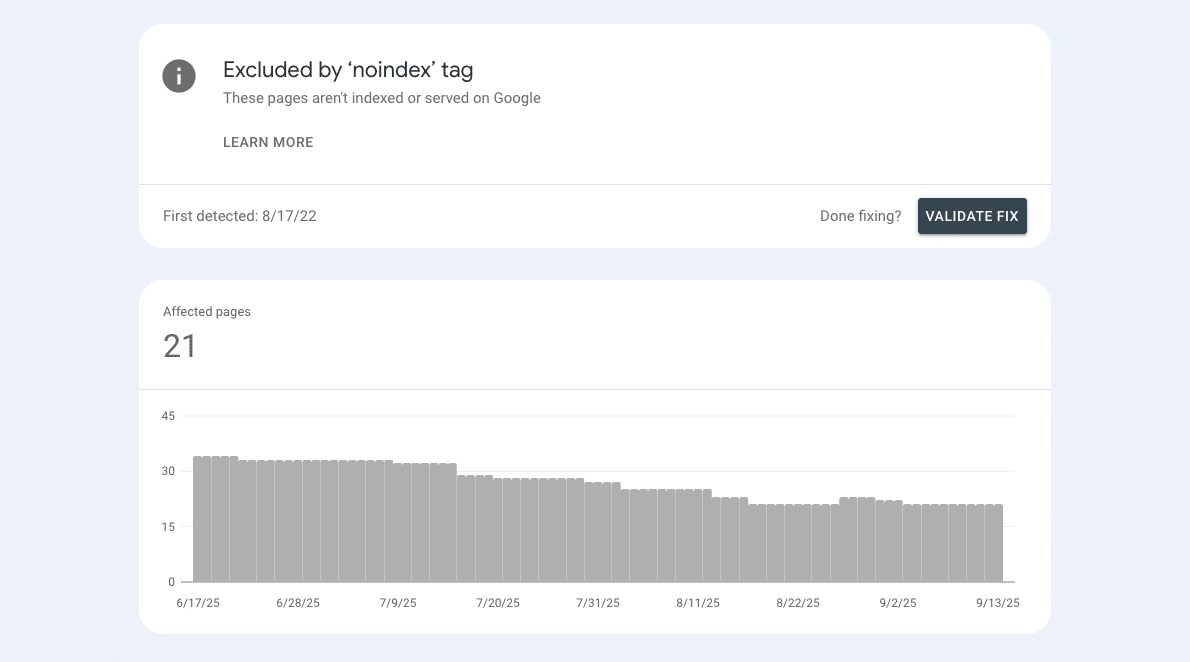
The Excluded by ‘noindex’ tag status means Google crawled your URL and found a noindex directive (via the robots meta tag or an X-Robots-Tag header), so the page isn’t eligible for Search. That’s perfectly fine if intentional (e.g., thank-you, account, faceted pages); it’s a problem only when applied by mistake.
Fast path to fix (when the page should rank):
- Confirm with URL Inspection → Test live URL that noindex is present.
- Decide intent: keep noindex (utility/dupe pages) or remove it for index-worthy pages.
- If removing, clear the directive (meta/header/plugin), ensure the canonical target is indexable and internally linked, and keep the page crawlable.
- Request indexing (quota applies) and monitor over days/weeks; repeated requests won’t speed it up.
Bottom line: verify, decide, remove noindex only where it makes business sense—then strengthen signals and let Google recrawl.
This article is part of our Google Search Console Indexing Errors series. You may find other articles in the series here:
Google Search Console Page Indexing Errors: How To Fix Them
Crawled – Currently Not Indexed
Alternate Page With Proper Canonical Tag
Indexed thought blocked by robots.txt
What the issue is
In Google Search Console, Excluded by ‘noindex’ tag means Google crawled the page and detected a noindex directive, so the URL isn’t eligible for Search. You’ll find it in Pages → Not indexed → Excluded by ‘noindex’ tag. This is fine if intentional (utility/duplicate pages); it’s a problem only if applied by mistake.
Where you can find the noindex tag
HTML meta (page-level):
<meta name=”robots” content=”noindex”>
HTTP header (server-level):
X-Robots-Tag: noindex
These are the supported ways to tell Google not to index a page.
- Let Google crawl the page so it can see the noindex.
- Don’t block the page in robots.txt if your goal is “visible to Google, but not indexed.” When a page is blocked, Google can’t read your meta tag and may still show the URL without content if it’s linked elsewhere.
- The reliable pattern is: keep the page crawlable, add noindex via meta or header, and Google will exclude it from results.
Use URL Inspection → Test live URL to verify whether the directive is present in the Rendered HTML or response headers before you make changes.
Causes of the issue
Accidental (fix these if the page should be in Google)
- WordPress “Discourage search engines” left on after launch
A common post-staging oversight that adds noindex site-wide. Turn it off in Settings → Reading and recheck with URL Inspection. - SEO plugin defaults (Yoast/Rank Math) noindexing entire sections
Archive/taxonomy templates or even posts/pages can inherit a noindex from global settings. Review your plugin’s Titles & Meta defaults and per-page robots settings. - Server rules adding X-Robots-Tag: noindex by path or site-wide
An Apache/Nginx rule or CDN header can quietly set noindex. Inspect response headers, remove unintended rules, and verify with a live fetch. - CMS/theme/app toggles injecting noindex in templates (Shopify/Squarespace)
Theme code, SEO apps, or platform switches can add a robots meta tag. On Squarespace, “Hide from search engines” adds noindex; Shopify themes/apps can do similar. Audit templates and disable only where appropriate.
Intentional / legit (usually leave these as noindex)
- Utility and low-value pages
Thank-you, account, password/reset, internal search results, thin duplicate archives, or heavily filtered variants don’t serve searchers well. Keep them crawlable with noindex and exclude them from XML sitemaps so signals concentrate on pages that matter.
Use this simple rule:
- Does this page help searchers?
- Yes → make it indexable.
- No → keep noindex.
A few hygiene tips so noindex works as intended:
- Keep the page crawlable. Google has to see the directive, so don’t block it in robots.txt.
- Exclude from XML sitemaps. Only list canonical, indexable URLs.
- Don’t funnel link equity into noindex pages. Link them where users need them (e.g., login), but keep your menu, footer, homepage, and hubs focused on the URLs you do want to rank.
- Document the policy. Make a short list of templates that are “always noindex” so no one “fixes” them later.
Confirming that the page is actually noindex
Per-URL check
Open URL Inspection → Test live URL, then View tested page → HTML. Look for noindex in the Rendered HTML or in the response headers. If the live test shows the page is indexable (no noindex present), don’t overreact to older rows in the Pages report—Search Console reports can lag. Re-test live, fix only what’s real, and then proceed.
Locate at scale
In Search Console, go to Pages → Not indexed → Excluded by ‘noindex’ tag to pull the affected URLs. Work from this list, but always confirm each URL with a live test before changing templates or global settings. This workflow catches false positives and prevents unnecessary rollbacks.
Fixes (general workflow)
1) Decide intent per URL
Ask one question: Should this page appear in Google?
- Yes → index it.
- No → exclude it.
2) If the answer is “index”
- Remove noindex wherever it’s set: meta tag, X-Robots-Tag header, SEO plugin/CMS toggle, or theme template.
- Confirm canonicals: the page’s rel=”canonical” should point to the preferred URL, and that canonical must be indexable (200 status, not noindex, not robots-blocked).
- Keep it crawlable: don’t disallow the URL in robots.txt.
- Strengthen signals: add internal links (menu, footer, homepage, and relevant pages) and include the canonical URL in your XML sitemap.
- Verify & request: run URL Inspection → Test live URL to confirm fixes, then Request indexing once.
3) If the answer is “don’t index”
- Keep noindex in place (meta or header) and allow crawling so Google can see the directive.
- Clean sitemaps: make sure these URLs do not appear in XML sitemaps.
- Linking hygiene: limit internal links to purely navigational contexts (e.g., login), and avoid routing authority through these pages.
- Spot-check: use URL Inspection (live) to confirm the directive is present and working.
Solving Noindex On WordPress
Likely causes
- Reading setting left on after staging/launch. Settings → Reading → “Discourage search engines from indexing this site” applies site-wide noindex. This is the classic launch oversight.
- SEO plugins (Rank Math / Yoast) set sections to noindex. Global Titles & Meta defaults (archives/taxonomies) or a per-post Robots Meta can inherit noindex.
- Server headers add X-Robots-Tag: noindex. A rule in .htaccess/server config can set noindex by path or site-wide.
Fix steps
- Turn off the global flag: Settings → Reading → uncheck Discourage search engines…; re-test with URL Inspection.
- Reset plugin defaults & pages: In Rank Math/Yoast, check Titles & Meta → set target sections to Index; in the post/page Advanced tab, set Index.
- Remove unintended server headers: Find and delete X-Robots-Tag: noindex rules in .htaccess/server config; confirm on a live fetch.
- Community tip: This crops up often right after going live from staging—double-check the Reading setting and SEO plugin outputs.
Solving Noindex On Shopify
Likely causes
- Theme templates or apps inject <meta name=”robots” content=”noindex”>. Common on search/password/vendor/tag templates or via app customizations.
Fix steps
- Edit theme to remove unintended noindex: Online Store → Themes → Edit code → check layout/theme.liquid and relevant templates; adjust robots meta only for pages you truly want hidden.
- Prefer meta/header over robots.txt for page-level exclusion: keep pages crawlable so Google can see noindex. (Use robots.txt for crawl controls, not “noindex”.)
- Review app settings that generate filtered/tag pages: keep noindex for low-value templates and exclude those URLs from sitemaps; leave indexable canonicals in the sitemap.
- How-to reference: Practical walkthroughs of editing theme.liquid to add/remove noindex per handle/template.
Solving Noindex On Squarespace
Likely causes
- “Hide from search engines” toggled on at page level adds noindex; code injection can also add it. On collection pages, noindexing the parent can exclude the items.
- Template/setting interactions reported by users causing unexpected noindex.
Fix steps
- Remove the directive in page settings: Page → Settings → SEO → toggle Hide from search engines off; remove any code injection adding noindex.
- Clean up sitemaps: Ensure noindex pages aren’t in your sitemap; Squarespace autogenerates sitemaps and updates them, but re-submit after cleanup.
Note: “Not Linked” pages can still appear in sitemap.xml and be discoverable—use noindex (with crawling allowed) if you want them excluded from Search, and verify via URL Inspection.
At First Page Digital, we are a leading SEO agency with extensive experience analysing and resolving GSC page indexing issues. If you need expert assistance to look into your GSC account, feel free to reach out to our team for professional support.