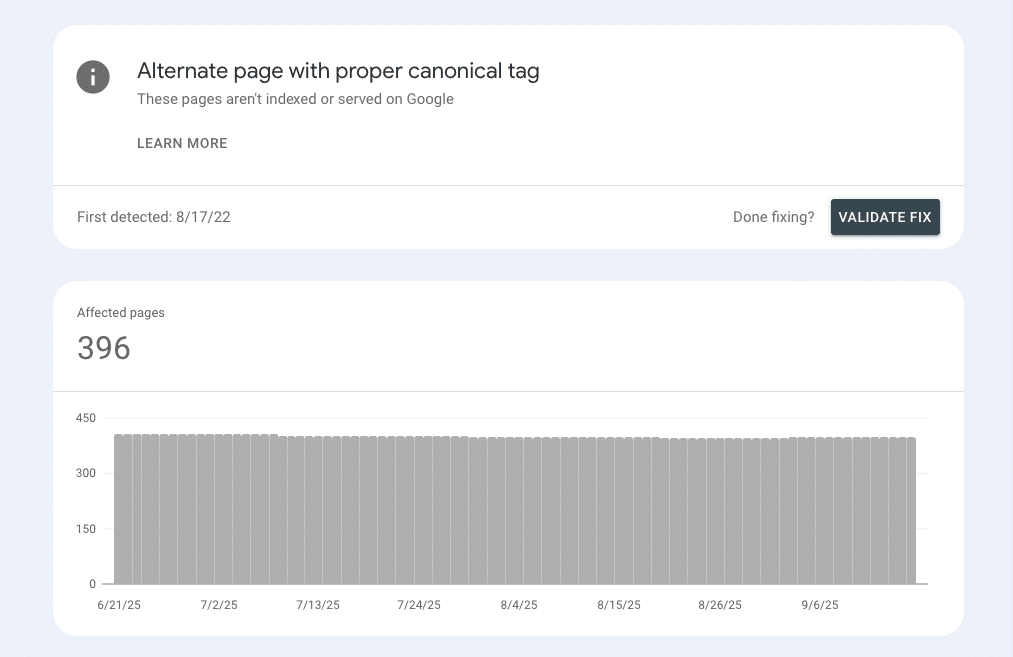
This GSC status means Google found duplicate or very similar URLs and chose one canonical to index.
Common situations include UTM/parameter variants, print/feed/AMP versions, and product variants that canonicals point to the main page.
International sites often see this when country pages are very similar; add hreflang and meaningful localization so they’re treated as regional alternates, not plain duplicates.
If an important page you want indexed shows here, check whether the declared canonical and Google-selected canonical match your intent, then adjust canonicals, internal links, or content.
This article is part of our Google Search Console Indexing Errors series. You may find other articles in the series here:
Google Search Console Page Indexing Errors: How To Fix Them
Crawled – Currently Not Indexed
Indexed thought blocked by robots.txt
What the status means
In Pages → Not indexed → “Alternate page with proper canonical tag,” Google is telling you: “We saw this URL, but it correctly points to another URL as canonical, so we index that one.” GSC even notes there’s nothing to fix when the canonical is the page you want in search. Use URL Inspection to compare user-declared vs Google-selected canonical; if Google picked differently, that’s your cue to review internal links, content equivalence, and signals.
First principle: often this is working as intended
Don’t try to index every near-duplicate. Canonicals consolidate signals and prevent duplicate clutter.
- When to leave it alone: parameters/UTMs pointing to a clean URL; print/AMP/feed pages pointing to the article; e-commerce variant URLs (colors/sizes) pointing to a main product; and structurally duplicate pages where the canonical already ranks.
- When to act: a page you do want indexed is stuck as an alternate; the canonical target is non-equivalent or non-indexable; or you see excessive alternates hinting at parameter sprawl.
- For international sites, combine correct hreflang with localized content (pricing, shipping, copy, testimonials) to differentiate markets.
- For variants, switching to self-canonicals can win extra indexation, but weigh the downsides: duplicate risk, crawl bloat, and diluted signals—only pursue if the variant has unique demand + unique value.
When to investigate
- An important page you want indexed shows up as an alternate. If it’s meant to rank (e.g., a key product/category/landing page), investigate why Google prefers another URL.
- The canonical target is wrong (non-equivalent content, 404/5xx, noindex, or blocked), which can suppress the page you actually want.
- You see lots of alternates that don’t make sense (parameter/UTM sprawl, case/slash duplicates), hinting at messy URL generation or internal links pointing to variants.
- International sites: market/language pages collapse into one canonical because they look too similar. That’s a cue to add hreflang and genuine localization.
- Ecommerce variants: a color/size page that you do want indexed (unique demand) is stuck as an alternate to the main product. Consider making that variant self-canonical—but only if you can add unique value.
Confirm the reality
- Per-URL truth: In Search Console, use URL Inspection → View crawled page. Compare User-declared canonical vs Google-selected canonical. If Google picked a different URL, it’s responding to stronger signals (content equivalence, internal links, redirects).
- Equivalence check: Open both pages side-by-side. Are they near-duplicates? Does the declared canonical actually represent the preferred version and return 200, indexable, not blocked?
Signals review:
- Internal links: Are you consistently linking to the version you want as canonical?
- Sitemaps: Do they list only the preferred canonicals (not alternates/UTM/parameters)?
- Headers/HTML: Is the canonical tag present once, correct, and not contradicted by redirects?
Intl/ecom specifics:
- For intl sets, confirm hreflang clusters are complete and reciprocal, and content has market-specific elements (currency, delivery, copy).
- For variants, confirm whether the site intentionally points variant pages → main product; if so, the status may be “working as intended.”
Why it happens: common patterns
Parameter & UTM variants
- Internal links or widgets output URLs with tracking/filters. Canonical points to the clean version, so variants land in “alternate page.”
- Fix: Strip UTM from internal links, normalize parameters, keep only clean canonicals in sitemaps.
Case / trailing-slash / http vs https / www vs non-www drift
- Multiple URL forms for the same content.
- Fix: Enforce one scheme/host/path format with 301s; keep a single canonical form.
Print/AMP/feed/duplicate templates
- Secondary versions correctly canonicalized to the full article/page.
- Fix: Usually none—this is expected if the right page ranks.
Wrong or weak canonical targets
- Canonical points to a non-equivalent page, or to a non-indexable/redirecting URL.
- Fix: Point canonicals to truly equivalent, indexable 200 pages; align redirects and internal links.
Google chooses a different canonical than you declared
- Happens when signals (links, sitemaps, content) favor another URL.
- Fix: Strengthen signals to your intended canonical (internal links, sitemap inclusion, consistent linking), and ensure the alternate isn’t being promoted.
International near-duplicates
- Country/language pages are too similar; Google indexes one/few and lists the rest as alternates.
- Fix: Implement correct hreflang across the set and add localized content (currency, units, shipping, policies, testimonials, CTAs, imagery).
Ecommerce variants
- Variant pages (color/size) canonicalize to the main product; Google indexes the main and files the rest as alternates, often by design.
- Fix: Leave as is if intentional. If a variant merits its own indexation (unique demand), switch that variant to self-canonical and add unique value (images, copy, FAQs, internal links). Weigh risks: duplication, crawl bloat, diluted signals.
Sitemap noise
- Sitemaps include alternates, parameters, or non-preferred hosts.
- Fix: List only preferred canonicals; purge alternates/UTM/redirects/404s.
Inconsistent internal linking
- Mixed links to both canonical and alternates confuse selection.
- Fix: Standardize all internal links to the canonical; update nav, breadcrumbs, related items, and CMS widgets.
International sites
When multiple country/language pages carry the same or very similar content, Google often indexes just one (or a few) and files the rest under “Alternate page with proper canonical tag.” That’s usually a duplicate-handling choice, not a penalty.
Make Google see them as regional alternates, not duplicates:
- Implement hreflang correctly across all equivalents (every page references every other locale; include return links; consider an x-default where appropriate).
- Localize meaningfully, not just translate: currency, units, shipping/returns, tax/VAT, store hours, local FAQs, legal copy, testimonials, imagery, offers, phone/address schema.
- Keep one URL per locale (consistent path or subdomain strategy) and avoid auto-redirecting users (or Googlebot) by IP.
- Don’t canonicalize between languages/markets. Each localized page should self-canonical and use hreflang to connect to siblings.
- Internal links by market. Menus, breadcrumbs, and “related” modules should point to same-locale URLs; keep UTM/params out of internal links.
- Sitemaps per locale. Submit clean XML sitemaps listing only indexable, canonical URLs for that market.
- Decision rule: If two locales are still near-identical, either add more localization or accept that some will remain alternates (which is fine if the correct market page ranks for the right audience).
Ecommerce variants
Product variants (color/size/material) often canonicalize to the main product URL. Google then indexes the main version and lists variant URLs as alternates—this is typically by design and keeps signals consolidated.
When to leave variants as alternates:
- Variants differ only cosmetically (e.g., color swatch) and don’t satisfy distinct queries.
- Variant pages are thin (same copy/specs/photos) and add crawl/index noise.
- Your PDP template already exposes variants (selectable) on the main canonical page.
When a variant might deserve its own indexation:
There’s unique search demand (e.g., “sofa in emerald green velvet”) and you can add unique value:
- Dedicated photos/video of the exact variant
- Variant-specific copy (finish, materials, care), availability, pricing
- Reviews/Q&A filtered to that variant
- Internal links from relevant collections and content
In this case, switch that variant to self-canonical, ensure it’s well-linked, included in sitemaps, and enriched with complete Product schema (SKU/GTIN).
Pitfalls to avoid:
- Mass self-canonicals on dozens of near-duplicate variants which leads to duplication, crawl bloat, and diluted signals.
- Homepage catch-all redirects from retired variants; map to the closest relevant product or category instead.
- Mixed signals (variant self-canonical, but internal links still favor the main) — standardize anchors and navigation.
- Sitemap noise (listing every param/variant handle). Keep sitemaps to the URLs you actually want indexed.
Practical workflow:
- Audit queries + traffic for each variant; pick a small set with real demand.
- Enrich those pages (content, media, links, schema) → switch to self-canonical.
- Keep the rest canonicalized to the main product to preserve consolidation.
- Spot-check with URL Inspection, then monitor the Alternate page report trend.
At First Page Digital, we are a leading SEO agency with extensive experience analysing and resolving GSC page indexing issues. If you need expert assistance to look into your GSC account, feel free to reach out to our team for professional support.