Bounce rate is one of those metrics that looks simple on the surface but trips up marketers the moment they dig into their analytics.
I’ve seen clients panic over a 75% bounce rate on a blog that was performing brilliantly, and others shrug off a 65% bounce rate on a product page quietly bleeding revenue.
The number alone tells you almost nothing.
In this article, I’m breaking down exactly what bounce rate means in SEO and Google Analytics, what’s normal for your industry, and the specific fixes I’ve used with real clients to bring those numbers down for good.
What Is Bounce Rate?
Bounce rate is the percentage of sessions on your site where a visitor lands on a page and leaves without doing anything meaningful.
No clicking to another page, no triggering a conversion, nothing. Just in and out.
I’ve spent years diagnosing traffic problems for clients, and bounce rate is almost always the first metric I look at.
It tells you, fast, whether the people landing on your site are finding what they came for, or quietly giving up and going back to Google.
What Does Bounce Rate Mean in Google Analytics?
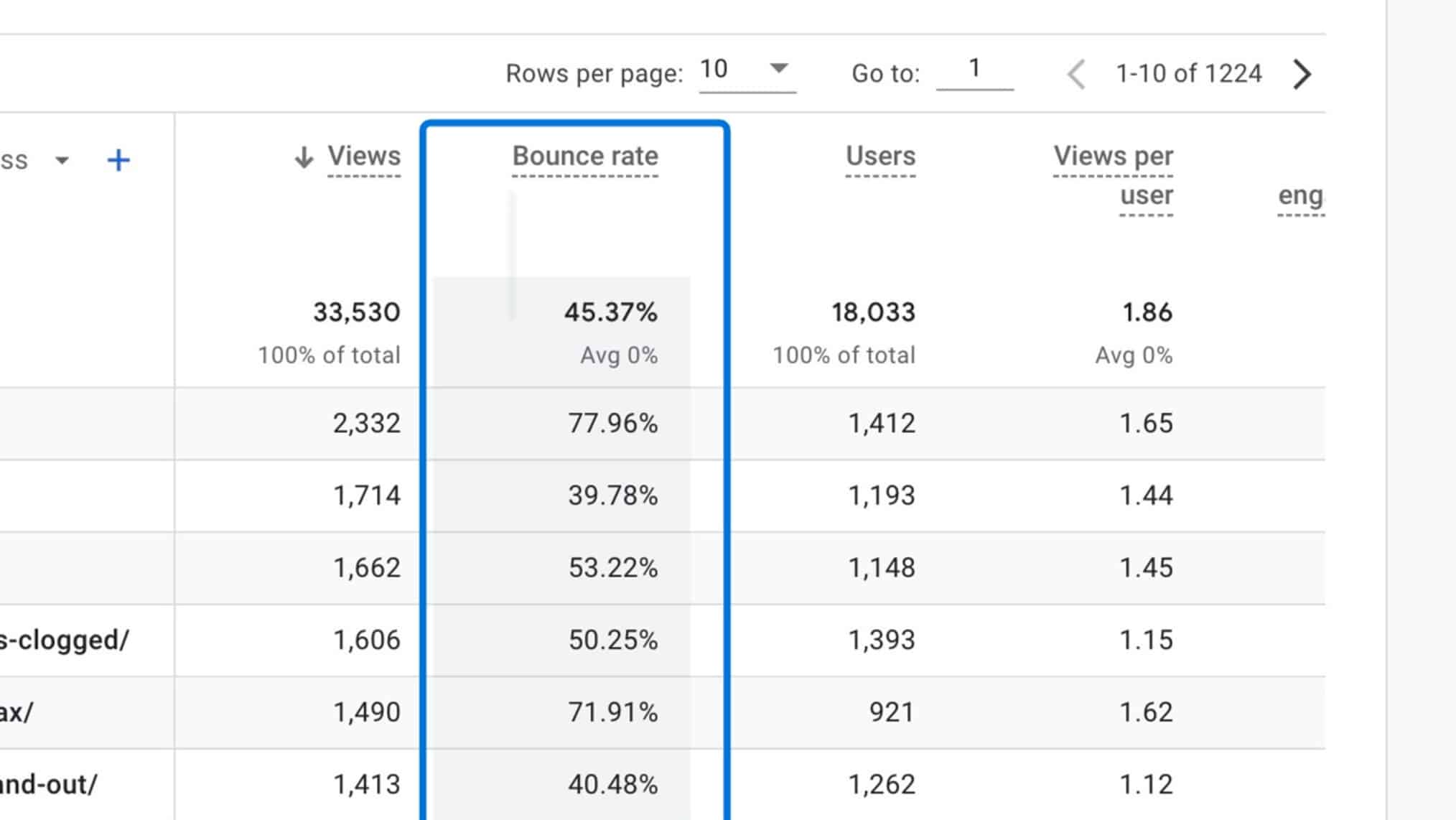
Source: GA4
In Google Analytics 4 (GA4), bounce rate is defined as the percentage of sessions that were not engaged.
An engaged session means the visitor stayed for at least 10 seconds, triggered a conversion event, or viewed at least two pages or screens. If none of that happened? That’s a bounce.
This is actually a shift from the old Universal Analytics definition, which counted a bounce as any single-page session regardless of how long someone stayed.
GA4’s version is more forgiving and, honestly, more accurate. A reader who spends 8 minutes on your article and leaves could still show up as a bounce, which is a quirk worth knowing.
Bounce Rate vs. Exit Rate
Bounce rate and exit rate sound the same but they’re measuring completely different things.
Bounce rate only counts sessions that started and ended on the same page with no meaningful interaction.
Exit rate, on the other hand, tracks the percentage of sessions that ended on a particular page, regardless of how many other pages were visited first.
Here’s a real example: someone lands on your homepage, clicks to your services page, then leaves from there.
That’s not a bounce. But it does increase the exit rate of the services page.
Confusing the two is a mistake I see constantly, and it leads to people trying to fix the wrong problem entirely.
How Is Bounce Rate Calculated?
The formula is straightforward: divide the number of unengaged sessions by the total sessions, then multiply by 100.
Bounce Rate = (Unengaged Sessions ÷ Total Sessions) × 100
So if your site gets 5,000 sessions in a month and 2,500 of those are unengaged, your bounce rate is 50%.
One thing worth noting: bounce rate is the exact inverse of engagement rate. If your engagement rate is 60%, your bounce rate is 40%.
Knowing both helps you tell a fuller story when reporting to clients or stakeholders.
Does Bounce Rate Affect SEO Rankings?
This is probably the question I get most often, and the honest answer is: it’s complicated.
Google has never officially confirmed that bounce rate is a direct ranking signal, but dismissing it entirely would be a mistake.
What we do know is that bounce rate is a symptom. When it’s high, something else is usually wrong, and those underlying problems absolutely affect rankings.
Slow page speeds, poor content relevance, terrible mobile experience, these are all things Google cares about deeply.
What Google Actually Says About Bounce Rate
Google has never confirmed bounce rate as a direct ranking factor.
Google’s own Search Advocate John Mueller has stated that Google doesn’t use Google Analytics data as a ranking signal, which means bounce rate as measured in GA4 isn’t directly influencing your rankings.
But here’s where it gets nuanced. Google does care about user satisfaction, and bounce rate is one of the clearest signals that users aren’t satisfied.
Pogo-sticking, where a user clicks your result, bounces back to Google, and clicks a competitor’s result, is the behavior that likely does influence rankings.
That pattern tells Google your page didn’t answer the query well.
Why Bounce Rate Still Matters for SEO
Even if Google isn’t using bounce rate as a direct input, a high bounce rate is almost always pointing at something that does hurt your rankings.
Page load time is a good example. A one-second delay in page load can significantly hurt conversions and send users packing before your content even renders.
Working on dozens of slow sites over the years, I’ve seen bounce rates drop dramatically after fixing Core Web Vitals issues, and organic rankings followed shortly after.
Bounce rate won’t hurt you on its own, but the problems causing it absolutely will.
What Is an Average Bounce Rate for a Website?
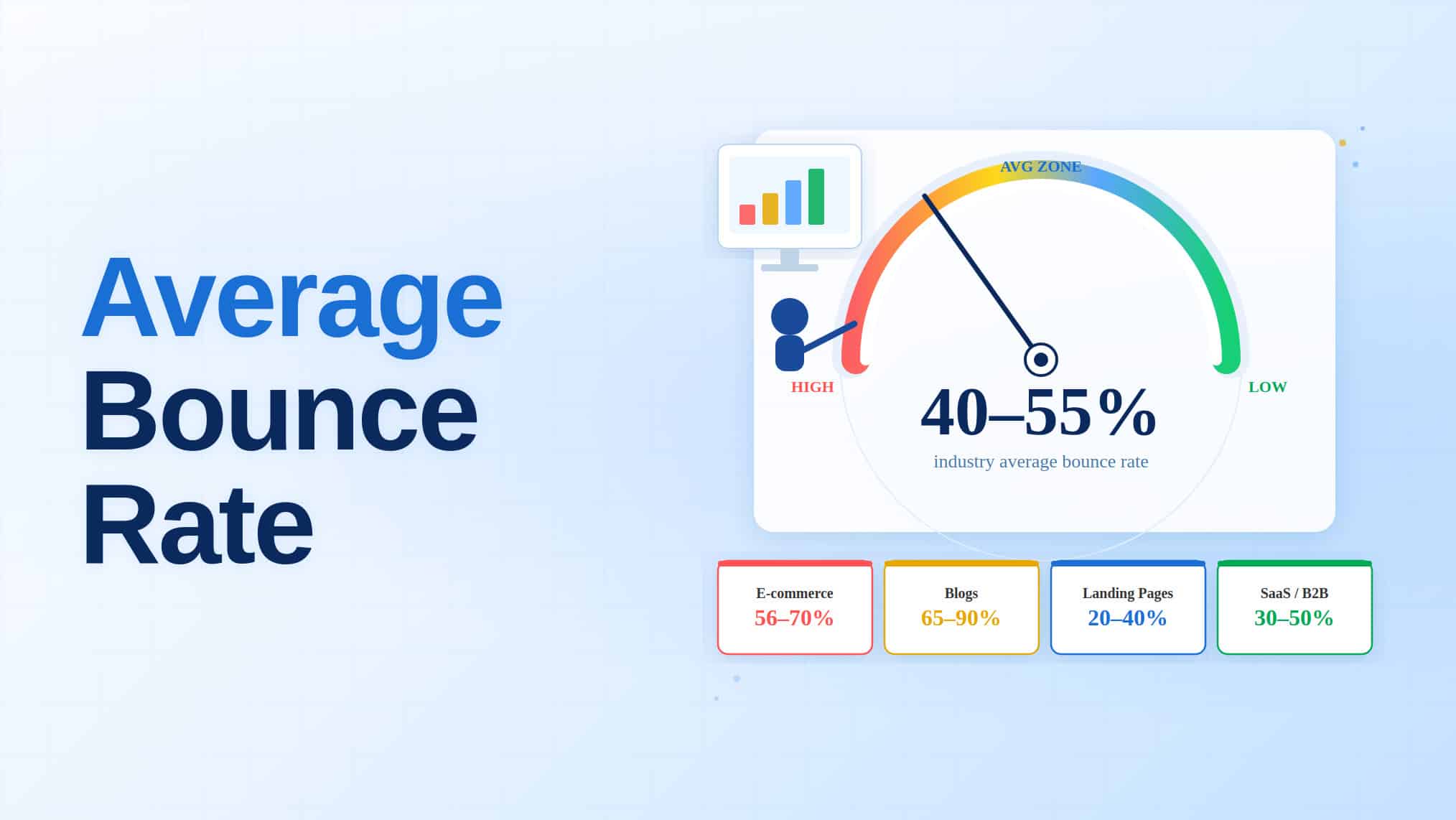
There’s no single “good” bounce rate that applies to every site.
The average across most websites falls roughly between 40% and 60%, but that number is almost meaningless without context.
Industry, page type, and traffic source all shift the benchmark significantly.
A well-optimized landing page for a paid ad campaign might have a 70% bounce rate and still be performing beautifully, because the 30% who stayed converted.
Context is everything when you’re reading these numbers.
What Is Considered a High Bounce Rate?
Generally, anything above 70% is worth investigating. That said, I wouldn’t panic the moment you see 65% on a blog post, because that’s actually pretty normal for content-heavy pages.
Where high bounce rates become a genuine problem is on pages where you need the visitor to do something: a pricing page, a contact form, a product page.
If those are hitting 70%+, you likely have a relevance, speed, or UX issue that’s costing you leads or revenue.
What Is the Ideal Bounce Rate for a Website?
The sweet spot most SEOs point to is between 26% and 40%, which indicates strong engagement. Between 41% and 55% is considered average.
Anything from 56% to 70% is higher than ideal, but contextually acceptable depending on what type of page you’re looking at.
If you’re running an e-commerce site and your product pages are sitting above 60%, that’s a red flag.
For a blog or resource page, 65% is well within the normal range.
The goal isn’t to chase a specific number; it’s to understand what a “good” bounce rate looks like for your specific page type and industry.
Bounce Rate by Industry
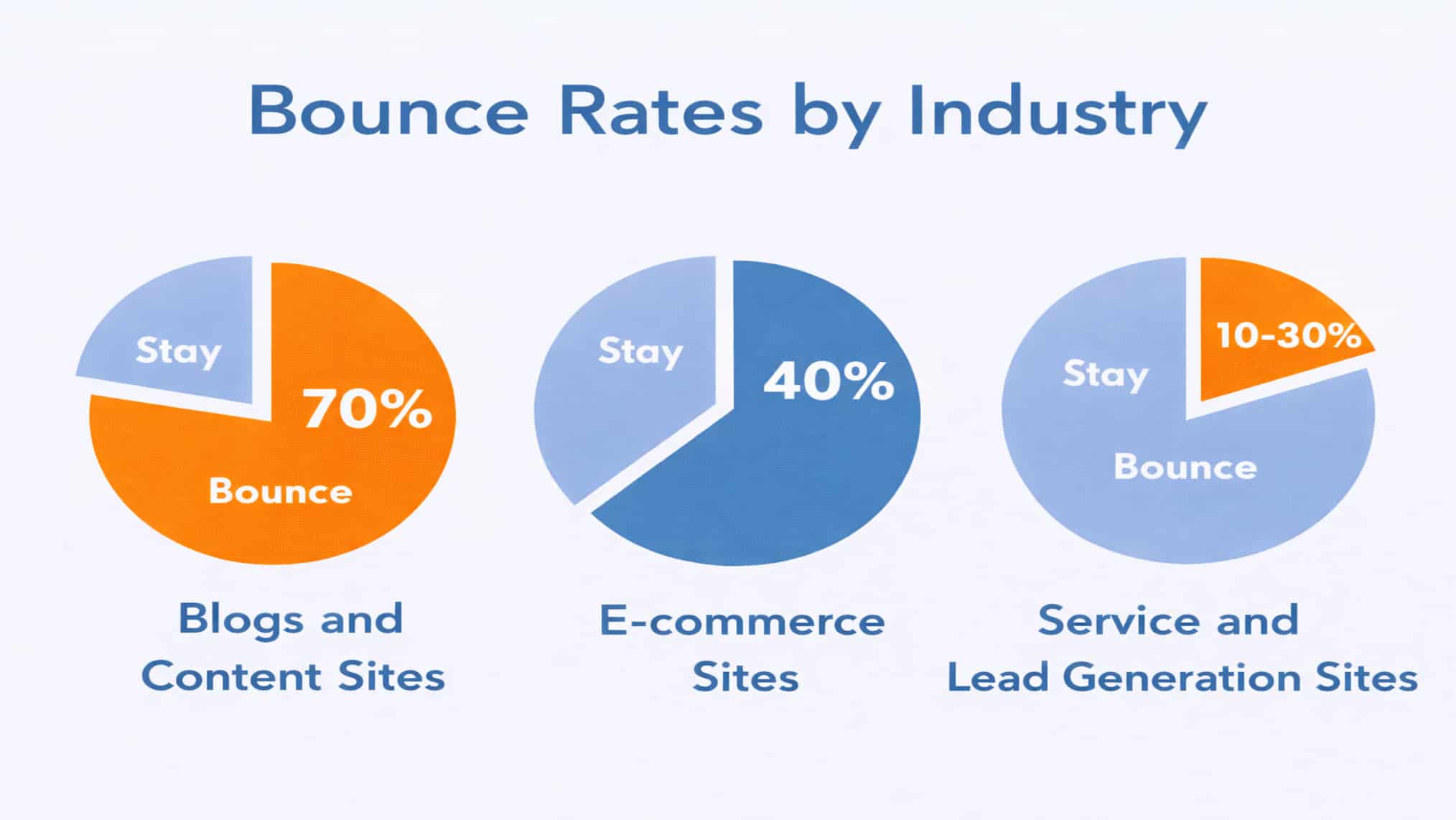
1. Average Bounce Rate for Blogs and Content Sites
Blogs and content-heavy websites consistently sit at the highest end of the bounce rate spectrum, typically ranging from 65% to 90%.
That’s not necessarily bad. Someone who found your article through Google, read the whole thing, got their answer, and left is technically a bounce in GA4 if they didn’t hit another page.
The real concern is when your bounce rate spikes above 85% and you’re seeing very short session durations alongside it.
That combination suggests users aren’t even getting to the good stuff, which usually means your page is loading too slowly or your intro isn’t holding attention.
2. Average Bounce Rate for E-commerce Sites
E-commerce sites generally see bounce rates between 20% and 55%, and this is where a high bounce rate is most directly tied to lost revenue.
Every visitor who bounces off a product page without engaging is a potential sale that didn’t happen.
From my experience auditing e-commerce sites, the most common culprits behind high bounce rates are slow image-heavy pages, unclear CTAs, and mobile layouts that feel broken.
Product pages need to load fast, display trust signals quickly, and give users a reason to keep scrolling.
Getting those fundamentals right can move the needle faster than almost anything else.
3. Average Bounce Rate for Service and Lead Generation Sites
Service businesses and lead-gen sites typically see bounce rates of 50% to 70%.
These sites live and die by conversions, so even a rate in the middle of that range deserves attention if leads are the goal.
What I’ve found kills these sites is a mismatch between the ad or search snippet that brought the visitor and what they actually land on.
If someone clicks an ad for “SEO services for dentists” and lands on a generic SEO services page, they’re gone in seconds.
Aligning landing page content tightly with the query or ad that drove the click is, hands down, the fastest way to bring these numbers down.
Why Is My Bounce Rate So High? Common Culprits I See All the Time
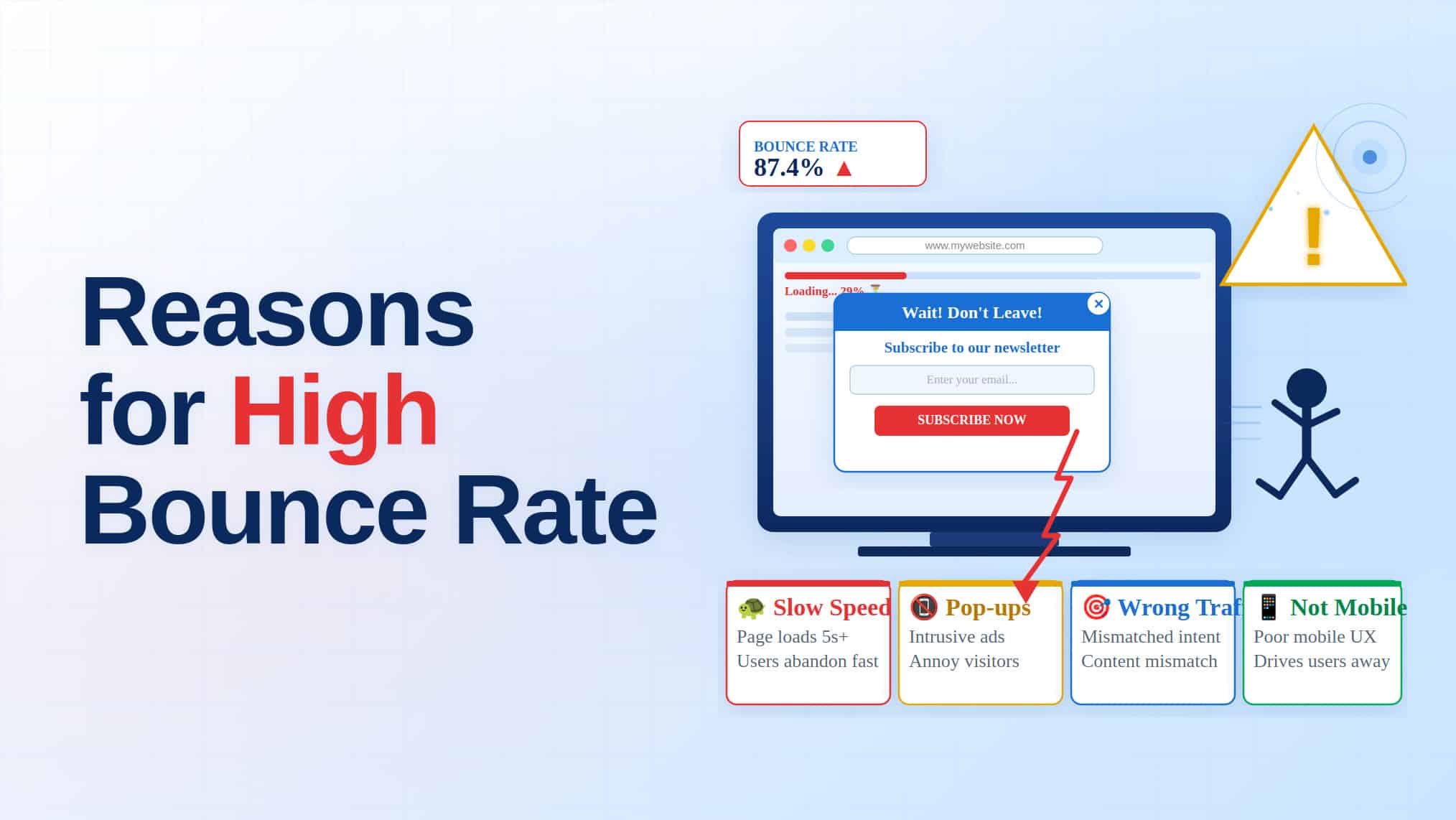
1. Slow Page Load Speed and Poor Core Web Vitals
Speed is the issue I tackle before anything else on a site audit, because it affects everything downstream.
If your page takes longer than three seconds to load, a significant chunk of users won’t wait, they’re already gone.
Core Web Vitals like Largest Contentful Paint (LCP) and Cumulative Layout Shift (CLS) directly measure the kind of slowness and visual instability that sends users packing.
I’ve watched bounce rates on bloated, image-heavy pages drop noticeably after compressing assets and fixing render-blocking scripts.
It’s not glamorous work, but the results speak for themselves.
2. Mismatched Search Intent
This one stings because it’s usually a content strategy mistake, not a technical one.
When someone searches “best project management tools for freelancers” and lands on a generic landing page for enterprise software, they bounce. Fast. The page wasn’t built for them.
The promise made by your title tag and meta description has to match what’s on the page.
I’ve seen sites with technically solid content still hemorrhage traffic because the framing was wrong.
Your page has to answer the exact question the user typed, in the format they expected.
3. Poor Mobile Experience
More than half of web traffic globally comes from mobile devices. Yet I still audit sites where the mobile version is a shrunken, broken version of the desktop.
Text too small to read, buttons too close together, and images that push the layout around. Nobody stays for that.
A poor mobile experience doesn’t just hurt bounce rate. It hurts your rankings too, since Google indexes the mobile version of your site first.
Test your pages on an actual phone, not just Chrome’s mobile emulator, because the real experience is often worse than what developer tools show.
4. Cluttered Design and Bad Navigation
When a user lands on a page and doesn’t immediately know where to look, they leave.
Cluttered designs with too many competing elements, dense blocks of unbroken text, and menus with too many options create decision fatigue. The user essentially gives up.
Navigation should take visitors where they want to go in as few clicks as possible.
If someone has to hunt for your pricing page, your services, or even your contact form, you’ve already lost them.
A clean layout with a clear hierarchy keeps people oriented and moving through your site.
5. Weak or Missing Calls to Action
The visit is going well, the user’s been reading, and they’re interested.
Then there’s nothing to do next. No obvious next step, no link to related content, no prompt to contact you. So they leave.
A missing or vague CTA is one of the most underrated causes of high bounce rates, especially on service pages and blogs.
“Click here” doesn’t cut it. Your CTA needs to tell the user exactly what happens when they click, and why that’s worth their time.
How to Reduce Website Bounce Rate for Good
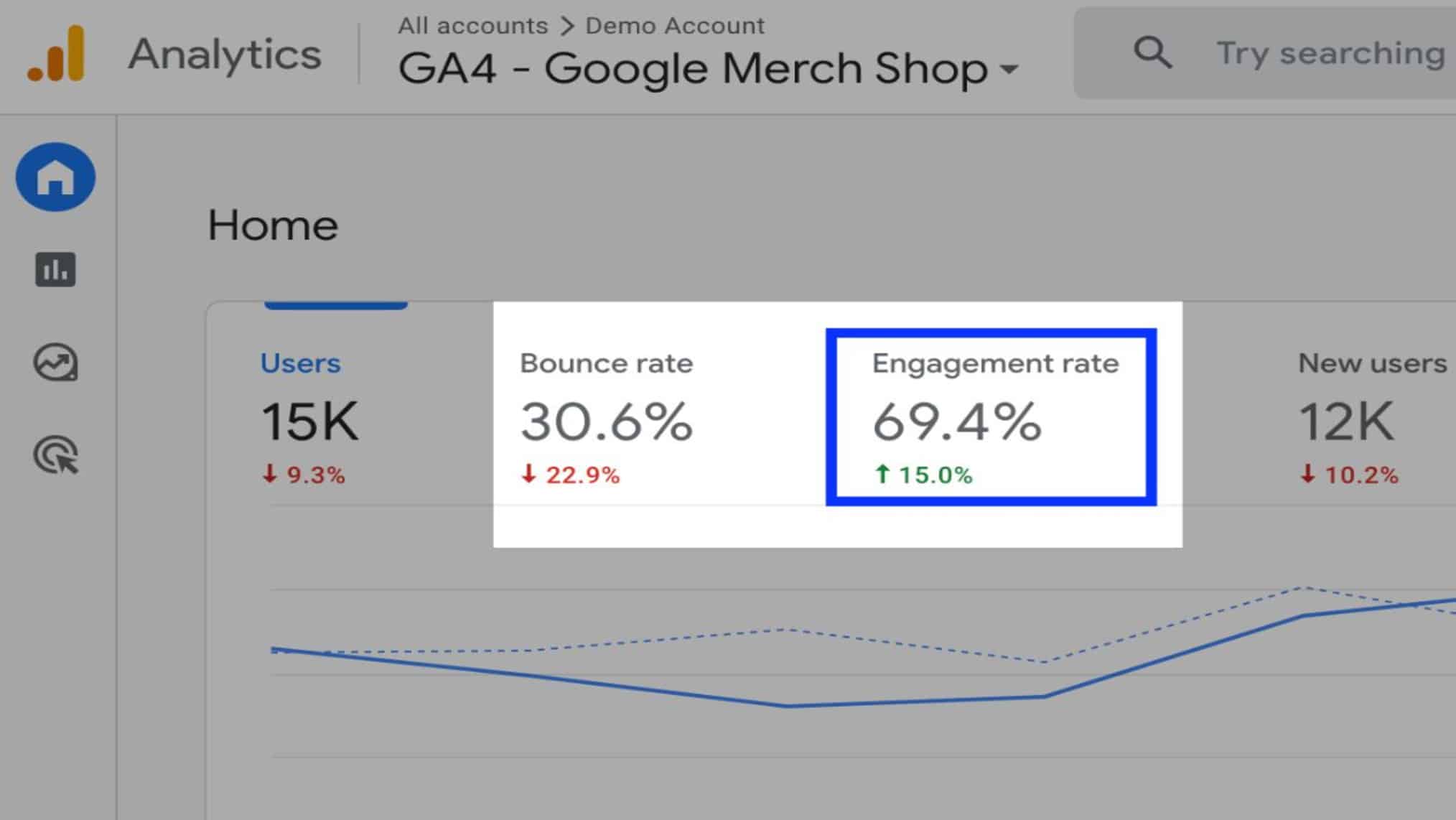
Source: GA4
1. Fix Your Page Speed First
Before touching content or design, I go straight to PageSpeed Insights and GTmetrix.
These tools show exactly what’s slowing your site down, whether it’s unoptimized images, unused JavaScript, slow server response times, or third-party scripts hogging load time.
Start with the biggest wins: compress images with tools like Squoosh or ShortPixel, enable lazy loading, and remove scripts you don’t need.
Getting your LCP score under 2.5 seconds consistently is the threshold to aim for.
Every second you cut off load time is a percentage point you’re likely cutting off your bounce rate too.
2. Match Your Content to Search Intent
Before writing or revising any page, look at the top five organic results for your target keyword and their search intents.
Are they listicles? How-to guides? Product pages?
That’s Google telling you what users expect. Write a landing page for a keyword that’s clearly informational, and you’ve already lost.
Make sure your intro delivers on exactly what your title and meta description promised. Users decide within seconds whether they’re in the right place.
If your first paragraph doesn’t confirm that quickly, they’re gone before they see your best content.
3. Improve Your Above-the-Fold Experience
The above-the-fold section of your page is everything a user sees before scrolling.
It’s valuable real estate, and most sites waste it. Unclear headlines, hero images that push content down, and slow-loading fonts all cost you engagement before it even starts.
I make sure every page’s above-the-fold section answers three questions instantly:
- Where am I?
- What can I do here?
- Why should I care?
A strong headline, a subheading that clarifies the value, and one clear action are all you need to give visitors a reason to keep scrolling.
4. Add Strategic Internal Links and Jump Links
Internal linking keeps users moving through your site instead of hitting a dead end. The keyword is “strategic,” though.
Dropping links randomly into paragraphs doesn’t work. Links need to feel like a natural next step, pointing to content that genuinely deepens the topic.
Jump links (a table of contents at the top of long pages) serve a slightly different purpose.
They let users skip to the section they care about most, keeping them on the page even when the full article isn’t relevant.
I’ve seen dwell time increase measurably on long-form content by simply adding a linked TOC.
5. Use Videos and Visuals to Increase Dwell Time
Pages with embedded video consistently show lower bounce rates and higher average session durations.
A 60-second explainer at the top of a page gives users something to engage with immediately, buying time for the rest of the content to land.
Visuals break up the wall of text, preventing users from scrolling past everything and clicking away. Diagrams, screenshots, and annotated images all add value beyond decoration.
Whenever I’m reviewing a long article with a high bounce rate, the fix is almost always to break it up with visuals every few hundred words.
6. Optimise for Mobile Users
Optimizing for mobile is a separate project from designing a good desktop experience. Font sizes need to be at least 16px.
Tap targets need to be large enough to actually hit. Pages should load in under three seconds on a mid-range Android phone on a regular network, not just on a flagship device over WiFi.
I always test mobile performance on real devices with Google’s Mobile-Friendly Test and then actually scroll through the page with my thumb.
The things that look fine on a screen look completely different with a finger.
If buttons are stacked awkwardly or text is cramped, your mobile users will bounce without a second thought.
7. Use Heatmaps to Understand What Users Are Doing
Analytics tell you where users drop off. Heatmaps tell you why.
Tools like Hotjar or Microsoft Clarity show exactly where users click, how far they scroll, and where they stop reading. That kind of data turns guesswork into targeted fixes.
I’ve found heatmaps invaluable on pages where bounce rate is high but the obvious culprits (speed, intent, mobile) are all fine.
Seeing users click a non-linked image expecting it to do something, or watching everyone drop off at the same paragraph, points directly to what needs to change.
No amount of assumptions gets you there faster.
8. Make Your CTAs Impossible to Miss
A great CTA is specific, visible, and placed where users are ready to act.
“Learn More” is not a CTA. “See how we reduced bounce rates by 40% for a Singapore e-commerce brand.” is.
Specificity builds trust and sets expectations simultaneously.
Also, placement matters just as much as wording.
Put a CTA above the fold for users who are already convinced, another one mid-page for readers who need a little more context, and one at the end for people who read everything.
Not every user makes decisions at the same point, and your CTAs should account for that.
Your Bounce Rate Is Trying to Tell You Something
Not every bounce is a problem, and treating the number in isolation is where most people go wrong.
A blog reader who got their answer and left is not the same as a potential customer who bounced off your pricing page in eight seconds because it loaded too slowly.
The fix is always in the underlying experience: page speed, content relevance, mobile design, and CTAs that actually guide people somewhere.
Those are the exact levers the First Page Digital team pulls for clients across Singapore every day.
You can book a FREE strategy session with the First Page Digital team today (worth $2,000) and you’ll get a clear picture of what’s driving your bounce rate and a practical plan to fix it.
Frequently Asked Questions
What does bounce rate mean in Google Analytics?
Bounce rate in GA4 measures the percentage of sessions in which a user left without engaging, meaning the session lasted under 10 seconds, had no interactions, and involved only one page view.
What is the average bounce rate for a website?
The overall average sits between 26% and 70%, with 26% to 40% considered excellent. Anything below 20% usually signals a tracking error worth investigating.
What is considered a high bounce rate?
A bounce rate above 70% is generally a red flag for most site types, though content-heavy blogs can sit between 65% and 90% and still be performing well.
What is the average bounce rate for blogs?
Blogs typically see bounce rates of 65% to 90% because readers often land on one post, get what they need, and leave. That’s not always a bad thing.