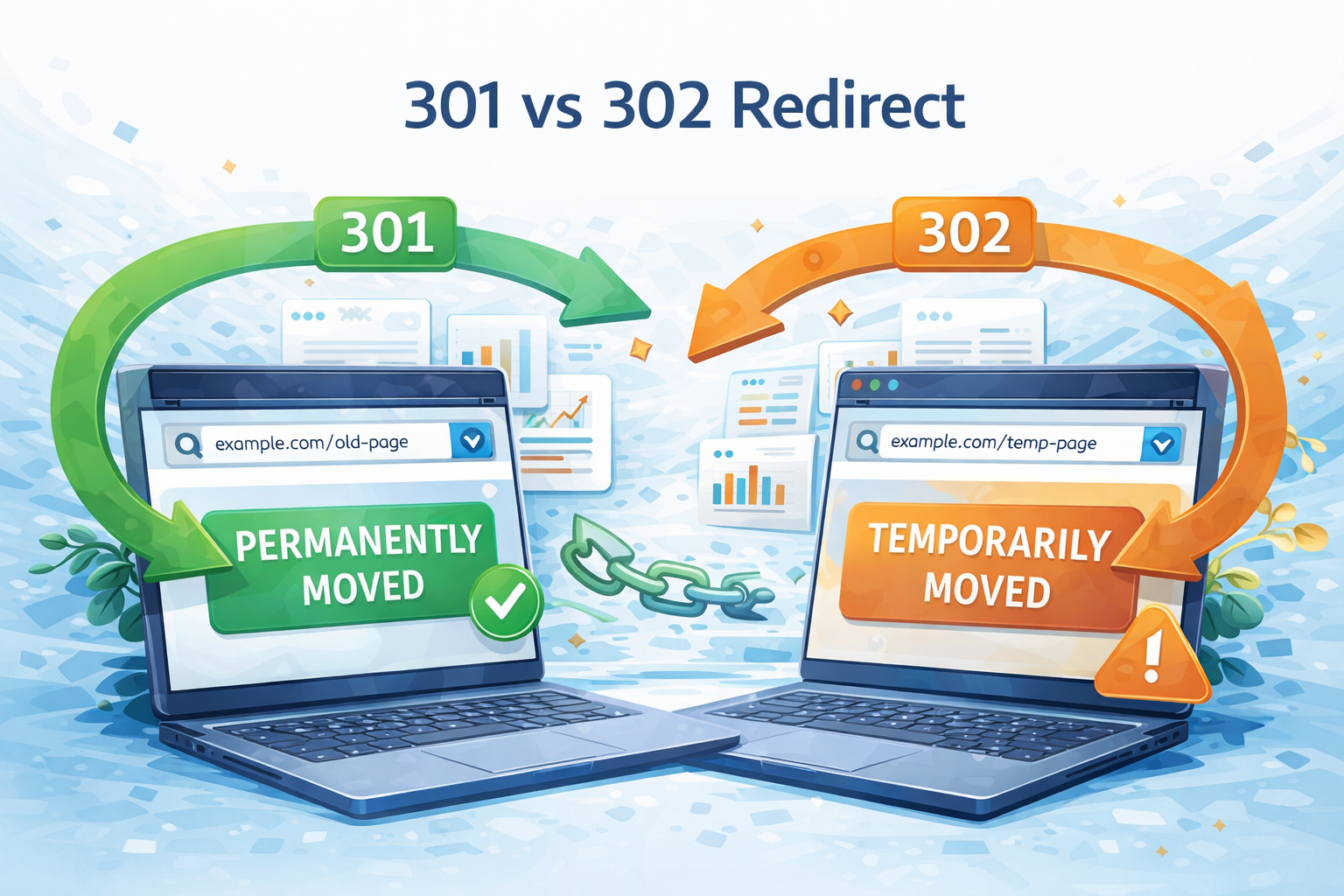
A 301 redirect tells browsers and search engines that a page has permanently moved to a new URL. A 302 redirect tells them the move is temporary and the original URL will return. The choice between them affects which URL Google indexes, how link equity is transferred to the destination page, and how browsers cache the redirect instruction. Using the wrong type is one of the most common technical SEO mistakes, and it can take months to reverse the consequences of a misapplied redirect during a site migration. This guide explains how each redirect type works, when to use each one, and the mistakes to avoid.
What Are HTTP Redirects?
An HTTP redirect is an automatic instruction that sends a user or search engine bot from one URL to a different one. When a browser requests a URL that has a redirect on it, the server responds with a redirect instruction and the browser follows it to the destination automatically, usually without the user noticing.
Redirects exist for two primary reasons: a page has moved to a new location permanently or temporarily, or a page is unavailable and visitors should be sent elsewhere in the meantime. The server communicates which type of redirect is in place using a three-digit HTTP status code, specifically a code in the 3xx family.
What Are HTTP Status Codes?
HTTP status codes are three-digit numbers that servers send to browsers and search engines to describe the outcome of every request. They are grouped into five families by their first digit:
- 1xx (Informational): Request received and being processed
- 2xx (Success): Request fulfilled (for example, 200 OK means the page loaded correctly)
- 3xx (Redirection): Content has moved; browser or search engine must follow to the new location
- 4xx (Client error): Something is wrong with the request (for example, 404 Not Found)
- 5xx (Server error): Something went wrong on the server
Both 301 and 302 sit in the 3xx family. They both redirect the user to a different URL, but they communicate different intent: 301 signals a permanent change, 302 signals a temporary one. Other redirect types also exist in this family, including 307 (temporary, preserves HTTP method), 308 (permanent, preserves HTTP method), and 303 (see other). For a full comparison of all redirect types, see our guide to 301, 302, 303, 307, and 308 redirects compared.
What Is a 301 Redirect?
A 301 redirect is a permanent redirect. It tells both browsers and search engines that a webpage has permanently moved to a new URL and that the original URL is retired and should not be used again. Search engines are instructed to update their index to replace the old URL with the new one.
A 301 redirect has three defining characteristics:
- Permanence: Google and other search engines treat the move as final. Over time, the new URL replaces the old URL in search results.
- Link equity transfer: The SEO value accumulated by the old URL, including its backlinks, PageRank, and topical authority, passes to the new URL. Google has confirmed this, though there is an acknowledged small diminishment in the transfer compared to a direct link. For most practical use cases, this loss is negligible.
- Browser caching: Once a browser encounters a 301, it caches the redirect. On future visits to the old URL, the browser skips the server check entirely and goes directly to the new URL. This makes 301 redirects faster to resolve on repeat visits, but harder to change once deployed.
John Mueller of Google has stated that 301 redirects should be kept in place for at least one year after implementation. This gives time for all sites that still link to the old URL to update their links or for their crawlers to follow the redirect and process the change.
What Is a 302 Redirect?
A 302 redirect is a temporary redirect, also referred to as “302 Found” in the HTTP 1.1 specification. It tells browsers and search engines that a webpage has temporarily moved to a new URL, with the expectation that the original URL will return at some point.
A 302 redirect has three defining characteristics that directly contrast with a 301:
- Temporariness: Search engines are instructed to keep the original URL in their index and not replace it with the destination URL.
- Link equity retained at source: The SEO value of the original URL stays with that URL, not with the destination. The destination page does not inherit any PageRank or backlink authority from the source.
- No browser caching: Browsers do not store the redirect instruction. Every visit to the source URL generates a fresh server request and check. This makes 302 redirects slower than cached 301s on repeat visits, but fully reversible at any time.
A useful analogy: a 302 redirect is like forwarding your post to a holiday address. The mail (the user) arrives at the temporary location, but your permanent home address remains on record. When you return, post goes back to the original address without any change being made to it.
301 vs 302: Side-by-Side Comparison
| Criteria | 301 Redirect | 302 Redirect |
| Type | Permanent | Temporary |
| Signal to search engines | Page has permanently moved; update index to new URL | Page has temporarily moved; keep original URL indexed |
| Link equity (PageRank) transfer | Yes: transfers to the new URL | No: stays with the original URL |
| Which URL Google indexes | New URL (destination) | Original URL (source) |
| Browser caching | Yes: cached by browser; hard to change after deployment | No: not cached; easy to revert or update |
| Original URL is retired? | Yes | No: will return |
| Typical use cases | Domain migration, URL restructure, HTTP to HTTPS, page consolidation | A/B testing, site maintenance, temporary promotions, geo/language redirects |
How 301 and 302 Redirects Affect SEO
How a 301 Redirect Affects SEO
A 301 redirect transfers the ranking signals accumulated by the old URL, including its PageRank, backlinks, and topical authority, to the new URL. Once Google processes the redirect and recrawls the affected pages, the new URL gradually appears in search results in place of the old one.
The transfer is not instantaneous. Depending on how frequently Google crawls the affected pages, it can take weeks to months for the new URL to fully inherit the old URL’s search positions. For high-authority, frequently crawled pages this process is faster; for lower-traffic pages with infrequent crawl cycles, it takes longer.
While Google has confirmed that 301 redirects pass PageRank, there is an acknowledged small diminishment in the amount transferred compared to what a direct link would pass. In practice, this loss is negligible for the vast majority of redirects and should not be a reason to avoid using 301 redirects when they are the correct choice.
How a 302 Redirect Affects SEO
A 302 redirect preserves the original URL’s position in Google’s index. The destination URL is seen as separate and temporary. This means the original page retains its rankings, the destination does not inherit any link equity from the source, and Google continues to index the original URL rather than the destination.
This is the correct behaviour when a redirect is actually temporary. The problem arises when a 302 is accidentally used for a permanent change, because the destination page will never inherit the SEO value of the source, and the source URL remains in Google’s index even as users are consistently sent somewhere else. This mismatch between what Google shows and where users actually land is one of the most costly redirect mistakes in technical SEO.
How 301 and 302 Redirects Affect Browser Caching
Browser caching is a dimension of redirect behaviour that most technical SEO guides overlook, but it has real consequences for anyone who needs to change or revert a redirect after deployment.
When a browser visits a redirected URL, it stores the redirect instruction in its local cache. On subsequent visits to the same URL, the browser skips the server check entirely and follows the cached instruction directly. This makes repeat visits faster, but the behaviour differs between redirect types.
For 301 redirects: browsers cache the redirect permanently, or until the cache is explicitly cleared by the user. This has two consequences. First, repeat visitors to the old URL will reach the destination faster because no server request is needed. Second, if you later change or remove the 301 redirect, users who have already cached it will not see the update. Their browser will continue sending them to the old destination until they clear their cache, which most users never do.
For 302 redirects: browsers do not cache the redirect (unless specific cache headers in the server response instruct them to). Every visit to the source URL generates a fresh server request. This makes 302 redirects slightly slower on repeat visits, but fully reversible: if you change the destination, the next visit will reflect the change immediately.
The real-world consequence of this difference matters for Singapore businesses running e-commerce or promotional sites. Consider this scenario: a retailer sets up a redirect from /products/shoes/ to /products/shoes-sale/ during a sale and uses a 301 redirect, assuming they will change it back when the promotion ends. When the sale concludes, they try to remove the redirect. But users who have already cached the 301 in their browsers continue being sent to /shoes-sale/, and the 301 has now transferred link equity away from /products/shoes/ to the sale page. A temporary promotion should always use a 302, not a 301. The rule: if there is any chance you will need to change or remove the redirect later, use 302. If the change is permanent and final, use 301.
What Happens If You Leave a 302 Redirect Too Long?
If a 302 redirect is left in place for an extended period, typically anything beyond a few weeks to a few months, Google may begin to treat it as a permanent redirect regardless of the status code. This means Google could start indexing the destination URL instead of the source URL, and the original URL may disappear from search results without warning.
Google’s documented position, confirmed by John Mueller, is that the intent of the redirect matters more than the status code alone. If a redirect has been in place long enough that the change appears established, Google will make its own determination about whether the move is permanent, regardless of whether you specified 302. Google is essentially trying to identify what the site owner actually intends, and longevity of a redirect is a strong signal that the change is permanent.
The practical risks of leaving a 302 too long are: the original URL may be dropped from Google’s index unexpectedly, the destination URL may start to inherit rankings without you intending it to, and if you then remove the 302 and restore the original URL, there will likely be a period of ranking instability while Google re-evaluates.
To check how Google is currently treating a redirect, use the URL Inspection tool in Google Search Console: enter the source URL and review the result. If it returns “URL is not on Google,” Google is treating the redirect as permanent. If the source URL is still indexed, Google is treating it as temporary. If a 302 redirect has been in place for more than three months and the change was always intended to be permanent, switch it to a 301 to give Google an explicit, unambiguous signal.
When to Use a 301 Redirect
Use a 301 redirect whenever a change is permanent and the original URL will not return. The following are the most common scenarios where a 301 is the correct choice.
Domain migration: When moving a site from one domain to another, every page on the old domain should 301 redirect to its equivalent page on the new domain. For example, moving from old-brand.com to new-brand.sg. Avoid redirecting all old pages to the new homepage. Redirect each URL to its equivalent page to preserve the link equity of individual pages.
Changing a URL slug permanently: When updating a page’s URL for clarity or to fix an error, and the page will never return to its old URL. For example, changing /services/seo-services/ to /seo/. A 301 preserves the link equity built by the old URL and ensures anyone who bookmarked or linked to the old URL is still sent to the right place.
HTTP to HTTPS migration: When moving a site from HTTP to HTTPS, all HTTP URLs should 301 redirect to their HTTPS counterparts. This is now a standard step for any site enabling SSL, as Google treats HTTPS as a ranking signal.
WWW to non-WWW consolidation (or vice versa): Google treats www.example.com and example.com as separate domains. All variants should 301 redirect to a single preferred version to consolidate authority and avoid splitting link equity across two addresses.
Retiring a page with a relevant replacement: When a page is deleted or superseded and a relevant alternative exists. For example, an old product page replaced by an updated version. The old URL 301 redirects to the new one, preserving any backlinks or rankings the old page had accumulated.
Merging two similar pages: When consolidating duplicate or overlapping content into a single stronger page. Both old URLs 301 redirect to the merged page, combining their respective link equity at one destination.
The rule: if the change is permanent and the original URL will never return, use 301.
When to Use a 302 Redirect
Use a 302 redirect whenever the original page will return at some point, or when you need to retain the flexibility to change or remove the redirect later.
A/B testing: When sending a portion of traffic to a test version of a page to compare performance, the source URL (the control page) should remain indexed and retain its SEO value throughout the test. A 301 would transfer the source page’s rankings to the test page, which is not the intent. Always use 302 for A/B tests.
Temporary site maintenance: When a specific page is briefly taken offline for updates and visitors should be sent to an alternative page in the meantime. For example, a booking form taken down for 48 hours, redirecting to a contact page. The original page will return, so 302 is correct.
Temporary promotional pages: When a seasonal sale or campaign page is live and the original page will be restored when the promotion ends. For example, redirecting /products/shoes/ to /products/shoes-sale/ during a sale period. Using 302 ensures /products/shoes/ retains its SEO value and is easily restored when the sale ends.
Geo or language-based redirects: When detecting a visitor’s location or language and directing them to a localised version of the site. For example, visitors from Singapore redirected to example.com/sg/. Note that Google recommends using hreflang tags for international targeting where possible, as redirect-based geo detection can create indexing complications if not implemented carefully.
Live testing a new page design: When a redesigned page is being tested with real traffic before a final decision is made about whether to keep it. Use 302 until the decision to keep the new version is confirmed, then switch to 301 to signal permanence and transfer link equity.
The rule: if the original URL will return (even potentially), use 302.
Common Redirect Mistakes and How to Fix Them
These are the five most common redirect mistakes I see during technical SEO audits, and what to do about each one.
Mistake 1: Using 302 for a Permanent Move
This is the most damaging and most frequent redirect error. Developers sometimes use 302 because it is easier to implement or because they are unsure which type to choose. If the change is permanent, the original URL retains its index position and the destination never inherits the link equity it should have received. The longer this goes uncorrected, the more ranking potential is lost.
Fix: Audit all existing 302 redirects using Google Search Console or a crawler such as Screaming Frog or Ahrefs Site Audit. Any 302 that has been in place for more than two to three months for a change that was always intended to be permanent should be updated to a 301.
Mistake 2: Using 301 When You Need to Revert
Using a 301 for a change that is temporary, such as a sale redirect or a page currently under revision, means browsers will cache the redirect. When the promotion ends or the page returns, some users will continue being sent to the old destination because their browser cache has not been cleared. Additionally, link equity has been transferred away from the original URL.
Fix: Use 302 for any redirect you may need to revert or update. If a 301 has already been deployed for a temporary change, switch it to a 302 immediately and implement any destination changes required. The browser cache issue will resolve itself as users’ cache expires or they clear it.
Mistake 3: Redirect Chains
A redirect chain occurs when URL A redirects to URL B, which redirects to URL C. Each hop in the chain adds latency to the page load and can dilute the link equity transfer. PageRank diminishes slightly with each redirect in the chain rather than passing directly to the final destination. Chains often build up over time as new redirects are added without reviewing or removing old ones.
Fix: Every redirect should point directly to the final destination URL. Run regular crawls with Screaming Frog or Ahrefs Site Audit to identify chains of two or more hops and update them to point straight to the end URL. This is particularly important after site migrations, where chains frequently accumulate.
Mistake 4: Redirect Loops
A redirect loop occurs when URL A redirects to URL B and URL B redirects back to URL A, or when the chain circles back on itself at any point. The browser and search engine bot get stuck in an infinite loop. The page never loads and returns a “too many redirects” error.
Fix: Verify redirect logic before deploying, particularly when redirects involve multiple conditions or server-level rules. If a redirect loop occurs on a live site, use a browser’s developer tools (DevTools > Network tab) to trace the redirect chain and identify where the loop forms. Fix the conflicting rules at the server or plugin level.
Mistake 5: Failing to Update Internal Links After a Redirect
Once a 301 redirect is in place, all internal links on the site that point to the old URL should be updated to point directly to the new URL. Leaving internal links pointing to redirected URLs wastes crawl budget. Googlebot has to follow the redirect on every crawl rather than landing directly on the target page. On large sites, this can add up to a meaningful crawl budget loss.
Fix: After implementing any permanent redirect, run a crawl to identify all internal links still pointing to the redirected URL and update them. In WordPress, Yoast SEO, AIOSEO, and Rank Math can surface internal links pointing to changed URLs. For non-WordPress sites, Screaming Frog’s Inlinks tab shows every source of a specific URL across the site.
How to Implement 301 and 302 Redirects
There are three primary methods for implementing redirects, depending on the server environment and the level of technical access available.
Method 1: .htaccess (Apache Servers)
The most common implementation method for shared hosting environments. Add the following to the .htaccess file in the site root directory.
For a 301 permanent redirect:
Redirect 301 /old-page.html https://www.example.com/new-page.htmlFor a 302 temporary redirect, replace 301 with 302:
Redirect 302 /old-page.html https://www.example.com/new-page.html.htaccess changes take effect immediately without a server restart. Take care with the file syntax: a malformed .htaccess rule can take the entire site offline. Always test in a staging environment first when making changes beyond simple single-URL redirects.
Method 2: Nginx Configuration
For servers running Nginx, add a return directive in the server block configuration file.
For a 301 permanent redirect:
return 301 https://www.example.com/new-page.html;For a 302 temporary redirect:
return 302 https://www.example.com/new-page.html;Nginx configuration changes require a server reload to take effect (sudo nginx -s reload). Test the configuration syntax with sudo nginx -t before reloading to catch any errors.
Method 3: WordPress Plugin (No Code Required)
For WordPress sites, the free Redirection plugin (wordpress.org/plugins/redirection/) allows creation and management of 301 and 302 redirects from the WordPress admin dashboard without accessing server files. It logs redirect hits, detects 404 errors automatically, and supports regex-based rules for bulk redirects.
For WordPress sites on managed hosts such as SiteGround, Kinsta, or WP Engine, the host’s own dashboard may include built-in redirect management tools as an alternative.
For WordPress sites actively publishing content, a better long-term option is the built-in redirect manager in a major SEO plugin: Yoast SEO Premium, AIOSEO, and Rank Math Pro all include redirect managers that are tightly integrated with post and page management. When a URL slug is changed, these plugins can automatically create a redirect from the old URL, removing a step that is frequently forgotten and preventing 404 errors from accumulating.
How to Check and Monitor Your Redirects
Implementing a redirect is only the first step. Verifying that it is working as intended, and that Google is treating it correctly, is equally important.
Google Search Console URL Inspection: Enter the source URL (the redirected URL) in the URL Inspection tool. If Google returns “URL is not on Google,” it is treating the redirect as permanent. If the source URL is still indexed, Google is treating it as temporary. This is the definitive check for how Google is interpreting a specific redirect, and more reliable than simply looking at the status code, because Google’s actual treatment can diverge from the declared code over time.
Google Search Console Pages report: Under the Pages report, check for redirect-related issues including redirect chains that are too long, redirect loops, and redirect URLs that exceed the maximum length. Fix any errors flagged here, as they can slow crawling and dilute link equity transfer.
Screaming Frog SEO Spider (free up to 500 URLs): Crawl the site and filter by response code to view all 301 and 302 redirects across the site at once. Identify redirect chains (two or more hops), spot redirect loops, and export the full redirect map to a spreadsheet for audit purposes. For larger sites, Ahrefs Site Audit and Semrush Site Audit provide the same data with ongoing scheduled monitoring rather than manual point-in-time crawls.
I recommend including a redirect audit in quarterly technical SEO maintenance, and running an additional dedicated audit after any site migration, domain change, or major content reorganisation. These are the events that most commonly introduce new redirect errors.
Frequently Asked Questions
What is the difference between a 301 and 302 redirect?
A 301 redirect is permanent: it tells browsers and search engines that a page has permanently moved to a new URL, transfers link equity to the new URL, and is cached by browsers. A 302 redirect is temporary: it tells search engines the original URL will return, retains link equity at the source, and is not cached by browsers. The choice between them affects which URL Google indexes and how link equity flows between pages.
Does a 301 redirect lose link equity?
A 301 redirect transfers almost all of the link equity accumulated by the old URL to the new URL. Google has confirmed this. There is a widely acknowledged small diminishment compared to what a direct link would pass, but for the vast majority of redirect use cases, this loss is negligible and should not be a reason to avoid using 301 redirects when they are the correct choice. The alternative (leaving a broken or unmigrated URL) loses far more value.
Will a 302 redirect hurt my SEO?
A 302 redirect will not hurt your SEO if it is used correctly for actually temporary situations. The original URL retains its rankings because Google keeps it indexed, and its link equity stays with the source. The risk arises when a 302 is left in place long enough that Google starts treating it as permanent, at which point the original URL may be dropped from the index unexpectedly. A 302 used correctly for A/B testing, maintenance, or temporary promotions is not an SEO risk.
What happens if I use a 302 redirect instead of a 301?
If you use a 302 for a permanent change, the original URL will remain in Google’s index rather than being replaced by the destination URL, and the destination page will not inherit the link equity or rankings of the source. Over time, if the 302 stays in place, Google may start treating it as permanent anyway and drop the original URL from its index. By that point, the destination URL also has not accumulated any of the equity it should have received. The longer the mistake persists, the harder it is to recover from.
How long should a 301 redirect stay in place?
John Mueller of Google has recommended keeping 301 redirects in place for at least one year. After that, many practitioners leave them indefinitely, as there is no performance cost to keeping redirects active and removing them risks breaking any remaining inbound links pointing to the old URL. In practice, redirects from major migrations are rarely removed. The risk of removing them (losing residual backlinks) outweighs the minimal cost of maintaining them on the server.
What is a redirect chain and why is it a problem?
A redirect chain is when URL A redirects to URL B, which redirects to URL C, rather than going directly from A to C. Each hop in the chain adds server latency, slowing down the page load for users and bots. Chains also dilute link equity transfer slightly with each additional hop. They most commonly build up over time when new redirects are added without reviewing or removing old ones. Fix them by updating every redirect to point directly to the final destination URL.
Redirect Errors in Technical SEO: How First Page Digital Can Help
Redirect errors are among the most common technical SEO issues found during site audits, and among the most consequential. Using 302 for a permanent migration, leaving redirect chains unresolved, or failing to implement page-level redirects during a domain change can cause ranking drops that take months to reverse. The mistake itself takes moments to make; the recovery takes significantly longer.
First Page Digital is a Singapore-based technical SEO agency that audits, corrects, and implements redirect strategies as part of broader SEO campaigns. If you are planning a site migration, domain consolidation, or URL restructure, or if you suspect existing redirects are affecting your current rankings, our team can identify the issues and implement the fixes correctly the first time. Learn more about our technical SEO services, or book a free Revenue Growth Strategy Session, valued at SGD 2,000, to get a personalised assessment of your site’s current technical health. You can also explore the full range of our SEO services in Singapore.