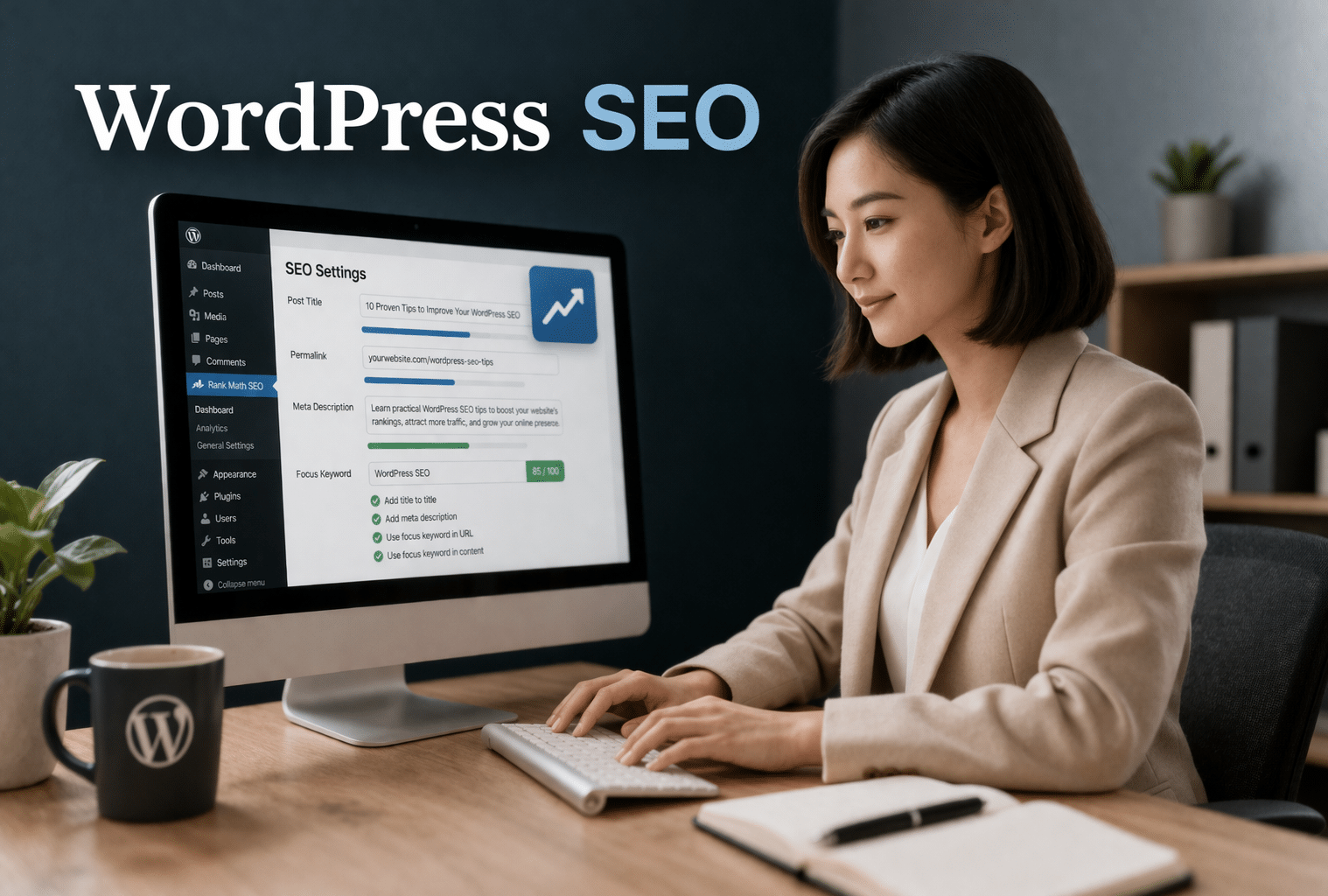
WordPress is SEO-friendly by default, but a default installation is not an optimised one. To rank well in Google, a WordPress site needs the right foundational settings, a reliable SEO plugin, content built around real search queries, and a technically sound infrastructure. This guide covers every step of that process, from first-time setup to the growing discipline of Answer Engine Optimisation (AEO) for AI-generated search results.
WordPress powers approximately 43% of all websites globally, according to W3Techs, and many business websites in Singapore run on the platform. Whether you manage a local service business, an e-commerce store, or a regional B2B operation, the principles in this guide apply directly to your situation. I have written it for a Singapore context throughout, covering hosting providers with APAC infrastructure, mobile optimisation for Singapore’s smartphone-heavy audience, and keyword research approaches that account for local search behaviour.
This guide is organised into five phases: foundational setup, tool selection, on-page content SEO, technical SEO, and AEO with ongoing monitoring. Work through them in order for a new site, or use the phase headers to jump to the area most relevant to your current situation.
Is WordPress Good for SEO?
Yes, WordPress is one of the most SEO-friendly content management systems available. Out of the box, it supports custom title tags, meta descriptions, custom URLs, image alt text, and clean semantic HTML. These are the foundations that every SEO strategy builds on, and WordPress handles them without any additional configuration.
What WordPress does not do by default is generate XML sitemaps, add canonical tags, manage redirects, implement schema markup, or provide a robots.txt editor. These capabilities require an SEO plugin, which is why choosing and configuring the right one is the first meaningful step after the foundational settings are in place.
With the right setup, WordPress can and does compete at the top of Google for virtually any keyword in any industry. The platform’s flexibility, its large developer ecosystem, and the quality of the available SEO plugins give it an advantage over more closed CMS platforms where customisation is limited. The constraint is not the platform, it is whether the site has been set up and maintained correctly.
Phase 1: Foundational WordPress SEO Settings
Before creating any content, WordPress must be configured correctly. These foundational settings determine how search engines find, crawl, and understand the site. The six steps in this phase take less than 30 minutes to complete on a new installation and form the baseline that everything else depends on.
Step 1: Check Your Site’s Visibility Settings
Navigate to Settings > Reading in your WordPress dashboard. At the bottom of the page, look for the checkbox labelled “Discourage search engines from indexing this site.” This box must be unchecked for your site to appear in Google. When it is checked, WordPress adds a noindex directive to every page, making the entire site invisible to search engines.
This setting is one of the most common causes of a new site failing to appear in Google search results. It is also frequently left checked by accident after a site moves from a staging environment to live. Always verify this setting is off as part of any site launch checklist.
Step 2: Set SEO-Friendly Permalinks
WordPress’s default permalink structure generates URLs like /?p=123, a format that tells search engines nothing about the content of the page. Change this immediately. Go to Settings > Permalinks and select “Post name.” This produces clean URLs like /your-post-title/, which include the page’s topic directly in the address.
One important caution: do not change the permalink structure on an established site (one that is more than six months old and already indexed) unless absolutely necessary. Changing permalink structure changes every URL on the site. Without 301 redirects in place, every existing ranking and backlink pointing to the old URL structure becomes a dead end. If a change is unavoidable, implement 301 redirects for all old URLs before making the switch live.
Step 3: Choose WWW or Non-WWW and Be Consistent
Google treats www.example.com and example.com as two distinct websites. If some backlinks point to the www version and others point to the non-www version, domain authority is split between them rather than consolidating on one. Neither version is better for SEO, the only rule is to pick one and apply it consistently everywhere.
Set the preferred version in Settings > General: make sure both the “WordPress Address (URL)” and “Site Address (URL)” fields use the same format. Most hosting providers will then handle the redirect from the non-preferred version automatically. Verify this is working by typing both versions into a browser and confirming that one redirects to the other.
Step 4: Install an SSL Certificate (HTTPS)
HTTPS is a confirmed Google ranking signal and has been since 2014. Chrome labels any non-HTTPS page as “Not Secure”, in Singapore’s high-connectivity market, this warning actively reduces trust and discourages clicks. Every reputable WordPress host, including those with Singapore infrastructure covered in Phase 2, includes a free SSL certificate via Let’s Encrypt. Check your hosting dashboard or contact support to confirm it is active.
For sites currently running on HTTP that need to migrate to HTTPS, update the WordPress Address and Site Address fields in Settings > General to use https://, then ensure all internal links and media URLs are updated. The free “Really Simple SSL” plugin handles most of this automatically for standard WordPress configurations and is a reliable starting point for sites that need a quick migration without developer involvement.
Step 5: Submit an XML Sitemap to Google Search Console
An XML sitemap is a file that lists every important URL on your site and tells Google where to find them. Submitting it to Google Search Console accelerates indexing, particularly for new sites or pages with few inbound internal links. All three major SEO plugins (covered in Phase 2) generate XML sitemaps automatically. The sitemap URL is typically found at yourdomain.com/sitemap.xml or yourdomain.com/sitemap_index.xml.
To submit: log in to Google Search Console, select your property, navigate to the Sitemaps section, paste the sitemap URL, and click Submit. Google Search Console will then show the number of pages submitted versus the number indexed. Check this report regularly, discrepancies between submitted and indexed pages are often the first signal of a crawl or indexing problem.
Step 6: Configure Your Robots.txt File
The robots.txt file instructs search engine crawlers which parts of your site they can and cannot access. Most WordPress sites can use the default robots.txt without modification, the major SEO plugins include sensible default rules that block admin and login pages (/wp-admin/) and prevent crawlers from accessing plugin files that have no ranking value.
Two things to watch for: first, confirm that important pages are not accidentally blocked by a Disallow rule, this is a common mistake when robots.txt has been manually edited in the past. Second, do not add complex Disallow rules without understanding the full implications. Blocking CSS and JavaScript files can prevent Google from rendering your pages correctly, which affects both crawl accuracy and rankings.
The easiest way to view and edit robots.txt is through your SEO plugin: Yoast SEO > Tools > File Editor; AIOSEO: Tools > Robots.txt Editor; Rank Math: General Settings > Edit Robots.txt.
Phase 2: Choosing the Right WordPress SEO Stack
WordPress SEO performance depends heavily on the quality of the underlying tools. An SEO plugin, a fast theme, a lightweight page builder, and reliable hosting each contribute independently to both rankings and user experience. Getting these choices right before implementing content or technical SEO saves rework later. This phase is written specifically for a Singapore context, the hosting recommendations in particular are chosen for their APAC infrastructure and CDN coverage.
Best WordPress SEO Plugins Compared
Three plugins dominate the WordPress SEO market. Every major guide recommends at least one of them; the question is which suits your specific situation. Install only one, using multiple SEO plugins causes conflicts and produces duplicate or conflicting meta tags. Here is a neutral comparison:
Yoast SEO is the most widely installed SEO plugin on WordPress, with over 10 million active installations. Its content analysis panel provides real-time readability and keyword feedback inside the post editor, making it the most accessible option for writers and content teams with limited technical SEO experience. The free version covers the core use cases: title tags, meta descriptions, XML sitemaps, canonical tags, and breadcrumbs. Yoast Premium adds a redirect manager and related-keyword analysis via Semrush integration. Best for: teams prioritising content quality and beginners who need guided feedback as they write.
All in One SEO (AIOSEO) has over 3 million active installations and is the strongest option for WooCommerce stores. Its Link Assistant feature automatically suggests internal linking opportunities across the site, a useful time-saver for content-heavy sites. AIOSEO’s technical SEO feature set is slightly more thorough than Yoast’s free tier. The plugin runs heavier than Rank Math on page weight. Best for: WooCommerce stores, sites with large content archives that need automated internal link management.
Rank Math offers the most feature-rich free tier of the three. The free version includes schema markup, local SEO settings, rank tracking, and 404 monitoring, features that require premium upgrades in the other two plugins. Active development and a growing user base make it a strong choice for SEO-conscious users who want maximum functionality without additional cost. The configuration process is more involved than Yoast’s, making it slightly less suitable for complete beginners. Best for: users who want extensive free features and are comfortable spending time on initial setup.
The brief recommendation: Yoast for content-focused teams prioritising ease of use; Rank Math for users who want maximum free features; AIOSEO for WooCommerce or sites with complex internal linking requirements.
Best WordPress Themes for SEO
The theme you choose directly affects page speed, Core Web Vitals scores, and mobile performance, all confirmed SEO factors. Heavy, feature-bloated themes (many premium options from ThemeForest bundle sliders, animations, and custom fonts that load on every page regardless of whether they are used) slow a site before any content is written. Lightweight themes deliver fast baseline performance that is far easier to maintain as the site grows.
GeneratePress is the lightest option in this list, with a base file size of approximately 30KB. Minimal code, fast default performance, and extensive customisation options via its premium module system make it the top choice for developers and SEO-focused agencies. Highly compatible with all major page builders.
Astra is a popular lightweight theme with strong WooCommerce compatibility. It works well with all major page builders and has a large library of starter templates. Good balance between design flexibility and performance. A reliable default choice for agency-built client sites.
Kadence is a modern lightweight option with excellent native block editor (Gutenberg) support and strong default typography. A good choice for sites that want to use WordPress’s built-in editor without a separate page builder.
Hello Elementor is purpose-built as a companion to the Elementor page builder. It has near-zero CSS overhead and is the recommended starting point for any site built with Elementor Pro. Using Hello Elementor with Elementor avoids the performance overhead of loading theme styles alongside page builder styles at the same time.
One practical rule: always test a theme’s Google PageSpeed Insights score on a demo or staging site before committing to it. Avoid themes that load Google Fonts, custom icon sets, or slider scripts on pages where they are not needed.
Best WordPress Page Builders for SEO
Page builders determine how much code your pages output, and excess code is a leading cause of slow WordPress sites. The choice of page builder has a direct impact on Core Web Vitals scores and is difficult to reverse once a site is built around one. Many Singapore businesses inherit sites built with whichever builder their original agency preferred, understanding the trade-offs helps you make informed decisions about optimisation or migration.
Elementor is the most widely used page builder globally and has a large ecosystem of third-party add-ons. Elementor Pro is required for the full feature set. It can add render-blocking CSS and JavaScript if its asset optimisation settings are not configured. For best performance: use Hello Elementor theme, enable Elementor’s built-in asset optimisation (under Elementor > Settings > Performance), and use a caching plugin that defers non-critical scripts.
Bricks Builder is popular with SEO-conscious developers. It outputs leaner code than Elementor by default and has a native performance focus. Steeper learning curve than Elementor but the performance advantage is measurable on sites where Core Web Vitals scores are a priority.
Beaver Builder produces relatively clean code and has a long track record of stability. A reliable choice for agencies building client sites where maintainability matters as much as performance.
WPBakery (Visual Composer) is an older builder with heavier code output than the above options. Generally not recommended for new builds from a performance perspective. Sites already built with WPBakery can recover speed gains by optimising CSS delivery and deferring JavaScript loading, a full rebuild is not always necessary, but the performance ceiling is lower.
For Singapore businesses inheriting a site built with an older or heavier page builder: optimising CSS delivery and deferring JavaScript can recover meaningful speed gains without a full platform migration. Start with PageSpeed Insights to identify the specific bottlenecks before deciding on a course of action.
Best WordPress Hosting for Singapore Businesses
Server location directly affects Time to First Byte (TTFB): how quickly the server responds to a request. TTFB is a primary input into Largest Contentful Paint (LCP), the Core Web Vitals metric Google weights most heavily for page experience. A Singapore business on a server located in the US or Europe will have structurally higher TTFB for local visitors than a business on a server in Singapore or with a CDN point of presence here. Hosting is not an SEO variable most guides address, but for Singapore sites targeting local audiences, it is one of the fastest performance wins available.
SiteGround has a data centre in Singapore and is one of the recommended hosts on WordPress.org. Strong performance for SME-scale WordPress sites; managed WordPress hosting includes free SSL, daily backups, and a CDN. A reliable starting point for most Singapore businesses.
Kinsta runs on Google Cloud infrastructure with multiple APAC regions including Singapore. Enterprise-grade performance, automatic scaling, and strong developer tooling. Higher price point than SiteGround; best suited for larger or higher-traffic WordPress sites where performance consistency justifies the investment.
Cloudways is a managed cloud hosting platform that allows you to choose the underlying cloud provider (AWS, Google Cloud, DigitalOcean) and region. Flexible for agencies managing multiple client sites across different performance tiers. Requires slightly more technical setup than Kinsta or SiteGround but gives more control over infrastructure configuration.
Vultr / DigitalOcean (self-managed) both have Singapore data centres and are lower cost than managed options. Suitable for developers comfortable managing server configurations; not recommended for non-technical users who need reliable support.
Regardless of hosting provider, adding a CDN is recommended for Singapore sites serving APAC audiences. Cloudflare’s free plan covers most needs and has a major point of presence in Singapore, enabling it requires only a DNS change and can reduce LCP times for visitors across the region. Avoid shared hosting with budget providers that do not publish server locations; these often have no APAC presence and result in consistently high TTFB for Singapore visitors.
Phase 3: On-Page SEO for WordPress
Once the site is set up correctly and the right tools are in place, on-page SEO is where most of the ranking work happens. This phase covers how to research keywords, structure content, and optimise individual posts and pages so Google understands what each one is about and why it should rank for the queries your audience is using.
Keyword Research for Your WordPress Site
Keyword research identifies the specific phrases real users type when searching for what you offer. Without this foundation, content is written in the dark, optimised for phrases the writer thinks are relevant rather than the ones with measurable search demand. Every piece of content on a WordPress site should target a primary keyword with confirmed search volume before it is written.
Understanding search intent matters as much as the keyword itself. The four intent types are: informational (the user wants to learn something, “how to do SEO on WordPress”), navigational (the user wants to reach a specific site, “Yoast SEO login”), commercial (the user is comparing options, “best WordPress SEO plugin”), and transactional (the user is ready to act, “hire SEO agency Singapore”). Intent determines content format: informational intent needs a guide or tutorial; commercial intent needs a comparison page; transactional intent needs a conversion-focused service page.
Free tools: Google Keyword Planner for volume data; Google Search Console to discover what your site already ranks for; AnswerThePublic for question-format keyword ideas. Paid tools: Ahrefs and Semrush provide keyword difficulty scores, SERP analysis, and competitor keyword data that make prioritisation faster.
For Singapore-specific keyword research: adding “Singapore” to broad terms surfaces local-intent queries with measurable volume (“SEO agency Singapore,” “WordPress developer Singapore,” “website optimisation Singapore”). Long-tail keywords, three to five word phrases with lower search volume, typically have higher purchase intent and lower competition than head terms, making them faster to rank for and often more commercially valuable.
Optimise Title Tags and Meta Descriptions
The title tag is the blue clickable headline in Google’s search results. It is a direct ranking signal and the first thing a user sees when deciding whether to click. Keep title tags under 60 characters to avoid truncation in most search result layouts. Place the primary keyword near the beginning of the title, Google weights keyword placement, and users scan from left to right. Include the brand name at the end if space permits (e.g. “How to Do SEO for WordPress | First Page Digital”).
The meta description is the short text below the title in search results. It is not a direct ranking factor, but it influences click-through rate. Keep it under 155 characters, include the primary keyword naturally, use an active verb (“learn,” “discover,” “get”), and end with a soft call to action (“read the guide,” “see how”). Set both fields in WordPress via your SEO plugin, Yoast, AIOSEO, and Rank Math all have dedicated fields at the bottom of the post editor.
Note: Google sometimes rewrites title tags and meta descriptions if it judges that the original does not accurately reflect the page content. Writing accurate, relevant titles that match the actual page content is the most reliable way to reduce unwanted rewrites.
Use Heading Tags Correctly (H1, H2, H3)
Heading tags create a content hierarchy that helps both readers and search engines understand the structure of a page. The H1 is the page title, use only one per page. In WordPress, the post title automatically becomes the H1; do not add a second H1 inside the content editor. H2 tags mark the main sections of the article; H3 tags mark subsections within an H2. Do not skip heading levels (for example, jumping from H2 to H4): this breaks the hierarchy and signals disorganised content.
Include the primary keyword in the H1 naturally. Use keyword variations and related phrases in H2s where they fit the topic. Headings are not just ranking signals, they are navigational aids that allow users to scan the page and jump to relevant sections. A page with clear, descriptive headings performs better on both metrics.
WordPress-specific tip: in the Gutenberg block editor, the Heading block defaults to H2. Always confirm the correct heading level in the block settings panel on the right side of the editor, accidentally setting a section header to H1 is a common mistake that produces duplicate H1 errors in SEO audits.
Write SEO-Friendly URL Slugs
A URL slug is the final segment of a page’s address, the part after the domain (for example, /resources/seo/seo-for-wordpress/). WordPress auto-generates a slug from the post title, but the default is often too long and includes stop words that add no SEO value.
Best practices for URL slugs: include the primary keyword; keep slugs to three to five words; use hyphens between words (never underscores or spaces); remove stop words like “the,” “a,” “for,” and “of” where they add no meaning; and do not include dates or years, which make evergreen content look stale over time. Always review and shorten the auto-generated slug before publishing. Once a URL is published and indexed, do not change it without setting up a 301 redirect, changing slugs on live pages risks losing the ranking that URL has accumulated.
Optimise Images (Alt Text, Compression, WebP)
Images affect SEO in two distinct ways: alt text signals image content to search engines and contributes to image search visibility; file size directly affects page load speed and Core Web Vitals scores. Both matter, and both are frequently neglected on WordPress sites.
For alt text: describe the image accurately in plain language, include the target keyword only if it actually describes the image (do not force it), and keep the description under 125 characters. Set alt text in WordPress via the Media Library or directly in the Block Editor’s image settings sidebar on the right. Every image should have alt text, blank alt text is both an SEO gap and an accessibility failure.
For compression: uncompressed images are the most common cause of slow WordPress pages. Compress images before uploading using TinyPNG or Squoosh, or use a plugin (Smush, Imagify, or ShortPixel) that compresses automatically on upload and can batch-process the existing media library.
For WebP: WebP is a next-generation image format that is much smaller than JPEG or PNG at equivalent visual quality. WordPress 5.8 and above supports WebP natively. Most compression plugins convert images to WebP automatically and serve the correct format to browsers that support it, with a fallback for older browsers. Enabling WebP conversion is one of the highest-impact single-step improvements for Core Web Vitals on image-heavy WordPress sites.
Build Internal Links Strategically
Internal links pass link equity between pages, help Google understand content hierarchy, and prevent orphan pages, pages that cannot be reached through navigation or existing content links. A page with no internal links pointing to it may not be crawled regularly and is unlikely to accumulate meaningful authority.
The pillar and cluster model is the most effective internal linking architecture for content-heavy sites. A pillar page covers a broad topic thoroughly (for example, “SEO for small businesses in Singapore”). Cluster pages cover related subtopics in depth (for example, “keyword research,” “on-page SEO,” “technical SEO”). Each cluster page links back to the pillar; the pillar links to each cluster. Google reads this interconnected structure as a signal of topical depth and authority across the entire subject area.
Practical internal linking rules: link to relevant pages within the first 200 words of an article where possible (early links receive more crawl attention and more clicks); use descriptive anchor text that tells the reader what they will find at the destination, not “click here” or “read more”; aim for at least three internal links per post pointing to other relevant pages on the site. Yoast’s cornerstone content feature marks pillar pages for priority; AIOSEO’s Link Assistant suggests internal link opportunities automatically; Rank Math shows orphan pages in its analytics dashboard.
Add Schema Markup and Rich Snippets
Schema markup is structured data code that helps Google display enhanced results, star ratings, FAQ dropdowns, article metadata, event dates, product prices, and breadcrumbs, directly in search results. These rich results increase SERP real estate and click-through rates without requiring a higher ranking position.
All three major SEO plugins handle the most common schema types automatically: Rank Math and AIOSEO add Article schema to blog posts by default; Yoast SEO handles this via its structured data support. The schema types most relevant to Singapore WordPress sites are: Article schema (for blog posts, signals publication date, author, and headline to Google), FAQ schema (for FAQ sections, makes questions expandable directly in search results), Local Business schema (for businesses with a physical Singapore address, communicates name, address, phone number, and opening hours to Google), and Product schema (for WooCommerce product pages, enables rich results with price and stock status).
No coding is required, the SEO plugin handles schema generation. The only action needed is ensuring the correct schema type is selected for each post type in the plugin settings. The FAQ section at the end of this article must be marked up with FAQ schema during implementation.
Phase 4: Technical SEO for WordPress
Technical SEO addresses the infrastructure of the site, how fast it loads, how well it works on mobile, and how efficiently Google can crawl and index its pages. These factors are less visible than content but have a direct, measurable impact on rankings. Technical problems often manifest as a ceiling on performance: good content that fails to rank because it cannot be crawled correctly, or a fast-ranking page that loses position because its mobile speed degrades.
Improve WordPress Site Speed and Core Web Vitals
Google has used page speed as a ranking factor since 2010 for desktop and 2018 for mobile. Core Web Vitals became a ranking signal in 2021. Understanding the three metrics in plain terms helps identify which fixes will have the highest impact.
Largest Contentful Paint (LCP) measures how long it takes for the largest visible element on the page, usually a hero image or the main heading, to finish loading. Target: under 2.5 seconds. Common fixes for WordPress: compress and serve images in WebP format, upgrade to a host with a Singapore-region server (reduces TTFB for local visitors), enable a CDN (Cloudflare free tier recommended), and use a caching plugin to serve pre-generated HTML instead of generating pages dynamically for every request.
Cumulative Layout Shift (CLS) measures how much the page layout moves around as it loads, the jumping or shifting content that causes users to accidentally click the wrong element. Target: under 0.1. Common fixes: set explicit width and height attributes on all images and video embeds so the browser reserves space for them before they load; avoid injecting content (banners, notifications, ads) above existing content after the page has started rendering.
Interaction to Next Paint (INP) measures how quickly the page responds to user interactions, clicks, taps, and keyboard input. Target: under 200ms. Common fixes: reduce JavaScript execution time by deferring non-critical scripts and removing unused plugins; use a caching plugin that minifies JavaScript files.
The key WordPress speed tools: a caching plugin (WP Rocket is the most full-featured paid option; W3 Total Cache and LiteSpeed Cache are strong free alternatives for compatible hosting environments); image compression and WebP (covered in Phase 3); Cloudflare CDN; CSS and JavaScript minification (WP Rocket and the free Autoptimise plugin handle this without custom configuration). Use PageSpeed Insights (pagespeed.web.dev) to test both mobile and desktop scores before and after optimisations, scores differ between the two, and mobile is the more important test for a Singapore audience.
Make Your WordPress Site Mobile-Friendly
Google’s mobile-first indexing policy means the mobile version of a site is what Google primarily uses for crawling, indexing, and ranking. If the mobile version of a page has less content, fewer links, or slower performance than the desktop version, rankings will reflect the mobile experience, not the desktop one. In Singapore, where approximately 63% of web traffic comes from mobile devices (Statista), mobile-friendliness is both a ranking signal and a direct user experience priority.
The key mobile SEO requirements for WordPress: responsive design (the theme must adapt layout, font sizes, and image dimensions to any screen size, all themes recommended in Phase 2 are fully responsive by default); readable text (minimum 16px font size for body copy; no need for users to zoom to read paragraphs); tap-friendly buttons and links (Google recommends a minimum 48px touch target size, ensure CTAs and navigation links are large enough to tap accurately on a smartphone); and no intrusive interstitials (full-screen popups that appear immediately on mobile are a Google penalty signal, use a banner or partial-page notification instead).
Test mobile performance using Google’s Mobile-Friendly Test and PageSpeed Insights’ mobile tab. With Singapore consistently among Asia’s heaviest smartphone user markets, mobile UX is a direct conversion factor for any local business, not simply an SEO compliance checkbox.
Fix 404 Errors and Set Up Redirects
A 404 error occurs when a URL no longer points to a live page. Every 404 on a site that previously had inbound links or search rankings represents lost link equity, that authority now leads to a dead end rather than passing to any page. 404 errors also waste crawl budget, as Googlebot continues to visit URLs that return nothing useful.
Redirects are needed in three situations: when a page URL is changed (slug updated or permalink structure altered), when a page is deleted but had inbound links or rankings, and when two similar pages are consolidated into one. Use a 301 (permanent) redirect in all three cases, it passes almost all link equity from the old URL to the new one and tells Google the change is final. Use a 302 (temporary) redirect only for actually short-term redirects, such as a promotional page that will be reinstated later.
All three major SEO plugins include redirect management: Yoast SEO Premium and AIOSEO have built-in redirect managers; Rank Math Pro includes one as well. The free “Redirection” plugin is a reliable standalone alternative for sites on the free plugin tier. Check for 404 errors regularly in Google Search Console under Coverage > Not found, resolving these on a routine basis prevents link equity degradation over time.
Manage Indexing: Noindex and Canonical Tags
WordPress generates a range of pages beyond posts and service pages: tag archive pages, category archives, author pages, date-based archives, and search results pages. Many of these contain little unique content and, if indexed, dilute crawl budget and can trigger duplicate content signals. Managing which pages Google indexes is one of the most consistently overlooked aspects of WordPress technical SEO.
The noindex meta tag instructs Google not to include a page in its index. Apply noindex to: tag archive pages (unless they have meaningful unique content), date-based archive pages, author archive pages on single-author sites, and the WordPress search results page (/search/). All three major SEO plugins handle this from their settings: in Yoast SEO, navigate to SEO > Search Appearance > Taxonomies; in AIOSEO, find Search Appearance > Taxonomies.
Canonical tags declare which URL is the authoritative version when similar content is accessible at multiple addresses. WordPress SEO plugins add self-referencing canonical tags to all posts and pages by default, no manual action is needed unless the site has pagination, URL parameter variants, or complex faceted navigation (common in WooCommerce stores). One critical warning: never set noindex on pages you also want ranked. This is an extremely common mistake on WordPress sites built with page builders that give users full access to meta settings without guidance on when to use them.
Phase 5: AEO, Monitoring and Beyond
This final phase covers optimising for AI-generated answers alongside the measurement and monitoring practices that turn a one-time SEO setup into a sustained programme. For Singapore businesses, AEO is already relevant. AI-assisted search is changing how queries are answered and which content sources are cited, and the shift is happening now, not at some future point.
Optimise for AEO and AI Overviews
Google AI Overviews, Perplexity, ChatGPT, and similar tools now answer many “how to” queries directly, including “how to do SEO on WordPress”, rather than returning a list of links. Answer Engine Optimisation (AEO) is the practice of structuring content so AI systems can extract clear, citable answers from it, rather than simply serving as a source for traditional search results.
The distinction matters because AI citation is not determined solely by rankings. A page ranked position six can appear in a Google AI Overview if its content structure is clearer and more directly responsive to the query than the pages ranked above it. Well-structured WordPress content can win AI-surface visibility even in competitive SERPs.
Five AEO practices for WordPress content:
- Direct answer structure. Open every section with a one to two sentence answer to the question that section addresses. Do not make the reader infer the answer from surrounding context. AI systems extract the most explicit, immediate answer available.
- Question-framed headings. H2s and H3s written as direct questions or clear statements that match conversational search queries are more likely to be matched to AI Overview citations than vague section titles.
- FAQ sections with FAQ schema. AI systems actively pull from structured FAQ content. A well-marked-up FAQ section is one of the highest-value AEO investments for any WordPress guide or service page.
- E-E-A-T signals. Author bios with verifiable credentials, citations to authoritative primary sources, accurate statistics with dates, and clear publication and update dates signal to AI quality systems that the content comes from a credible, expert source.
- Full topic coverage. AI tools prefer pages that cover a topic thoroughly over pages that cover it partially while directing readers to contact the business. This guide’s structure, five phases with specific implementation steps, is an example of the depth that earns AI citation.
Searches on tools like Perplexity and ChatGPT for “how to do SEO on WordPress” are a growing channel in Singapore’s tech-forward market. For businesses looking to be cited and recommended in AI-generated answers, optimising for AEO is a current traffic opportunity, not a future one. Our AEO services cover the technical and content-level work required to improve citation rates across Google, Perplexity, and ChatGPT.
Connect Google Search Console and Analytics
SEO without measurement is guesswork. Google Search Console and Google Analytics 4 (GA4) are both free and provide the data needed to identify what is working, what is declining, and where new opportunities exist. Neither should be treated as optional, together they close the loop between implementation and outcomes.
Google Search Console shows which queries are driving impressions and clicks, which pages are indexed or have coverage errors, and when Google has last crawled the site. Verify a WordPress site in GSC using DNS verification, an HTML meta tag inserted via the SEO plugin, or through Google Analytics. Once verified, submit the XML sitemap (covered in Phase 1). Check these reports monthly: Performance (keyword rankings and click data), Coverage (indexing errors and excluded pages), Page Experience (Core Web Vitals pass/fail by page), and Core Web Vitals (LCP, CLS, INP scores across the site).
Google Analytics 4 (GA4) tracks user behaviour: which pages drive traffic, where users drop off, what pages contribute to conversions. Install GA4 on WordPress using the GA4 measurement ID added directly to the theme’s header, or use the free MonsterInsights plugin or Google’s Site Kit plugin for a no-code setup. The most useful SEO-related reports in GA4 are Acquisition > Traffic Acquisition (filter by Organic Search to see SEO performance) and Engagement > Pages and Screens (to see which pages hold attention and drive goal completions).
Review both tools at least once a month. The combination of Search Console for search-level data and GA4 for on-site behaviour data gives a complete picture of SEO performance, from the query that brought a user to the site through to whether they converted.
Frequently Asked Questions
How do I do SEO on my WordPress website?
Start with six foundational settings: confirm search engine visibility is enabled (Settings > Reading), set Post Name permalinks, choose a consistent www or non-www URL, install an SSL certificate, submit an XML sitemap to Google Search Console, and configure robots.txt via your SEO plugin. Then install one SEO plugin (Yoast, AIOSEO, or Rank Math), choose a lightweight theme, and begin creating content built around researched keywords. Technical SEO and ongoing monitoring complete the framework. This guide covers each step in full across five phases.
Which is the best SEO plugin for WordPress?
There is no single best option for every site. Yoast SEO is the most accessible for beginners and content-focused teams, with real-time feedback in the post editor and extensive documentation. Rank Math offers the most feature-rich free tier, including schema markup, local SEO, and rank tracking without a paid upgrade. AIOSEO is the strongest choice for WooCommerce stores and sites with complex internal linking needs. Install only one, running multiple SEO plugins simultaneously causes conflicts. All three are reliable; the choice depends on your team’s technical comfort level and the site’s primary use case.
Is WordPress good for SEO?
Yes. WordPress is one of the most SEO-friendly CMS platforms available. It supports custom title tags, meta descriptions, clean URLs, image alt text, and semantic HTML by default. With the addition of an SEO plugin, it handles XML sitemaps, canonical tags, schema markup, redirects, and robots.txt management. Thousands of top-ranking sites across every industry run on WordPress. The platform does not limit SEO potential, the site’s setup, content quality, and technical health determine performance, not the CMS itself.
How long does it take to see results from WordPress SEO?
For a new site with no existing authority, initial rankings typically appear within three to six months, with meaningful traffic growth in six to twelve months. For established sites fixing technical issues or adding new content, improvements can appear within weeks of implementation as Googlebot re-crawls and reindexes the updated pages. SEO compounds over time: a site that has consistently published quality content and earned backlinks for two years will continue to rank even without ongoing work. One-time fixes produce one-time lifts; an ongoing strategy produces accumulating returns.
Can I do WordPress SEO myself without an agency?
Yes, for the foundational setup and on-page SEO steps covered in this guide. Installing an SEO plugin, configuring permalinks and sitemaps, optimising title tags and meta descriptions, and building internal links are all achievable without specialist knowledge. Technical SEO work, Core Web Vitals optimisation, indexing management, redirect audits, and schema implementation, requires more experience, particularly on larger or more complex sites. AEO optimisation for AI Overview citation involves both structural and content-level expertise. Working with an agency is most valuable when time is limited or when competitive pressure in the target keywords is high enough to require a systematic, data-driven campaign.
Does WordPress SEO work the same way for Singapore businesses?
The technical and on-page fundamentals are the same globally, but there are Singapore-specific considerations. For keyword research: many Singapore searches append “Singapore” to broad terms, and local-intent keywords with Singapore modifier often have lower competition than their global equivalents. For hosting: server location affects page speed for local visitors, a host with a Singapore or APAC data centre (SiteGround, Kinsta) will deliver faster TTFB than a server in the US or Europe. For local SEO: Singapore businesses with a physical address should set up Google Business Profile for local pack visibility, and Local Business schema markup is relevant for any location-based service. For mobile: with approximately 63% of Singapore web traffic from mobile devices, mobile optimisation has a direct commercial impact on local sites.
SEO for Your WordPress Site: First Page Digital Can Help
SEO for WordPress is not a one-time setup, it is an ongoing process of optimisation, measurement, and adaptation. The five phases in this guide cover the full scope: foundational configuration, tool selection, on-page content, technical performance, and AEO for AI-generated answers. Most businesses can work through Phases 1 to 3 independently. Phase 4 technical work and Phase 5 AEO implementation benefit from specialist support, particularly for sites in competitive markets or those targeting multiple regions.
First Page Digital is a Singapore-based SEO agency that works with WordPress sites across industries, from SMEs building initial search visibility to regional businesses optimising for multiple APAC markets. Our campaigns cover technical SEO audits, on-page optimisation, content strategy, link building, and AEO implementation. If you would like a specialist to review your WordPress site’s current SEO performance and identify the highest-impact improvements, book a free Revenue Growth Strategy Session, valued at SGD 2,000. No commitment required, it is a practical assessment of where your site stands and what would move it forward. Learn more about our SEO services in Singapore.