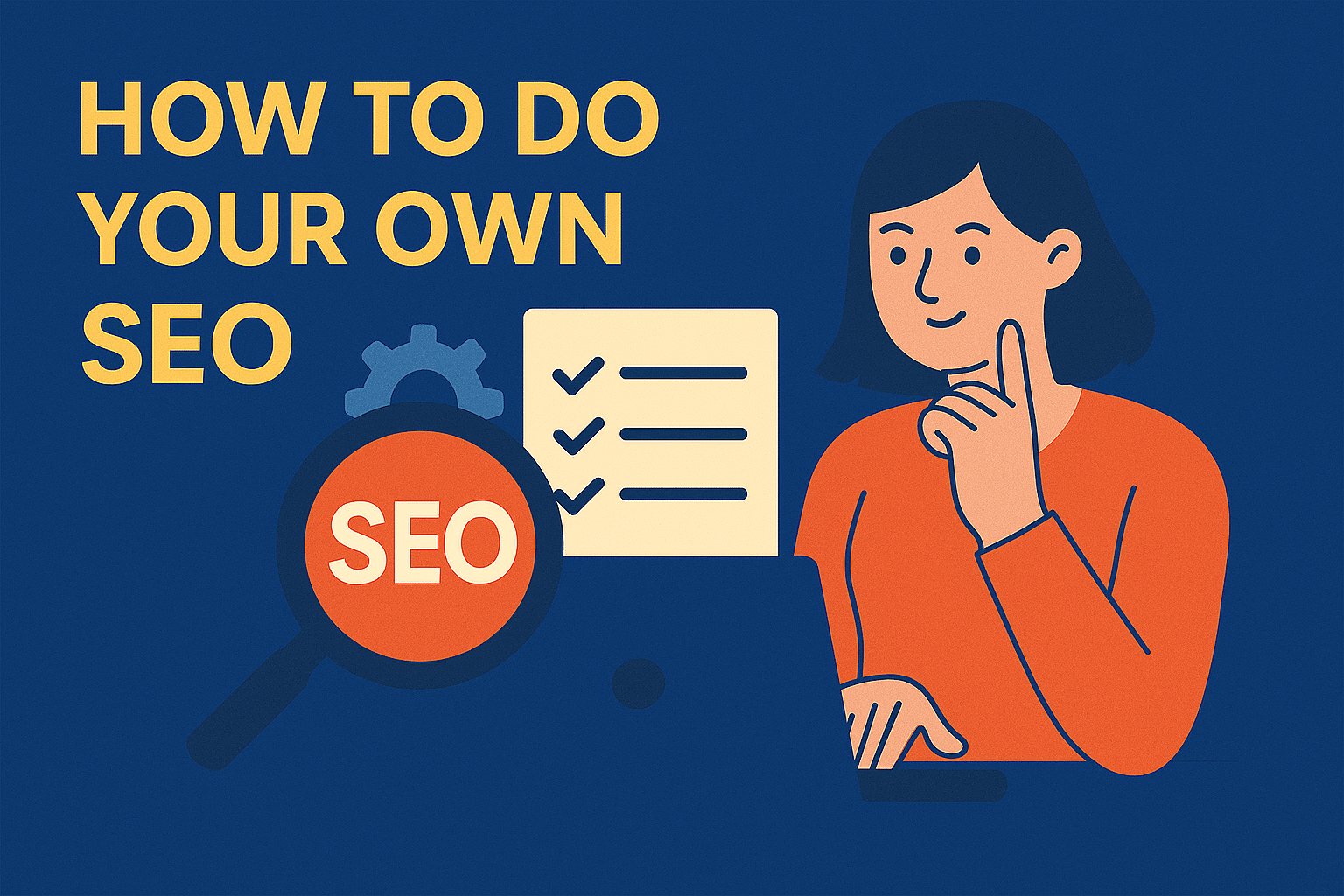
You can do effective SEO on your own if you treat it like a structured project, not a guessing game. Set aside about 4–6 hours per week for 90 days, then reassess what’s working. The goal is to build consistent habits that compound (small, steady improvements) across content, structure, and authority.
DIY SEO works best when you focus on what you can control. That includes:
- Updating and optimizing existing pages.
- Fixing technical basics like speed and crawlability.
- Strengthening internal links and topic clusters.
- Managing your Google Business Profile and local visibility.
- Promoting content through light outreach and community engagement.
Some areas are better left to specialists. Complex site migrations, JavaScript rendering, or schema rollouts at scale require experience and testing infrastructure. The same applies to recovering from major traffic drops or solving Core Web Vitals issues that need template-level work.
Goals and KPIs
Purpose: Tie your SEO work directly to measurable business outcomes instead of vanity metrics.
Business Goals
Start by defining what success looks like for your business. Each SEO action should support a clear commercial objective, such as:
- Generating qualified leads or demo requests.
- Increasing online sales or sign-ups.
- Driving contact form submissions or consultation bookings.
Pick one primary outcome to focus on. SEO is most effective when it compounds around a single measurable objective rather than multiple disconnected ones.
SEO Goals
Translate your business goals into measurable SEO metrics:
- Non-brand organic sessions landing on key pages shows how well you attract new audiences.
- Organic conversions and assisted conversions indicate how SEO contributes to business performance, even when not the last click.
- Ranking distribution for your top 5–10 terms per topic cluster helps monitor visibility growth across core themes rather than fixating on a single keyword.
Page-Level Goals
Each page should serve a specific purpose and metric:
- One primary search intent (informational, commercial, or local).
- One primary conversion action (CTA click, form submit, product add-to-cart, etc.).
This alignment keeps your content focused and measurable.
Cadence
Review progress consistently to catch trends early and make informed adjustments:
- Weekly: Spot check rankings, impressions, and clicks for top pages.
- Monthly: Review performance against KPIs, identify quick wins or stagnating pages.
- Quarterly: Conduct a content audit to refine, consolidate, or retire underperforming assets.
What to create
Create one concise KPI sheet that includes:
- Defined business and SEO objectives.
- Primary metrics and baselines.
- Targets for 30, 60, and 90 days.
This single sheet will act as your north star, keeping every SEO task aligned with measurable impact.
Baseline and diagnostics
Purpose: know where you are and what blocks progress before you invest time.
GA4 setup
- Confirm correct property and data stream. Set currency and time zone.
- Add internal traffic filters for your office IPs and staff.
- Configure events: form submit, file download, outbound click, purchase.
- Mark the right events as conversions. Name them clearly.
Google Search Console
- Verify the domain property. Submit a clean XML sitemap.
- Pages report: review indexed vs not indexed, inspect reasons, catch soft 404s, and canonical mismatches.
- Performance: segment brand vs non-brand. Use a simple query filter or regex to exclude brand terms.
Website Crawl
- Run a full-site crawl. Export: broken links, redirect chains, missing or duplicate titles and H1s, canonical tags.
- Find orphan pages. Add internal links from relevant hubs or retire them.
Cannibalization Check
- Enforce one intent per page.
- For overlaps, decide to merge content, 301 the weaker URL, or retarget to a distinct query.
Quick wins
- Remove accidental noindex on important pages.
- Fix 404s and bad or looping redirects.
- Repair sitemap errors and resubmit.
- Rebuild key internal links to priority pages.
What to create
- Baseline sheet for your top 10–20 pages with: URL, topic, primary keyword, baseline rank, impressions, clicks, and conversions.
- Store snapshots of GA4 and Search Console exports for “before vs after” comparisons.
Keyword Research and Mapping Basics
Purpose: Pick targets that can realistically win rankings and bring measurable business value.
Start with words/phrases/queries that reflect real customer intent:
- Customer language: Review sales notes, support tickets, internal site search queries, and community forums to identify how users describe problems.
- Free sources: Use Google Autocomplete, People Also Ask, and related searches to uncover long-tail questions and common phrasing.
- Competitors: Analyze top-ranking pages in your niche. Note their SERP types (guides, product pages, lists) to understand what formats succeed.
Selection Rules
Keep keyword selection tight and relevant to business outcomes:
- Choose one primary keyword per page that directly matches its main intent.
- Add 3–5 supporting terms that share the same search intent and semantic field.
- Prioritize by business value (lead, sale, or brand impact) and achievable difficulty—not just volume.
- Skip vanity terms that drive traffic but no conversions.
SERP Confirmation
Validate before committing effort:
- Check the current search results for your target keyword.
- Confirm the content type that dominates page one (guide, comparison, product, or local pack).
- Match your content format to what Google is rewarding. If every top result is a listicle or tutorial, a thin product page will not rank.
Mapping
Organize your findings for clarity and control:
- Build a keyword-to-page map showing each page’s primary and secondary terms.
- Ensure every keyword has a dedicated URL to avoid overlap or cannibalization.
- Mark gaps: topics your audience searches for but your site doesn’t yet cover.
- Link planned pages to clusters or existing pillars for internal linking later.
Deliverables
One keyword map spreadsheet aligned to 10–20 URLs and planned pages, listing:
- Page URL or planned slug
- Topic
- Primary keyword
- Supporting terms
- Search intent
- Business value score (low/medium/high)
- Target difficulty range
This map becomes the blueprint for all content, optimization, and tracking decisions.
Content SEO Basics
Purpose: publish pages people want and pages search engines can validate.
Templates
Use the right structure for the intent.
- Informational: problem, solution, step-by-step, examples, FAQs, next step.
- Transactional: value proposition, key features, proof, pricing, single primary CTA.
- Local: service overview, location details and service area, reviews, FAQs, contact options and map.
Readability
Make pages easy to scan and act on.
- Clear H2 and H3 headings that mirror subtopics.
- Short paragraphs, bullets, and tables where useful.
- Descriptive images with captions and alt text.
Trust elements
Show real people and real proof.
- Author bio with credentials, plus an About page with verifiable details.
- Policy pages for YMYL topics, including disclaimers where needed.
- First-hand evidence: screenshots, photos, data, results, and named case studies.
Refresh first
Lift existing assets before you rewrite.
- Update stats, examples, screenshots, and internal links.
- Add missing sections that top results include, for example FAQs, comparison tables, or checklists.
- Tighten intros and conclusions to answer the primary question early, then guide the next step.
What to create
One refreshed priority page that better matches intent and includes trust elements.
One new page outline per cluster with headings, key points, internal link targets, and the primary CTA.
On-page SEO Basics
Purpose: earn clicks and clarity without gimmicks.
Title Tag
- Lead with the benefit and clarity, not just keywords.
- Include the primary keyword once near the start.
- Make the promise clear: what the reader gets by clicking.
- Keep it under 60 characters to avoid truncation in results.
H1 and Headings
- Keep structure logical and consistent.
- H1 should mirror the title’s main idea, written for humans.
- Use H2s and H3s to outline subtopics and include supporting terms naturally.
- Avoid repeating keywords excessively; use variations that fit context.
Meta Description
- Think of it as ad copy for organic results.
- State the value and outcome clearly (“Learn how to…” or “See examples of…”).
- Set realistic expectations for what’s on the page.
- Include a soft call to action: “Get the full checklist” or “Compare options here.”
URL
- Make it descriptive, short, and stable.
- Use simple slugs like /seo-basics or /pricing-guide.
- Avoid dates unless your content is time-sensitive.
- Use hyphens, not underscores.
Images
- Support the message visually while improving load speed.
- Compress all images before upload.
- Use modern formats (WebP or AVIF where possible).
- Add descriptive alt text that explains the image and its context, not just keywords.
Internal Links
- Connect your site’s knowledge logically.
- Add 3–5 contextual links from the page to other relevant pages.
- Add 3–5 incoming links from older, related content into the updated page.
- Use descriptive anchors (e.g., “SEO checklist” instead of “click here”).
Click Through Rate Loop
- Turn impressions into clicks through iteration.
- Each month, identify pages with high impressions but low CTR in Search Console.
- Test new title and meta description variations that better match intent.
- Track changes for 2–3 weeks to confirm improvement.
What To Create
- An on-page optimization checklist applied to your top 10 pages, documenting:
- Updated title, H1, meta, and URL.
- Image compression and alt text added.
- Internal links in and out.
- CTR test candidate URLs marked for next review.
Technical SEO Basics
Purpose: remove blockers and maintain consistent site performance.
Crawlability and Indexability
- Keep your site easy for both users and search engines to access.
- All important pages must be indexable; confirm there’s no accidental noindex.
- Avoid combining noindex and canonical tags on the same URL, which sends mixed signals.
- Keep your XML sitemaps accurate and updated. For larger sites, split them by type (e.g., pages, blog, products) and include the <lastmod> attribute.
- Check for orphan pages and add internal links to surface them.
Performance and Mobile
- Prioritize speed and usability on every template.
- Compress images and lazy-load media below the fold.
- Defer non-critical scripts to avoid blocking rendering.
- Audit third-party tags periodically and remove what’s unnecessary.
- Check Core Web Vitals (LCP, INP, CLS) for top templates and fix regressions quickly.
- Test on real devices, not just lab tools, for accurate performance data.
Security and Structure
- Keep your foundation stable and user-friendly.
- Maintain HTTPS sitewide and keep CMS, plugins, and dependencies up to date.
- Use a logical site architecture where critical pages are no more than three clicks from the homepage.
- Use canonical tags correctly to prevent duplicate indexing.
Sitemaps
- If visuals play a major role (e.g., portfolios, e-commerce, tutorials):
- Add image or video sitemaps so search engines can discover and display media-rich content.
- Include descriptive filenames and captions to strengthen discoverability.
Internal Linking and Topic Clustering Basics
Purpose: help users and search engines understand your site’s depth, relationships, and topical authority.
Cluster Model
- Organize your content into clear, interconnected themes.
- Create one pillar page for each core topic (e.g., “Email Marketing Guide”).
- Develop 6–15 supporting pages that dive into specific subtopics or questions under that pillar (e.g., “Email Subject Line Examples,” “How to Improve Open Rates”).
- Each cluster should fully cover its topic without overlapping another cluster.
Linking Rules
- Use consistent linking logic to strengthen both user flow and crawlability.
- The pillar page links to all cluster pages within that topic.
- Each cluster page links back to the pillar and to at least two relevant sibling pages.
- Use descriptive anchor text that reflects the destination’s subtopic (e.g., “SEO keyword research” instead of “click here”).
- Update older articles to include new internal links whenever new content in the cluster is published.
Navigation and Breadcrumbs
- Reinforce structure visually and semantically.
- Enable breadcrumbs on all pages and include Breadcrumb schema to help search engines interpret hierarchy.
- Keep breadcrumb paths consistent with URL structure (e.g., Home → Blog → SEO → On-Page Optimization).
- Consider adding a sidebar or contextual “related articles” section that pulls from within the same cluster to improve engagement.
What To Create
One cluster diagram showing pillar and supporting page relationships.
- One link insertion plan listing:
- Source and destination pages
- Anchor text to be used
- Status (inserted, pending, scheduled)
Local SEO Basics
Purpose: appear in local search results and convert nearby demand.
Google Business Profile
- Your Google Business Profile (GBP) is often the first impression local customers get.
- Complete categories, services, hours, and photos. Use real images of your team, premises, or work.
- Post updates monthly. Highlight new offers, events, or content.
- Respond to every review, positive or negative, in a professional and personal tone.
- Use the Q&A section proactively: add common customer questions and your own verified answers.
Citations
- Reinforce your local presence through consistent listings.
- Keep your Name, Address, and Phone number (NAP) consistent across Google, Facebook, Yelp, and major directories.
- Update outdated or duplicate listings. Inconsistent NAP data weakens trust and ranking potential.
Local Content
- Create pages that show you are part of the local community.
- Build location-specific service pages that include local landmarks, FAQs, and team details.
- Add local proof such as testimonials, partnerships, and project examples tied to your area.
- Publish community updates, sponsorships, or event recaps that add genuine local relevance.
Deliverables
One optimized Google Business Profile with updated details, posts, and Q&A entries.
One citation update sheet listing:
- Current NAP information
- Major directories updated
- Duplicates or errors removed
- Next review date
Structured Data Basics
Purpose: qualify your site for rich results and help search engines interpret your content accurately.
Priority Types
Start with core schema types that apply to nearly every website.
- Organization: defines your business name, logo, social profiles, and contact info.
- Breadcrumb: shows navigational hierarchy in search results and improves crawl paths.
- Article: helps Google recognize blog posts and news-style content, increasing visibility in SERP features.
- FAQ: enables expandable questions and answers directly in search results when used appropriately.
- LocalBusiness: for companies serving physical locations or service areas; adds details like address, opening hours, and contact info.
- Product, Offer, and Review: for e-commerce pages, show pricing, stock status, and ratings to increase CTR.
Validation
- Always verify before deployment.
- Test each implementation with Google’s Rich Results Test to confirm eligibility for enhanced snippets.
- Use Schema.org’s validator for syntax and structural checks.
- Re-test after template updates or CMS changes to avoid markup decay over time.
To Create
- One schema implementation plan that includes:
- Page types covered (home, service, blog, product, location)
- Schema types applied per template
- Required fields (e.g., name, image, price, ratingValue, addressLocality)
- Validation status and test results
Minimal, Cost-Conscious SEO Tool Stack
Purpose: get reliable data and insights without unnecessary subscriptions or complexity.
Free Tools
Start with the essentials that cover analytics, visibility, and performance.
- Google Search Console (GSC): monitor indexing, impressions, clicks, and Core Web Vitals.
- Google Analytics 4 (GA4): track engagement, conversions, and assisted conversions.
- PageSpeed Insights: benchmark page speed and UX metrics using field and lab data.
- Basic crawler (e.g., Screaming Frog free tier or Sitebulb Lite): identify broken links, duplicate titles, and indexation issues.
These four tools give you visibility into technical health, performance, and outcomes without cost.
Paid Tools (If Needed)
Upgrade only when your process or data needs exceed free options.
- All-in-one SEO suite (Ahrefs, Semrush, or SE Ranking) for keyword data, backlink insights, and rank tracking.
- Dedicated crawler (Screaming Frog paid, JetOctopus, Sitebulb) for larger or multi-template sites needing scheduled crawls and exports.
- Content editor or brief tool (SurferSEO, Clearscope, or MarketMuse) to maintain consistency if content production is frequent or distributed.
Measurement, Iteration, and Pruning
Purpose: keep what works, fix what does not, and reduce noise so your SEO effort compounds over time.
Weekly
- Focus on fast signals that show early traction or decline.
- Rankings: spot-check your priority keywords. Look for trends, not daily fluctuations.
- Search Console: monitor impressions and clicks for your top 10–20 pages. Rising impressions indicate improved visibility even before traffic follows.
Monthly
- Evaluate business impact and fine-tune content performance.
- Conversions: track organic conversions and assisted conversions at the page level. Identify which clusters drive meaningful actions.
- CTR improvement: find high-impression pages with low click-through rates. Refresh titles and meta descriptions to improve engagement and measure impact over 2–3 weeks.
- UX validation: confirm Core Web Vitals and mobile usability remain stable after content or layout changes.
Quarterly Content Audit
- Revisit your content portfolio with a data-first lens.
- Keep: pages that consistently deliver traffic, leads, or engagement.
- Improve: pages with search visibility but weak clicks or conversions; update data, strengthen CTAs, or add depth.
- Consolidate: merge overlapping content targeting the same keyword intent and redirect the weaker page.
- Retire or redirect: remove thin, outdated, or low-value pages that dilute topical focus.
Common Pitfalls to Avoid
These are the most frequent mistakes that stall progress, waste effort, or risk penalties.
Strategic Missteps
- Targeting high-volume keywords with poor business value
Chasing broad, competitive terms often brings unqualified traffic. Focus on intent and relevance, not just volume.
- Publishing new pages while overlaps remain
Overlapping content (multiple pages targeting the same keyword) confuses search engines and splits authority. Consolidate before adding more.
Execution Errors
- Keyword stuffing and generic anchor text
Over-optimizing keywords or using “click here” links weakens readability and dilutes topical signals. Write naturally with descriptive anchors.
- Ignoring technical basics
Broken links, blocked pages, or slow performance can stop indexing and reduce rankings. Technical hygiene always comes first.
Risky Shortcuts
- Buying links or renting subdomains
These schemes can lead to manual penalties or long-term trust loss. Earn relevant links with genuine partnerships or useful assets.
- Shipping raw AI text without human review
AI can speed up drafts, but unchecked outputs often contain inaccuracies, repetition, or low-value phrasing. Always review, fact-check, and refine before publishing.
When to Consult SEO Experts
Purpose: know when a specialist’s involvement prevents bigger problems or accelerates complex work.
When Expertise Saves Time and Risk
- Site migration planning or recovery
Moving domains, redesigning, or restructuring URLs affects every ranking signal. Poor planning often causes lasting traffic loss. Bring in an SEO or developer experienced in redirects, staging validation, and post-migration monitoring.
- Large template changes or JavaScript rendering issues
Dynamic frameworks (React, Angular, Vue) and major CMS updates can block crawling or render incomplete content. Specialists can test rendering, implement pre-rendering or hydration fixes, and preserve crawl paths.
- Core Web Vitals requiring code-level refactor
When layout shifts or interaction delays stem from scripts or heavy templates, you’ll need engineering-level changes. A technical SEO or performance engineer can isolate the root cause and implement targeted improvements.
- Structured data at scale
Large e-commerce or content networks with thousands of products, articles, or locations need programmatic schema generation. This is best handled by developers who understand schema nesting, testing, and automation.
- Traffic drops after updates or big releases
Experienced SEOs can identify whether the decline came from technical regressions, content devaluations, or algorithm shifts. They can also prioritize fixes and guide recovery sequencing.
Engagement Model
Hire targeted help for high-skill, high-risk, or high-leverage tasks. Keep recurring, lower-complexity tasks in-house to maintain speed and cost control.
Outsource examples:
- Complex technical audits
- Large-scale redirects
- Structured data automation
- Link reclamation or digital PR campaigns
Keep in-house:
- Content refreshes
- Recurring on-page optimization
- Local SEO upkeep
30-Day DIY SEO Action Plan
Purpose: build momentum fast and create a repeatable SEO rhythm that compounds.
Time commitment: roughly 4–6 hours per week.
Each week focuses on one theme—foundation, optimization, structure, and promotion—so progress is measurable and consistent.
Week 1: Baseline and Fixes
Start by establishing clean data and removing technical barriers.
Tasks:
- Set up Google Search Console (GSC) and Google Analytics 4 (GA4).
- Submit your XML sitemap and verify indexation.
- Run a crawl audit (use Screaming Frog or similar).
- Fix broken links, bad redirects, duplicate titles, and missing metas.
- Map 20–40 keywords across your existing and planned pages.
Goal: a healthy, measurable foundation before publishing or optimizing new content.
Week 2: Optimize High-Impact Pages
Turn your top pages into better performers before creating new ones.
Tasks:
- Update title tags, H1s, and meta descriptions on your top 10 pages.
- Add 3–5 internal links per page pointing to related content.
- Compress large images and add descriptive alt text.
- Refresh two pages to better match search intent (expand answers, add visuals, or restructure headings).
- Start testing CTR improvements for high-impression but low-click pages.
Goal: improved visibility and engagement for your most valuable content.
Week 3: Create and Structure
Build depth around your key topics and create logical interlinking.
Tasks:
- Publish one pillar page (main topic) and one to two cluster pages (supporting subtopics).
- Add visuals, tables, FAQs, and checklists to increase usability and SERP feature eligibility.
- Wire up internal links: pillar ↔ cluster, cluster ↔ cluster.
- Add a simple breadcrumb trail to improve navigation and schema clarity.
Goal: expand topical authority and strengthen internal linking signals.
Week 4: Promote and Review
Push your best content out and document what worked.
Tasks:
- Pitch your strongest new asset to 10 relevant websites, newsletters, or communities.
- Reclaim unlinked brand mentions using tools or manual search.
- Review rankings, CTR, conversions, and Search Console impressions.
- Document what worked, what underperformed, and what to refresh next month.
- Plan the next content cluster or update cycle based on early results.
Goal: combine visibility gains with outreach and learning for the next sprint.
Conclusion
Doing your own SEO is entirely achievable if you approach it like a structured project instead of a guessing game. With just a few focused hours each week, you can meaningfully improve your site’s visibility, performance, and credibility.
You now have a framework to:
- Set clear goals tied to real business outcomes.
- Diagnose technical issues before they block growth.
- Create content that matches search intent and earns trust.
- Build internal linking systems that strengthen authority.
- Measure results, iterate, and prune what doesn’t perform.
The key is consistency. Small, data-driven improvements executed weekly compound into measurable long-term gains. Over time, you’ll see higher rankings, stronger engagement, and more qualified leads without the need for heavy ad spend.
If you’ve reached the limits of what’s practical to manage on your own, consider partnering with experts who can accelerate your progress. First Page Digital’s SEO services offer advanced audits, tailored strategies, and execution support that help businesses scale results faster and more sustainably.
Unsure if First Page Digital’s SEO is for you? Check out our compiled list of the best SEO agencies in Singapore to find and compare other SEO services.