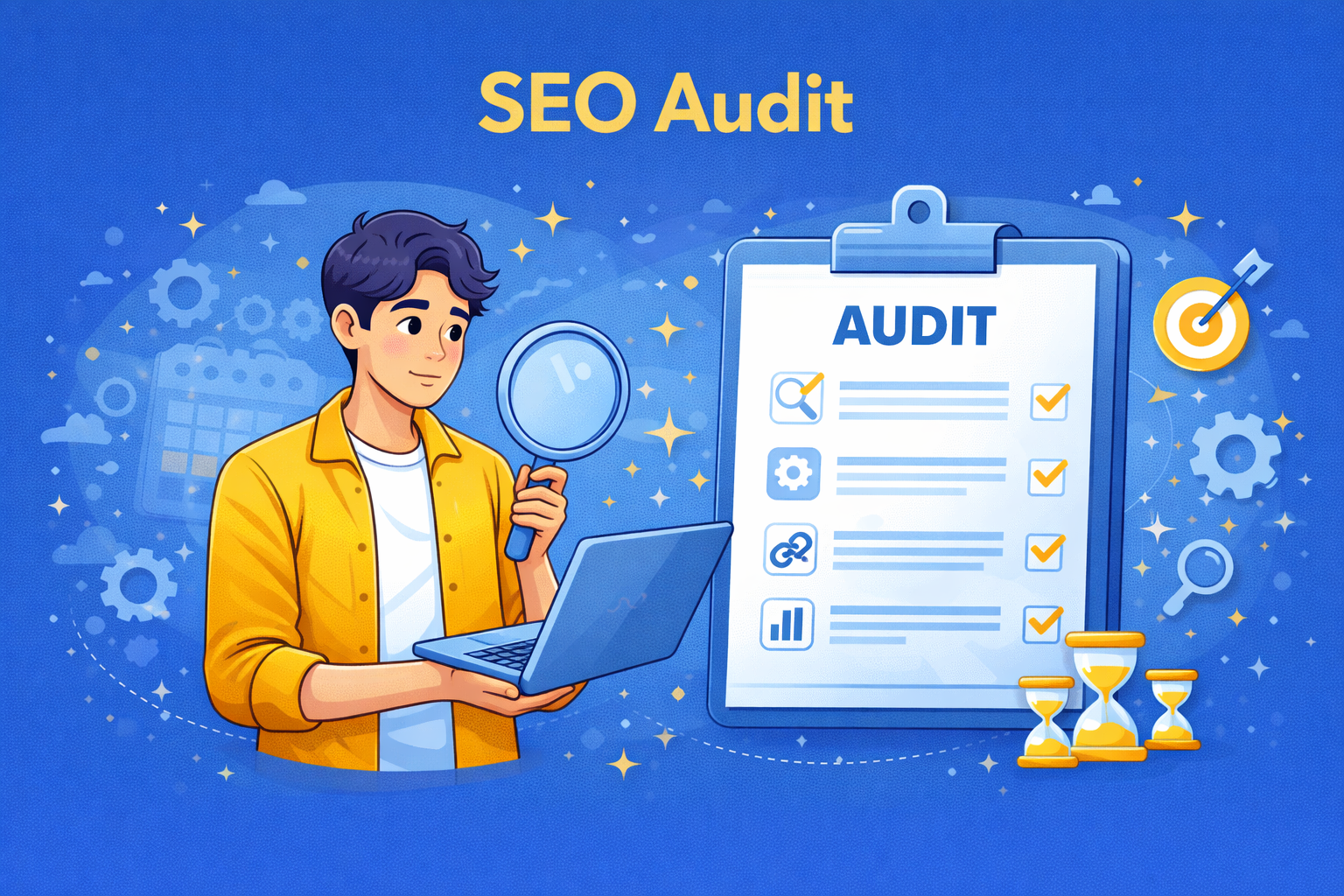
An SEO audit is a comprehensive analysis of a website designed to assess how well it’s optimized for search engines. The goal of an SEO audit is to identify any issues that could be hindering your site’s performance in search results. This evaluation focuses on key areas of SEO, including technical SEO, on-page SEO, and off-page SEO.
The audit process helps to uncover various issues that can affect your site’s visibility and rankings in search engines. It is a crucial step in improving your website’s SEO performance and staying ahead of the competition in the search engine results pages (SERPs).
Importance of SEO Audits
Regular SEO audits are critical for maintaining optimal website performance. They help ensure that your website is constantly improving and staying up-to-date with the latest SEO best practices. Here are a few reasons why SEO audits are essential:
- Fixing issues: An audit helps to identify and resolve any technical or content-related issues that could be preventing your site from ranking well.
- Improving rankings: Regular audits provide the necessary information to adjust strategies and improve rankings in search engine results.
- Adapting to algorithm changes: SEO algorithms are constantly evolving. An audit can help you stay on top of changes and adapt your strategies accordingly.
- Competitive advantage: By conducting audits regularly, you can stay ahead of competitors who may be neglecting their website’s SEO health.
Types of SEO Audits
SEO audits come in different types, each designed to address specific aspects of your website’s optimization. Understanding the different types of SEO audits will help you focus on the right areas that require attention to boost your website’s performance. Below, we explore the most important types of SEO audits you should consider conducting on your website.
Technical SEO Audit
A technical SEO audit focuses on the backend elements of a website that affect its ability to be crawled and indexed by search engines. Technical issues can often be hidden from the user, but they can significantly hinder a website’s performance. A technical audit includes:
- Site speed: Ensuring that your website loads quickly is essential for both user experience and search engine rankings. Slow websites can lead to higher bounce rates and lower rankings.
- Mobile-friendliness: With Google’s mobile-first indexing, it is crucial to ensure that your website is fully responsive and displays well on all devices.
- Crawlability: Ensuring that search engines can crawl all important pages of your website without any issues, such as blocked resources or duplicate content.
- Indexing: Verifying that the pages you want indexed by search engines are indeed indexed, while unwanted pages (e.g., test or admin pages) are excluded.
- HTTPS: Ensuring that your site is fully secured with HTTPS, which is a ranking factor and helps with data security.
On-Page SEO Audit
An on-page SEO audit focuses on optimizing individual pages to improve rankings in search engines. This type of audit evaluates the content and structure of each page on your site. Key areas examined include:
- Title tags: Checking if title tags are optimized for relevant keywords and are of appropriate length (50–60 characters).
- Meta descriptions: Ensuring that meta descriptions accurately reflect page content and encourage clicks. These should be between 150-160 characters.
- Heading tags: Verifying that headings (H1, H2, etc.) are used properly and contain target keywords. Each page should have one clear H1 tag.
- Keyword optimization: Ensuring that the primary keywords are used naturally in the content without keyword stuffing.
- Internal linking: Evaluating the structure of internal links and ensuring that important pages are linked to from other parts of the website.
- Image optimization: Checking for alt text on all images and ensuring that they are properly compressed to improve load times.
Off-Page SEO Audit
An off-page SEO audit focuses on factors that occur outside your website but still impact your rankings. This audit looks at the strength of your backlinks, social media signals, and overall website authority. Key aspects include:
- Backlink quality: Analyzing the quality and relevance of backlinks pointing to your website. High-quality backlinks from authoritative websites can boost your rankings.
- Backlink diversity: Ensuring that backlinks come from a variety of sources, such as blogs, news sites, directories, and social platforms.
- Social signals: Assessing how much social engagement (likes, shares, etc.) your content receives. While social signals are not direct ranking factors, they can indicate the popularity of your content.
- Domain authority: Checking the authority of your website based on the number and quality of backlinks. Tools like Moz’s Domain Authority (DA) can help measure this.
Local SEO Audit
A local SEO audit focuses on optimizing your website for local search queries. If your business relies on local customers or has physical locations, a local SEO audit is essential. This audit includes:
- Google My Business (GMB) optimization: Ensuring that your Google My Business profile is fully optimized with accurate contact information, business hours, and relevant categories.
- NAP consistency: Verifying that your Name, Address, and Phone number (NAP) are consistent across your website and other local directories (Yelp, Yellow Pages, etc.).
- Local citations: Ensuring that your business is listed in reputable local directories and that all listings contain accurate NAP information.
- Local keyword targeting: Optimizing your website for local search terms, such as “best coffee shop in [city]” or “plumber near me.”
Content Audit
A content audit assesses the quality and performance of your website’s content. It evaluates whether your content aligns with user intent and is optimized for relevant keywords. The key components of a content audit include:
- Content relevance: Ensuring that your content addresses the needs and questions of your target audience.
- Content quality: Evaluating whether the content is high-quality, informative, and up-to-date.
- Keyword optimization: Checking whether the content is optimized for relevant keywords while maintaining readability.
- Engagement metrics: Analyzing user engagement signals such as bounce rate, time on page, and social shares to assess how well your content is resonating with visitors.
Mobile SEO Audit
A mobile SEO audit focuses on ensuring that your website is optimized for mobile devices. With Google’s mobile-first indexing, mobile optimization is now crucial for rankings. Key areas include:
- Mobile-friendliness: Ensuring that your site is fully responsive and provides a seamless experience across different devices.
- Page speed: Testing mobile page load times and optimizing for faster performance on mobile devices.
- Touchscreen navigation: Ensuring that buttons and menus are easy to interact with on mobile devices.
Competitor Analysis Audit
A competitor analysis audit is a crucial part of any SEO strategy. It involves analyzing the SEO strategies of your competitors to identify their strengths and weaknesses. This type of audit helps you understand how well your competitors are performing, where they’re succeeding, and where you can improve. By identifying gaps in your own strategy, you can create a more effective plan to outperform them in search rankings.
Key components of a competitor analysis audit include:
- Keyword Performance: Identify the keywords your competitors are ranking for. Use tools like Ahrefs, SEMrush, or Moz to analyze their top-ranking keywords. This helps you discover new keywords to target, improve your keyword strategy, and assess your competitors’ keyword coverage.
- Backlink Profile: Analyze your competitors’ backlink profiles to see where they’re getting their links from. Identify high-quality backlinks that you can also target or replicate to improve your site’s authority. Tools like Ahrefs and Majestic are excellent for analyzing backlinks.
- Content Strategy: Review the content your competitors are creating. Are they focusing on certain topics or using specific formats (e.g., long-form content, videos, infographics)? Analyze which content performs best for them, and look for opportunities to create more valuable content that fills gaps in their strategy.
- Site Structure: Investigate how your competitors structure their websites. A clear, user-friendly website structure can improve rankings and enhance user experience. Look at how they organize content, internal links, and navigation.
- Social Media Signals: Evaluate your competitors’ social media activity and engagement. While social signals aren’t a direct ranking factor, they can help amplify your content and drive traffic. See what types of content are getting shared and what platforms they’re most active on.
- Technical SEO: Perform a technical SEO analysis of your competitors’ websites to identify strengths or weaknesses in their technical setup. This could include page load times, mobile optimization, and schema markup. Tools like Screaming Frog or Sitebulb can help you identify any technical gaps.
How to Conduct an SEO Audit
| SEO Component | Best Practice | Expected Impact |
|---|---|---|
| Crawlability | Ensure your robots.txt is configured correctly and fix any crawl errors. |
Improved crawlability, ensuring all important pages are indexed. |
| Site Speed | Optimize Largest Contentful Paint (LCP), Cumulative Layout Shift (CLS), and First Input Delay (FID) using tools like PageSpeed Insights. | Faster load times and better user experience, which can improve rankings. |
| Mobile Friendliness | Use Google’s Mobile-Friendly Test to ensure responsive design across all devices. | Improved mobile usability, which is essential for SEO rankings. |
| HTTPS & Security | Ensure your site uses HTTPS and there are no security issues that affect crawling. | Enhanced trust from both users and search engines, improving SEO. |
| XML Sitemap | Validate your XML sitemap and submit it to search engines like Google Search Console. | Improved indexing of your site’s pages. |
| Rendering Issues | Use tools like Screaming Frog to identify JavaScript or rendering problems that might prevent content from being indexed. | Ensures all important content is visible to search engines and can be indexed. |
| Title Tags | Ensure title tags are relevant, optimized with keywords, and under 60 characters. | Improved relevance and better CTR from search results. |
| Meta Descriptions | Write unique, compelling meta descriptions for each page, within 150–160 characters. | Higher CTR and improved visibility in search results. |
| Headings (H1, H2+) | Use proper heading structure with keywords in H1 for the page title and H2+ for subheadings. | Improved content structure for both search engines and users. |
| Content Optimization | Ensure content is optimized for target keywords, well-structured, and answers user intent. | Better rankings, reduced bounce rates, and higher engagement. |
| Internal Linking | Optimize internal links to ensure important pages are easily accessible and well-supported. | Improved site structure, better crawlability, and user experience. |
| Image Optimization | Ensure all images have relevant alt text, are compressed for faster loading, and are appropriately sized. | Faster page load times and better user experience, which is important for SEO. |
| Backlink Profile | Build backlinks from authoritative, relevant websites. | Stronger domain authority and improved search engine rankings. |
| Toxic Link Identification | Identify and disavow toxic backlinks that may harm your site’s reputation. | Protects your site’s reputation and avoids penalties from Google. |
| Competitor Backlink Analysis | Analyze competitor backlinks to uncover new link-building opportunities. | Improved link-building strategy and increased authority. |
| Google My Business | Ensure your Google My Business profile is fully optimized with accurate business details and posts. | Better visibility in local search results and Google Maps. |
| NAP Consistency | Ensure consistency of name, address, and phone number across all local listings. | Improved local search rankings and user trust. |
| Local Listings | Ensure your business is listed in relevant local directories such as Yelp, Bing Places, and others. | Increased local visibility and better local SEO performance. |
| Local Reviews | Monitor and respond to local reviews regularly to enhance engagement. | Higher local rankings and better customer relationships. |
| Schema Markup | Implement schema markup (JSON-LD) for rich results such as reviews, events, and products. | Better visibility in search results and enhanced user experience. |
| Test Structured Data | Use Google’s Structured Data Testing Tool to check for errors in your schema markup. | Ensures correct implementation and enhanced search result appearances. |
| SEO-Friendly URLs | Ensure URLs are concise, descriptive, and contain relevant keywords. | Better user experience and improved keyword relevance. |
| Canonical Tags | Implement canonical tags to prevent duplicate content issues. | Prevents duplicate content penalties and improves SEO performance. |
Why You Need to Conduct Regular SEO Audits
SEO is not a one-time task; it is an ongoing process that requires regular attention and optimization. Conducting regular SEO audits is essential for maintaining the health of your website and ensuring that it continues to perform well in search engine rankings. Below are some key reasons why you should conduct SEO audits on a regular basis:
Maintaining Website Health
Just like any other system, your website requires regular checks to ensure everything is running smoothly. SEO audits help identify and fix technical issues, broken links, and other hidden problems that can affect your website’s visibility and performance. Regular audits help keep your website healthy and ensure it is properly optimized for search engines.
Keeping Up with Algorithm Changes
Google’s algorithms are constantly evolving, and what worked for your website yesterday may not be as effective today. Regular SEO audits allow you to stay ahead of these changes by ensuring your website is aligned with the latest ranking factors. By monitoring changes in search engine algorithms and adapting your strategies accordingly, you can avoid penalties and maintain your rankings.
Improving User Experience (UX)
Google values user experience more than ever before. Factors like page load speed, mobile-friendliness, and usability play a significant role in ranking. SEO audits can help you identify areas where your website may be lacking in user experience. By fixing issues such as slow page loads or poor mobile optimization, you can improve the user experience and increase the likelihood of ranking higher in search results.
Furthermore, when your website performs well from a UX standpoint, visitors are more likely to stay on your site longer, explore more pages, and convert into customers or leads. An improved user experience not only benefits your rankings but also contributes to the overall success of your website.
Common SEO Issues Identified in Audits
During an SEO audit, several common issues can emerge that may negatively impact your website’s performance in search engine rankings. Identifying these issues early on and addressing them is crucial for maintaining and improving your site’s SEO health. Below are some of the most common SEO problems discovered during audits:
Crawl Errors
Crawl errors occur when search engine bots are unable to access certain pages on your website. These errors can prevent pages from being indexed and affect your rankings. Common crawl errors include:
- 404 Errors: These occur when a page has been deleted or moved, but the link to it still exists elsewhere on the site.
- Server Errors: These happen when there is an issue with your server, causing the site to be temporarily unavailable.
- Redirect Errors: Improper redirects, like redirect loops or 301s that point to non-existent pages, can cause crawl issues.
It’s important to regularly check for crawl errors in Google Search Console and resolve them as quickly as possible to ensure that search engines can properly index your content.
Duplicate Content
Duplicate content occurs when identical or very similar content appears on multiple pages of your website. This can confuse search engines, as they may not know which version of the page to rank. Some causes of duplicate content include:
- Multiple versions of the same page: If the same content appears at different URLs (e.g., with and without a “www” prefix, or with tracking parameters).
- Thin content: Pages with very little content may be flagged as duplicates by search engines, especially if they don’t provide unique value.
To resolve this issue, use canonical tags to indicate the preferred version of a page and remove any redundant or low-value content. Regularly check for duplicate content using tools like Copyscape or SEMrush.
Slow Page Load Times
Page load speed is a crucial ranking factor for both Google and user experience. Slow-loading pages can lead to higher bounce rates and lower rankings. Key factors that can affect page speed include:
- Large image files: Unoptimized images can significantly slow down page load times.
- Excessive use of JavaScript: Heavy JavaScript files can block the rendering of web pages, causing delays.
- Unoptimized server performance: Slow server response times can delay the loading of web pages.
Use tools like Google PageSpeed Insights or GTmetrix to test your site’s load speed. To improve speed, compress images, minify CSS and JavaScript, and consider using a Content Delivery Network (CDN) for faster delivery of content.
Broken Links
Broken links (404 errors) can negatively affect both user experience and SEO. When visitors click on a broken link, they are directed to a page that doesn’t exist, resulting in frustration and potentially higher bounce rates. Broken links also prevent search engine crawlers from indexing important pages.
Regularly audit your website to identify and fix any broken links. You can use tools like Screaming Frog or Ahrefs to detect broken links and update or remove them as needed.
Missing or Poor Meta Tags
Meta tags, such as the title tag and meta description, play an important role in both SEO and user experience. They provide search engines and users with information about the content of a page. Common issues with meta tags include:
- Missing title tags: Every page should have a unique and optimized title tag that accurately reflects its content.
- Duplicate title tags: Duplicate titles can confuse search engines and prevent pages from ranking properly.
- Poor meta descriptions: While not a ranking factor, meta descriptions can influence click-through rates. Ensure that descriptions are compelling and relevant to the page content.
Check that each page has unique, well-optimized meta tags. Use tools like Google Search Console or SEMrush to identify and resolve meta tag issues.
How Often Should You Conduct an SEO Audit?
SEO is not a one-time task. It’s an ongoing process that requires constant monitoring and adjustments. Regular SEO audits help ensure that your website remains optimized and that any issues affecting its performance are promptly addressed. But how often should you conduct an SEO audit? Let’s explore the factors that determine the frequency of audits.
Regular Maintenance
For most businesses, conducting an SEO audit every 3-6 months is a good practice. This allows you to check for any issues that may have developed since the last audit and ensures that your site is keeping up with changes in search engine algorithms. Even if your site is performing well, regular audits help you stay proactive by identifying areas for improvement before they become larger problems.
Regular audits also give you the opportunity to evaluate how well your SEO strategy is working. You can track changes in keyword rankings, monitor user engagement metrics, and analyze your backlink profile to ensure that everything is moving in the right direction.
After Major Changes
If you’ve made significant changes to your website, such as redesigning it, adding new sections, or migrating to a new platform, it’s essential to conduct an SEO audit after these updates. Major changes can affect everything from site structure to content, and it’s important to make sure that your SEO performance has not been negatively impacted.
During this type of audit, pay close attention to potential technical issues, such as broken links, redirect problems, or incorrect URL structures. You should also ensure that the updated content is optimized for your target keywords and that your site’s navigation and user experience remain intact.
When Rankings Drop
One of the most common reasons for conducting an SEO audit is a drop in rankings. If you notice that your website’s search engine rankings have suddenly declined, it’s crucial to perform an audit to identify the root cause. Ranking drops can happen for various reasons, including algorithm updates, technical issues, or content-related problems.
During an audit, check for issues like crawl errors, duplicate content, slow page load times, or changes in your backlink profile. Identifying and addressing these issues quickly can help restore your rankings and prevent further declines.
SEO Audit as an Ongoing Process
SEO is not a one-time task but rather an ongoing process that requires regular attention and optimization. While performing a full SEO audit periodically (every 3-6 months) is essential, maintaining your site’s SEO health between audits is just as crucial. By treating SEO as an ongoing process, you can ensure that your website stays optimized and continues to perform well in search engine rankings.
Here are a few ways to make SEO auditing an ongoing practice:
- Monitor Performance Regularly: Continuously track key performance indicators (KPIs) such as keyword rankings, organic traffic, bounce rates, and conversion rates. Use tools like Google Analytics, Google Search Console, and SEMrush to monitor these metrics on a monthly or weekly basis.
- Address Immediate Issues: Regularly check for any critical issues that could negatively impact your rankings or user experience, such as broken links, 404 errors, or mobile-friendliness issues. Fix these issues as soon as they arise to avoid long-term negative effects.
- Stay Updated on Algorithm Changes: Google and other search engines frequently update their algorithms, and these updates can affect your website’s performance. Keep up with SEO news and adapt your strategy when necessary to ensure compliance with new ranking factors.
- Content Updates: Regularly review and update your content to ensure that it stays relevant, fresh, and optimized for current keywords. Content updates help maintain rankings, especially for competitive keywords.
- Link Building: Continue working on building high-quality backlinks to your website. Regularly evaluate your backlink profile to ensure you’re attracting authoritative links and disavowing harmful ones.
- Mobile Optimization: With mobile-first indexing, ensuring your website remains fully optimized for mobile devices is essential. Regularly check mobile-friendliness and site speed on mobile devices to ensure a smooth user experience.
By incorporating these ongoing SEO activities into your regular workflow, you can ensure that your website doesn’t just improve during major audits but remains in good SEO health year-round. SEO is a long-term commitment that requires regular maintenance, and an ongoing process will help you maintain a competitive edge in the digital landscape.
SEO Tools for SEO Audits
Using the right tools is essential for conducting a thorough SEO audit. Different tools are designed to address various aspects of your website’s performance. Below are some of the most commonly used SEO tools, along with a brief explanation of which types of audits they are best suited for:
| Tool | Purpose | Key Features | Best For |
|---|---|---|---|
| Google Search Console | Monitors indexing issues, search queries, and overall site performance in Google search. | Indexing issues, crawl errors, mobile usability, search queries, site performance. | Technical SEO audit, crawlability, and indexing checks. |
| PageSpeed Insights | Analyzes website speed and performance, offering recommendations for improvements. | Core Web Vitals, performance score, page load speed, recommendations for optimization. | Technical SEO audit, specifically for page load speed and performance improvements. |
| SEOptimer | An easy-to-use free tool for performing a high-level SEO audit of your website. | On-page SEO, social media metrics, technical SEO issues, page speed analysis. | On-page SEO audit, quick high-level overview of site health. |
| Bing Webmaster Tools | Provides comprehensive site analysis and technical diagnostics similar to Google Search Console. | Crawl issues, keyword performance, backlink analysis, page indexing. | Technical SEO audit, crawlability, backlink analysis. |
| SEOquake | A browser extension that provides instant SEO audits and keyword analysis. | Page SEO analysis, keyword density, internal and external link analysis, backlink tracking. | On-page SEO audit, quick checks for keyword density and internal/external linking. |
| Screaming Frog SEO Spider | A desktop-based crawler that helps identify technical SEO issues such as broken links and crawl errors. | Crawlability, broken links, duplicate content, meta data analysis, on-page SEO. | Technical SEO audit, in-depth site crawling, broken link detection. |
| Semrush Site Audit | An all-in-one tool for conducting full-site audits with detailed SEO health scores and reporting. | Site health score, crawlability, HTTPS usage, backlink issues, content analysis. | Full-site audit, on-page and technical SEO, content analysis, backlink analysis. |
| Ahrefs Site Audit | A powerful site audit tool for identifying technical SEO issues, known for its speed and depth. | Crawl errors, broken links, meta tags, site structure, page speed analysis. | Full-site audit, technical SEO, backlink and content analysis. |
| SE Ranking | Provides comprehensive, automated audits with website technical health checks and on-page analysis. | Site health check, keyword tracking, on-page analysis, technical SEO audits. | Full-site audit, on-page SEO, keyword performance, technical SEO checks. |
| Sitebulb | A desktop tool specializing in providing actionable SEO insights and visualizations of site architecture. | Crawlability, visualizations, on-page issues, detailed SEO recommendations. | Technical SEO audit, crawlability, visualization of site structure and issues. |
| Lumar (formerly DeepCrawl) | An enterprise-grade, cloud-based crawler designed for auditing large websites. | Crawl analysis, large-site performance, technical SEO issues, comprehensive reporting. | Large-site audits, technical SEO for complex websites. |
Quick Wins and Immediate Fixes
SEO audits often uncover a range of issues, some of which may require long-term strategies to resolve, while others can be quickly addressed for immediate improvements. These “quick wins” are low-hanging fruit—simple, actionable fixes that can deliver noticeable results in a short amount of time. Addressing these quick wins early on in the audit process can lead to improvements in search engine rankings, user experience, and website performance right away.
1. Optimize Page Titles and Meta Descriptions
One of the easiest and most effective fixes is ensuring that all page titles and meta descriptions are optimized for relevant keywords. These elements are important for both SEO and user experience, as they appear in search engine results and give users a preview of the page’s content.
- Page Titles: Make sure each page has a unique, descriptive, and keyword-optimized title. Keep titles under 60 characters to ensure they display properly in search results.
- Meta Descriptions: Write compelling meta descriptions that accurately summarize the page content. Keep meta descriptions between 150-160 characters and include a call to action to encourage clicks.
2. Fix Broken Links
Broken links, also known as 404 errors, can harm both SEO and user experience. When visitors click on a broken link, they are led to a non-existent page, which can cause frustration and increase bounce rates. Google also considers broken links as a negative signal for SEO.
Use tools like Screaming Frog or Google Search Console to identify broken links on your website. Once found, redirect them to relevant pages or remove them to improve site usability and prevent potential penalties from search engines.
3. Improve Page Load Speed
Page speed is an essential ranking factor for Google, and slow load times can frustrate users. A fast-loading website not only provides a better user experience but also helps retain visitors and improve conversion rates.
- Image Optimization: Compress large image files without sacrificing quality to reduce page load time.
- Minify CSS and JavaScript: Minimize the size of your CSS and JavaScript files to ensure faster rendering.
- Leverage Browser Caching: Set up browser caching to allow users’ browsers to store certain elements, reducing load time on subsequent visits.
Tools like Google PageSpeed Insights and GTmetrix can help you analyze your page load speed and offer actionable recommendations.
4. Improve Mobile-Friendliness
With Google’s mobile-first indexing, ensuring your website is fully optimized for mobile devices is crucial. Google now predominantly uses the mobile version of a site for ranking purposes, so ensuring your site is mobile-friendly can directly impact your rankings.
Perform a mobile-friendliness test using Google’s Mobile-Friendly Test tool. If your site isn’t fully optimized for mobile, consider using responsive design or making necessary adjustments to improve navigation and user experience on mobile devices.
5. Optimize Internal Linking
Internal linking helps search engines understand the structure of your website and distributes link equity across your pages. Proper internal linking also helps users navigate the site more effectively, improving overall user experience.
- Link Related Pages: Ensure key pages are linked to one another naturally. For example, if you have a product page, link to related blog posts or category pages.
- Anchor Text: Use descriptive and relevant anchor text for internal links, incorporating target keywords when possible.
6. Update Outdated Content
Outdated content can harm both your website’s rankings and your users’ trust. Regularly audit your content to ensure it’s up-to-date, relevant, and optimized for your target audience’s needs.
Start by updating old blog posts, product descriptions, and other content to reflect current trends, data, or industry standards. You can also improve the content’s keyword optimization to help it rank better for relevant search queries.
7. Add Alt Text to Images
Search engines can’t “see” images, but they can read the alt text, which helps them understand the content of the image. Adding descriptive and keyword-optimized alt text to your images can improve your rankings in image search and enhance your overall SEO.
Go through your website’s images and ensure they have meaningful alt text that describes the image while including relevant keywords where appropriate.
8. Set Up or Fix the Robots.txt File
The robots.txt file is crucial for instructing search engine bots which pages or sections of your site should or should not be crawled. An improperly configured robots.txt file can block important pages from being indexed by search engines, hurting your rankings.
Ensure that your robots.txt file is correctly configured for your production environment and is not inadvertently blocking pages that should be crawled. Check for disallowed paths and ensure critical pages are accessible.
9. Add Structured Data Markup
Structured data (or schema markup) helps search engines understand the content of your pages in a more structured way, making it easier to index and display rich snippets in search results. Adding schema markup can enhance the visibility of your pages and lead to higher click-through rates.
Use Google’s Structured Data Markup Helper to implement schema on your pages. Focus on adding schema for products, reviews, events, and articles as needed.
Key Metrics and KPIs to Track Before and After an SEO Audit
When conducting an SEO audit, it’s crucial to measure specific key performance indicators (KPIs) and metrics both before and after the audit to evaluate the effectiveness of your efforts. Tracking these metrics will help you understand how well your website is performing and whether the changes made during the audit have led to tangible improvements in your SEO performance.
Here are the key metrics and KPIs you should track before and after performing an SEO audit:
1. Organic Traffic
Organic traffic refers to the number of visitors who come to your site through search engines. This is one of the most important KPIs to track, as it indicates the success of your SEO efforts in attracting visitors from organic search results.
- Before Audit: Monitor the baseline organic traffic levels across your key landing pages and the overall site. Identify any significant drops or areas with lower-than-expected traffic.
- After Audit: Compare the organic traffic after implementing the audit recommendations to see if there is an increase in traffic to target pages or the site as a whole.
2. Bounce Rate
Bounce rate measures the percentage of visitors who leave your site after viewing only one page. A high bounce rate may indicate that visitors are not finding the content they were expecting or that the user experience is poor.
- Before Audit: Track the bounce rates for key pages on your website, especially for landing pages. A high bounce rate may indicate issues like slow load times, poor mobile optimization, or irrelevant content.
- After Audit: After implementing audit fixes (such as improving page speed, updating content, or optimizing mobile experience), check if the bounce rate improves over time.
3. Time on Site
Time on site refers to how long visitors stay on your website during each session. Longer time on site typically indicates that users are engaging with your content and finding it useful.
- Before Audit: Review the average session duration for key pages, especially landing pages. Low engagement could signal issues with content quality or site navigation.
- After Audit: After implementing improvements like content updates, better navigation, and faster page load speeds, track if users spend more time on your site or individual pages.
4. Conversion Rate
Conversion rate is the percentage of visitors who complete a desired action on your site, such as making a purchase, filling out a form, or subscribing to a newsletter. This is a key indicator of how well your website is meeting its business goals.
- Before Audit: Track the baseline conversion rates across key pages (e.g., product pages, landing pages, and contact forms). Identify any pages that have low conversion rates despite good traffic.
- After Audit: After addressing issues such as slow load times, navigation problems, or technical glitches, measure if the conversion rates increase on the same pages.
5. Keyword Rankings
Keyword rankings track where your website ranks for specific search queries. Monitoring keyword performance helps you understand how well your website is positioned in search engine results for relevant keywords.
- Before Audit: Conduct a keyword audit to assess your current rankings for your target keywords. Identify any keywords for which you rank poorly and need optimization.
- After Audit: After optimizing your site’s content, meta tags, and internal links, track changes in keyword rankings over time to see if your positions have improved.
6. Backlinks
Backlinks are links from other websites pointing to your site. They are one of the most important factors in SEO, as they help improve your website’s authority and credibility in the eyes of search engines.
- Before Audit: Analyze your current backlink profile to understand how many backlinks you have, the quality of those backlinks, and whether there are any harmful or toxic backlinks.
- After Audit: After addressing any backlink issues, monitor the growth of your backlink profile. Aim to acquire high-quality backlinks from authoritative sources and track whether these links lead to improvements in rankings and traffic.
7. Crawl Errors
Crawl errors occur when search engine bots cannot access or index certain pages on your site. These issues can prevent your pages from being included in search engine results.
- Before Audit: Use tools like Google Search Console to identify crawl errors on your site, including broken links or pages blocked from indexing.
- After Audit: After fixing crawl errors and ensuring that important pages are accessible, track if the number of crawl errors decreases and if search engine crawlers index more pages successfully.
Cost of SEO Audits
Understanding the cost of an SEO audit is essential for planning your website optimization efforts. The cost can vary depending on several factors, such as the complexity of your website, the depth of the audit, and whether you choose to work with an agency or a freelancer. Let’s break down the key factors that influence the cost of an SEO audit and what you can expect to pay.
Factors That Influence SEO Audit Costs
The cost of an SEO audit depends on several key factors:
- Site Size and Complexity: Larger websites with more pages and more complex structures will generally cost more to audit. A website with a high volume of pages, products, or services will take longer to crawl and analyze, driving up the cost.
- Depth of Analysis: The more comprehensive the audit, the higher the cost. A basic SEO audit that covers key areas like site speed and meta tag optimization may be less expensive than a full audit that includes detailed technical analysis, competitor research, and backlink analysis.
- Agency vs Freelancer: Agencies tend to charge higher fees due to their experience, resources, and additional services (such as ongoing SEO support or consulting). Freelancers may offer more competitive pricing, but they may have fewer resources or offer a more limited scope of services.
- Tools and Software: The tools used to conduct the audit also impact the cost. Some advanced SEO tools like Ahrefs, Screaming Frog, and Semrush require subscriptions, which can increase the overall audit cost.
Price Range for SEO Audits
The cost of an SEO audit can vary widely depending on the factors mentioned above. Here’s a general price range to give you an idea of what to expect:
- Basic SEO Audit: Typically starts around $300 – $500 for small websites. This type of audit often covers key elements like site speed, meta tag optimization, and basic content analysis.
- Comprehensive Audit: This can range from $1,000 to $5,000 for medium to large websites. A comprehensive audit includes an in-depth analysis of on-page and off-page SEO, technical issues, backlink analysis, and sometimes a competitive analysis.
- Enterprise-Level Audits: For large, complex websites or ongoing audits, the cost can exceed $10,000. This price typically covers enterprise-level analysis, including detailed technical audits, keyword research, content strategy, and additional consultancy services.
Why Prices Vary
Several factors contribute to the variation in pricing for SEO audits:
- Site Size and Complexity: As mentioned earlier, larger and more complex websites require more time and resources to audit. Websites with numerous pages, complex structures, or frequent content updates may require a more detailed audit, increasing the cost.
- Agency vs Freelancer: Agencies typically offer a more comprehensive service and may have higher overhead costs, leading to higher fees. Freelancers may be more affordable but might not offer the same level of detail or long-term support.
- Scope of Audit: A basic SEO audit will focus on the most important areas, such as technical SEO and on-page optimization. A more in-depth audit will cover additional areas like backlink analysis, competitor research, and content strategy.
Is It Worth the Investment?
While the cost of an SEO audit can seem high, the benefits often outweigh the investment. A thorough audit provides crucial insights into your website’s SEO health and can help you fix issues that are preventing your site from ranking well. Improving your site’s SEO can lead to better search engine rankings, more organic traffic, and ultimately, more revenue for your business.
Investing in an SEO audit is a smart way to ensure that your website is fully optimized, stays up-to-date with the latest SEO trends, and remains competitive in the ever-evolving digital landscape.
Question: who is doing the SEO audit?
When conducting an SEO audit, it’s important to understand who will be performing it and what their role is in the process. An SEO audit can be done by different types of individuals or teams, depending on the size of the business and its resources. Here’s a breakdown of who typically performs SEO audits and how they benefit from the process:
Business Owners
For small businesses or startups, the business owner might be the one performing the SEO audit. Business owners may have a general understanding of SEO or may hire an SEO expert to assist them. In this case, an SEO audit helps identify areas where their website may be underperforming, uncovering problems that might hinder business growth. For business owners, the audit can help improve their website’s visibility, attract more customers, and ultimately increase sales or leads.
Marketers (Non-SEO)
Marketers who are not specialized in SEO often perform SEO audits as part of their broader marketing efforts. For marketers, SEO audits provide a clear picture of how well the website is performing in organic search and offer actionable insights into improving the site’s rankings and user engagement. Marketers can use the audit to align content strategy with SEO goals and identify areas that need attention, such as content optimization, user experience, and technical SEO issues.
In-house SEO Teams
In-house SEO teams typically handle ongoing SEO audits to ensure that the website is consistently optimized for search engines. These teams often focus on regular, in-depth audits to identify any new technical issues, content gaps, or changes in search engine algorithms that could affect the site’s ranking. For in-house teams, audits are an essential tool for maintaining SEO health and continuously improving site performance. They also help to track the impact of previous optimization efforts and suggest new opportunities for growth.
SEO Agencies or Consultants
When companies do not have in-house SEO expertise, they often outsource SEO audits to specialized agencies or consultants. Agencies and consultants bring a high level of expertise and experience in identifying complex SEO issues, particularly for larger websites or more competitive industries. For businesses, outsourcing an SEO audit to an expert team can save time and provide an objective, thorough analysis. Agencies can also offer additional services such as ongoing SEO management, content creation, and backlink strategies based on audit findings.
How the Audience Benefits from the SEO Audit
Regardless of who conducts the audit, the goal remains the same: to improve the website’s performance in search engines and user experience. Each persona benefits in different ways:
- Business owners: Directly impacted by improvements in website visibility and performance, leading to increased leads and sales.
- Marketers: Empowered with insights to refine content strategy, improve user experience, and achieve marketing KPIs.
- In-house SEO teams: Equipped with a comprehensive view of current performance, enabling them to prioritize improvements and streamline ongoing optimization efforts.
- SEO agencies or consultants: Gain deep insights into the client’s website performance, allowing them to deliver targeted strategies and recommendations.
Outsourcing SEO Audits
While some businesses may have the resources to perform SEO audits in-house, many choose to outsource this task to experienced agencies or consultants. Outsourcing an SEO audit can provide several benefits, especially for businesses that lack in-house expertise or have limited time. Below, we explore when and why you might consider outsourcing your SEO audit, along with the advantages of working with experts.
When to Outsource an SEO Audit
There are several scenarios where outsourcing an SEO audit is a smart decision:
- Lack of In-House Expertise: SEO is a complex and ever-evolving field. If your in-house team lacks deep SEO knowledge or experience, outsourcing an audit can bring in expert insights that may not be readily available internally.
- Time Constraints: SEO audits can be time-consuming, especially for larger websites. Outsourcing the task to professionals ensures that your team can focus on core activities, such as marketing or sales, while experts handle the audit.
- Large or Complex Websites: Websites with many pages, products, or a complicated structure can be difficult to audit effectively. Agencies have the tools, resources, and experience to handle complex websites and can conduct a more thorough and efficient audit.
- Need for an Objective View: Internal teams may have biases or a limited view of the website’s performance. Outsourcing gives you a fresh, objective perspective that is more likely to uncover hidden issues.
- Ongoing Support and Optimization: Many agencies offer ongoing services beyond the initial audit. If you need continuous SEO improvements, working with an agency can ensure regular monitoring and optimization to keep your website’s SEO up to date.
Benefits of Outsourcing SEO Audits
Outsourcing an SEO audit offers several key advantages, including:
- Expertise and Experience: Agencies and consultants specialize in SEO audits and are likely to have extensive experience in identifying issues, understanding search engine algorithms, and developing effective strategies. They also stay up to date with industry trends and changes to ensure that your website follows the latest best practices.
- Access to Advanced Tools: SEO agencies use premium tools and software for in-depth audits, which may be cost-prohibitive for small businesses to purchase or maintain themselves. These tools provide advanced insights into areas like backlink profiles, technical SEO, content performance, and mobile optimization.
- Comprehensive Audits: Outsourcing allows for a more thorough, data-driven audit. Agencies can analyze all aspects of your website, including technical issues, content quality, on-page SEO, off-page SEO, mobile performance, and more. This ensures that no stone is left unturned in identifying issues.
- Actionable Recommendations: Along with the audit, most agencies provide actionable recommendations for improvement. These recommendations are often backed by data and insights that can drive targeted changes to improve rankings, traffic, and conversions.
- Time Savings: By outsourcing the audit, you free up your team’s time, allowing them to focus on other critical areas, such as content creation, campaign management, or customer support.
Choosing the Right SEO Agency for Your Audit
If you decide to outsource your SEO audit, selecting the right agency is essential to ensure that the audit is thorough, accurate, and valuable. Here are a few tips for choosing an SEO agency:
- Check their experience: Look for agencies with a proven track record in SEO audits and a solid portfolio of successful projects. They should have experience in your industry or similar websites.
- Look for transparency: A good agency will be transparent about the tools they use, the process they follow, and the metrics they measure. They should provide clear reports with understandable recommendations.
- Ask for case studies or testimonials: Client reviews and case studies can help you evaluate the agency’s expertise and the effectiveness of their audits in driving results.
- Understand the pricing structure: Ensure that the cost of the audit aligns with the scope of work and that the agency provides a clear breakdown of their fees.
- Consider ongoing support: If you’re looking for continuous optimization, choose an agency that offers post-audit support and recommendations for ongoing improvements.
Outsourcing your SEO audit can provide you with the expertise and resources needed to improve your website’s performance and stay competitive in search engine rankings. Whether you need a one-time audit or ongoing support, working with an SEO agency can help you achieve long-term SEO success.
Conclusion
SEO audits are a vital part of maintaining and improving your website’s performance. Whether you’re looking to boost rankings, increase traffic, or enhance user experience, regular SEO audits provide valuable insights into how well your website is optimized for search engines. By identifying and fixing issues early, you can avoid penalties, improve your site’s visibility, and stay competitive in the digital landscape.
Remember, SEO is an ongoing process. Search engine algorithms, best practices, and user expectations are constantly evolving. Regular audits ensure that your site adapts to these changes, keeping your website healthy and performing well over time.
To get the most out of your SEO efforts, ensure that you conduct audits at regular intervals, especially after major changes to your website or if you notice a drop in rankings. With the right tools, a clear strategy, and a commitment to continuous improvement, you can ensure that your website stays optimized for both users and search engines.
Whether you choose to perform audits in-house or hire professionals, the key is to act on the insights provided by the audit. Addressing the identified issues will result in better rankings, improved user experience, and ultimately, higher conversions. SEO audits are not just about fixing problems, they’re about setting your website up for long-term success.