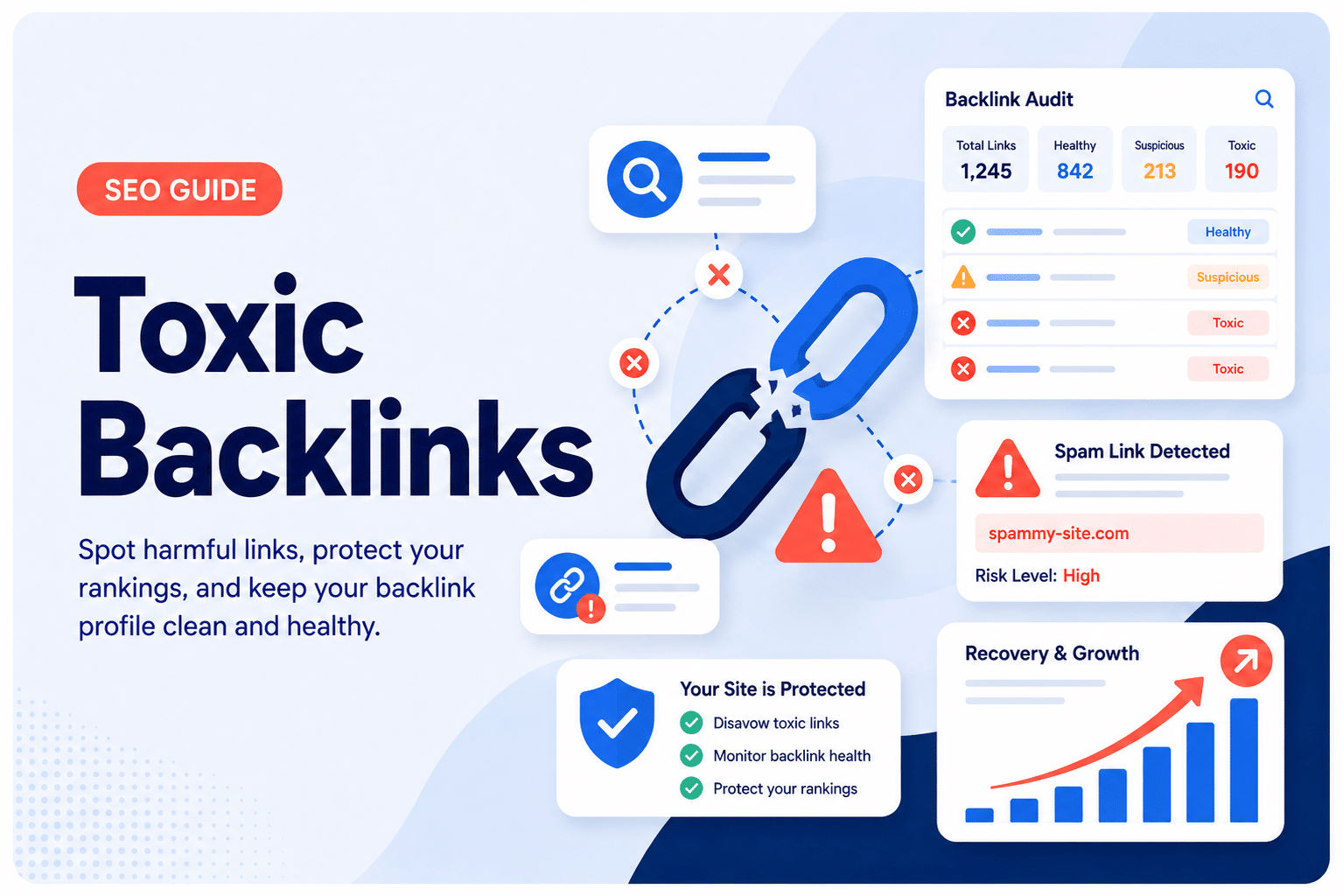
Five years of building links taught me that the majority of so-called toxic backlinks are either already being ignored by Google or nowhere near as dangerous as your SEO tool’s red score suggests.
In this guide, I’m breaking down what toxic backlinks are, which ones matter for your off-page SEO, how to find them, and whether to disavow them.
Whether you’re auditing your outbound links, questioning a sketchy referring domain, or deciding whether to bring in a link building agency, this guide is where to start.
What Are Toxic Backlinks?
A toxic backlink is a link pointing to your site that could weaken your search engine rankings or, in more serious cases, trigger a manual penalty from Google.
Majestic defines them simply as backlinks that harm a website’s ability to rank.
Semrush describes them as links that form patterns violating Google’s link spam guidelines, typically created for SEO manipulation rather than genuine user benefit.
Both definitions circle the same core idea: the link exists to game the algorithm, not to serve a reader.
The important nuance here is that Google doesn’t officially use the word “toxic.” What they do flag is “link spam,” which they define as links intended to manipulate rankings.
A stray low-quality link from a scraper site is not the same thing as a coordinated pattern of bought links with exact-match anchors pointing to your money pages.
One is normal internet noise; the other is a genuine problem. Understanding that distinction is the foundation of everything else in this guide.
Toxic vs. Spammy vs. Manipulative: What’s the Difference?
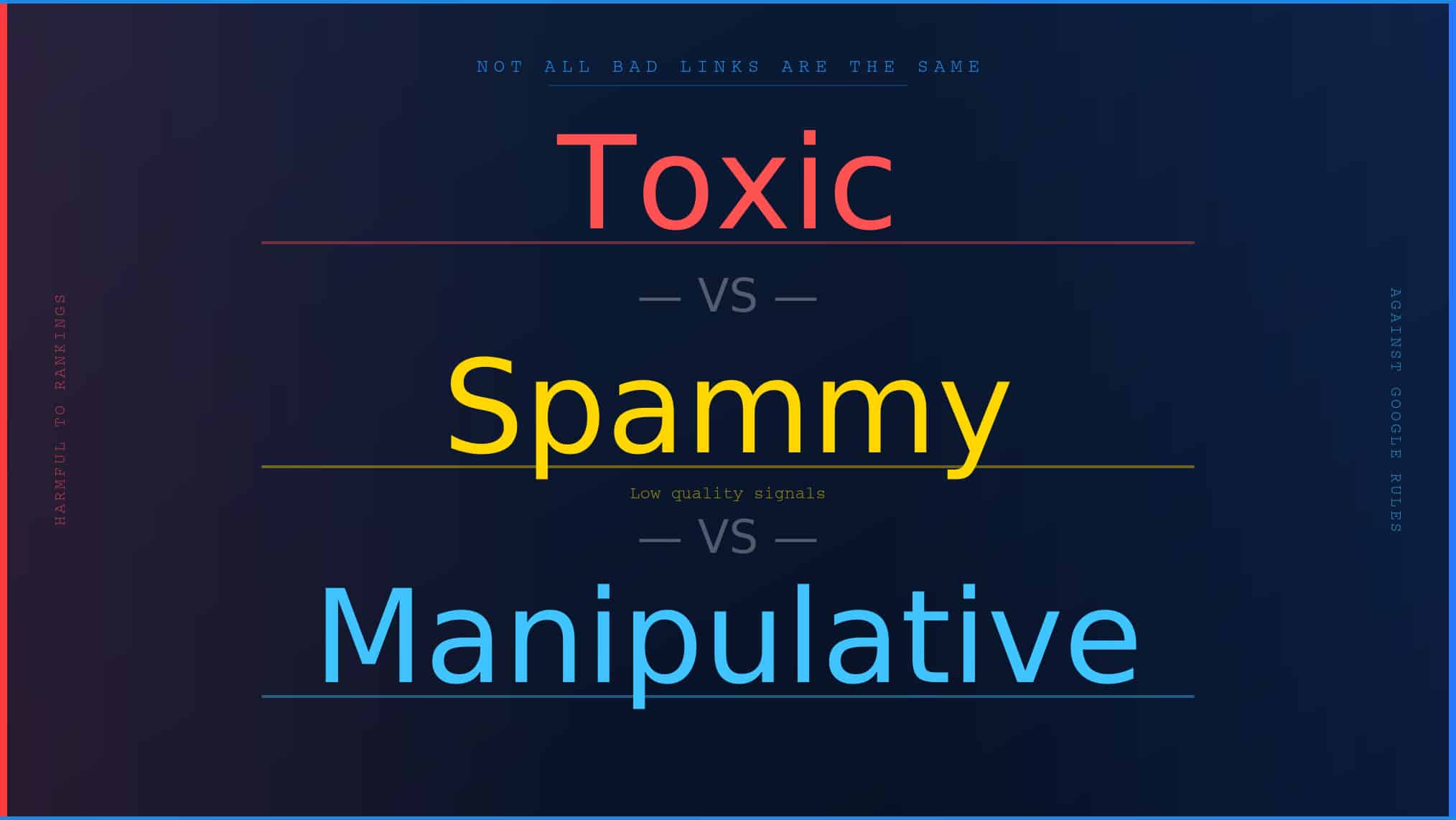
Toxic links
As labeled by tools like Ahrefs and Semrush, a tool-defined category that attempts to identify links likely to be harmful based on signals like low trust, suspicious anchor text patterns, or irrelevant source domains.
They’re a starting point for investigation, not a verdict.
Spammy links
Spammy links are low-quality links that appear on your site without any real action on your part.
A scraper picks up your URL, a forum bot drops your link in a comment section, or a foreign directory adds you without asking.
Google’s algorithms have seen these patterns billions of times and are generally good at ignoring them.
John Mueller, Google’s Search Advocate, has said repeatedly that this type of spam happens to every website and that their systems are built to disregard it.
You can’t control when they appear, and in most cases, you don’t need to.
Manipulative links
These are links you (or someone acting on your behalf) actively built or bought with the explicit goal of influencing your rankings.
Paid links passed as editorial, private blog network links, and large-scale link exchanges all fall into this category.
Google’s link spam documentation specifically addresses these, and they’re the ones that can earn you a manual action or an algorithmic demotion if found at scale.
What’s the Difference?
| Type | Origin | Your Fault? | Google’s Response | Action Needed? |
| Spammy | Bots/scrapers/random directories | No | Ignores them | Rarely |
| Manipulative | Built or bought by you | Yes | Penalizes at scale | Yes |
| Toxic | Flagged by SEO tools | Maybe | Depends on context | Investigate first |
The core difference comes down to intent and origin.
Three different situations, three different levels of risk, and three very different responses required from you as a site owner.
Types of Toxic Backlinks
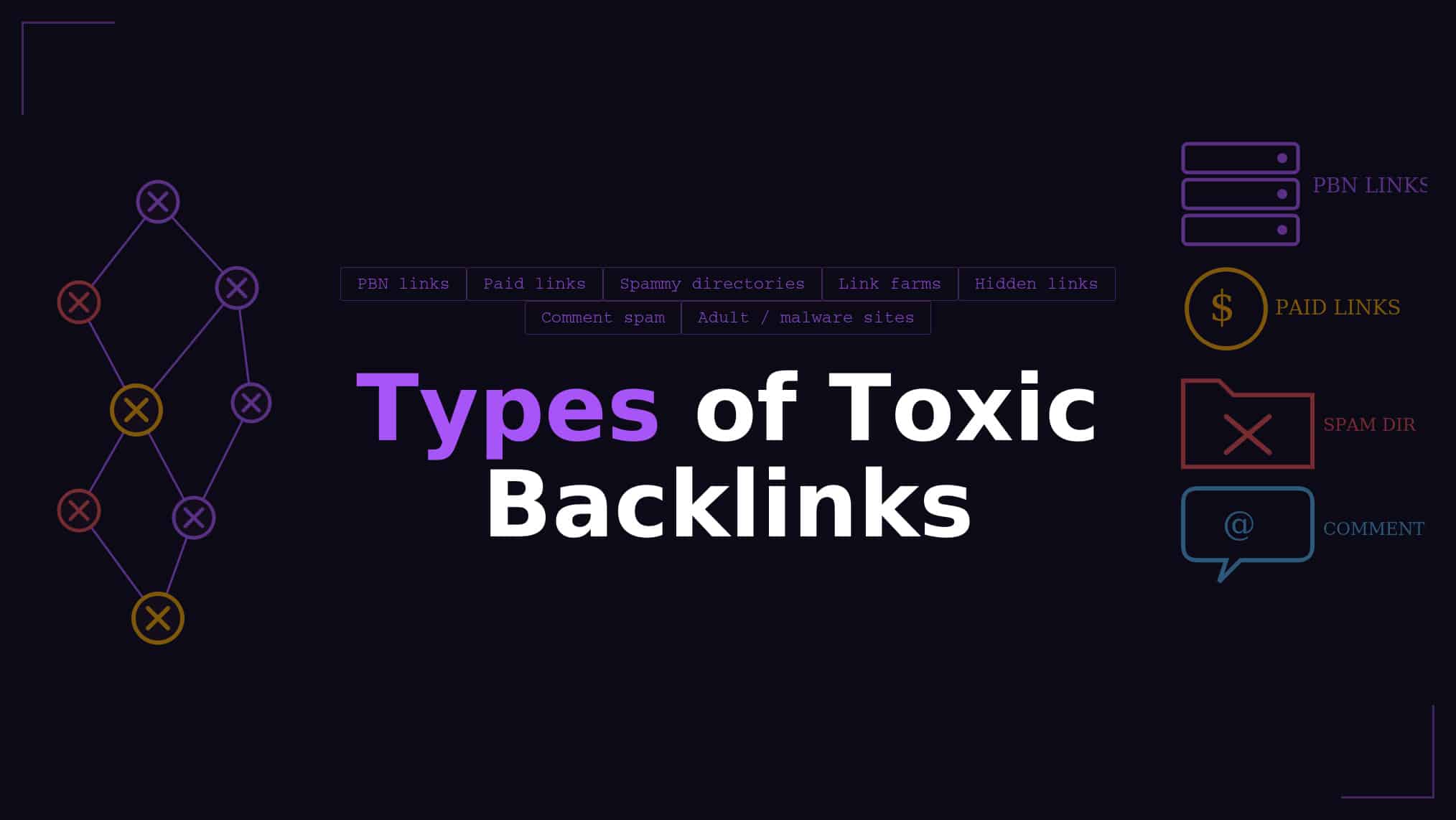
Link Farms and PBN Links
A link farm is a website, or a network of websites, built for the sole purpose of generating backlinks to other sites.
Private blog networks (PBNs) operate on the same principle: one owner controls multiple domains and uses them to funnel link equity to a target site.
Google is quite good at spotting these because they share tell-tale patterns like identical site templates, overlapping IP addresses, thin content, and cross-linking structures that look nothing like a naturally grown web presence.
Links from these sources are among the most genuinely problematic ones you can have, because they’re built with a clear intent to manipulate.
If you’ve ever bought link packages from services promising hundreds of links for a suspiciously low price, there’s a chance some of those came from farms or PBNs.
Paid Links That Violate Google’s Guidelines
Paying for links isn’t automatically a violation.
Sponsored content, advertising placements, and paid directory listings are all fine, as long as those links carry the appropriate rel=”nofollow” or rel=”sponsored” attribute.
What Google penalizes is when money changes hands for a link that passes full ranking value, because that’s an attempt to buy authority rather than earn it.
I’ve audited backlink profiles where clients had paid for guest posts through low-end marketplaces.
The links were completely unmarked as sponsored, placed on sites with no real audience, and using exact-match commercial anchor text.
That combination is a red flag pattern. It’s not just about whether you paid; it’s whether the link looks editorially earned or commercially manufactured.
Google’s link spam systems look for exactly these patterns, and when they find them at volume, they act.
Irrelevant or Low-Authority Sites
A link from a site with no topical connection to yours, minimal organic traffic, and a domain trust score hovering near zero isn’t going to help you.
At best, it’s noise. At worst, a large concentration of these links suggests to Google that your link building strategy has prioritized quantity over quality, which is exactly what their systems are designed to penalize.
Relevance matters for two reasons:
- It signals context to Google
- It demonstrates that a real editorial decision was made.
A link from an automotive blog to your cybersecurity company makes very little sense unless there’s a genuine contextual reason.
Over-Optimized Anchor Text Links
Natural backlinks use varied anchor text. You get brand mentions, URL variations, generic phrases like “click here,” and yes, occasionally keyword-rich anchors.
When a large number of links pointing to a single page all use the exact same commercial keyword phrase as the anchor text, that’s a red flag pattern.
This is because it strongly suggests manual link building rather than organic reference.
The Ahrefs Anchors report inside Site Explorer is the fastest way to check this on your own site.
If you pull it up and see that a suspiciously high percentage of links to one page all use something like “best SEO agency Singapore” as the anchor, that’s worth investigating further.
It’s not automatic grounds for panic, but it often points to a history of paid or manipulative link building that warrants a deeper look at where those links actually live.
Hacked Site Links and Negative SEO Attacks
This type of toxic backlink is different because it’s not something you created or authorized.
Hackers sometimes compromise legitimate, high-authority websites and inject hidden links, spam pages, or footers pointing to unrelated domains.
Your site can end up on the receiving end of these links without any action on your part, and because the source sites are often real and established, they can be harder to spot in a basic audit.
Negative SEO attacks work similarly: a competitor deliberately points a wave of spammy links at your domain to trigger algorithmic scrutiny or a manual review.
Google’s Gary Illyes has said publicly that he’s looked at hundreds of supposed negative SEO cases and rarely found it to be the actual cause of a traffic drop.
That said, if you see a sudden, unexplained spike in referring domains coinciding with a ranking drop, it’s worth investigating.
Where Do Toxic Backlinks Come From?
Toxic backlinks arise from a mix of your past decisions and factors entirely outside your control.
On the intentional side, they often trace back to old-school link building practices:
- Buying links from services that promise fast results
- Participating in link exchanges that looked reasonable at the time
- Using guest posting services without vetting the sites involved.
What worked or went unnoticed five years ago can look very different under today’s algorithms.
On the unintentional side, spammy links accumulate naturally over time:
- Scrapers copy your content and republish it with links attached.
- Forum and comment bots drop your URL in irrelevant threads.
- Expired domain buyers inherit your links when those domains get repurposed for spam networks.
These aren’t decisions you made but they’re the cost of having a visible web presence.
Knowing the source helps you decide whether a link requires action or whether it’s just noise that Google is almost certainly already ignoring.
Do Toxic Backlinks Actually Matter?
This is the question I get from clients more than almost any other, and the honest answer is: it depends on what kind of toxic we’re talking about.
For the everyday low-quality links that accumulate on any site, the answer is probably no.
Since Penguin 4.0 rolled out in September 2016, Google shifted from penalizing sites for spammy links to simply devaluing them.
Google now tries to ignore bad links rather than punish you for having them.
Things get more serious when there’s a clear pattern of manipulative link building at scale.
A handful of paid links probably won’t trigger anything.
Thousands of exact-match-anchor PBN links pointing to your commercial pages is a different situation entirely, and that’s where either an algorithmic demotion or a manual action becomes a real possibility.
The practical takeaway for most site owners is this: if you’ve never built or bought links that Google would consider spam, you probably don’t need to lose sleep over your backlink profile.
If you have a history of aggressive link building, understanding what you’re working with matters.
How to Find Toxic Backlinks
Using Google Search Console First
Google Search Console is the right place to start, and it’s free.
It shows you which sites link to yours directly, based on Google’s own data, without any third-party interpretation layered on top.
Step 1: Sign in to Google Search Console and select your property.
Step 2: In the left sidebar, click on Links.
Step 3: Under “External links,” click Top linking sites, then click More to see the full list.
Step 4: Click Export to download the list as a spreadsheet.
Step 5: Sort by the number of linking pages per domain and manually review the top referring sites.
Visit any unfamiliar domains directly and assess whether the site looks legitimate, topically relevant, and like somewhere a real editorial decision was made to link to you.
The limitation here is that Search Console only shows a sample of your links and gives you no quality metrics to work from.
It’s a useful starting point, but for a deeper audit, you’ll need a dedicated tool.
One thing it does give you for free is the Manual Actions report under Security and Manual Actions, which tells you definitively if Google has flagged your link profile.
That’s always worth checking first.
Using Ahrefs to Check for Toxic Backlinks
Ahrefs is the tool I rely on most for this work. It has the deepest backlink index of any tool I’ve used.
Also, its interface makes it easier to spot patterns quickly rather than reviewing links one by one.
Step 1: Go to Site Explorer and enter your domain.
Step 2: Navigate to Backlink Profile > Anchors. Look at your most common anchor texts. A healthy profile has diversity: brand names, naked URLs, and generic phrases.
If exact-match commercial keywords dominate, that’s a signal worth digging into.
Step 3: Click into Backlinks and apply filters. Sort by DR (Domain Rating) low to high to surface the lowest-authority referring domains first.
Step 4: Look through those low-DR domains and check what the sites are.
Do they look like real websites with real content and real audiences? Or do they look like thin, template-built sites with dozens of unrelated outbound links per page?
Step 5: Flag any domains that show signs of being PBNs, link farms, or sites with suspicious anchor text patterns.
Note the pattern across multiple links before drawing any conclusions about whether action is needed.
Ahrefs doesn’t use a “toxicity score” the way Semrush does, which is actually by design.
The Ahrefs team has written explicitly about why they think those scores create more panic than clarity.
What Ahrefs gives you instead is the raw data to make your own judgment, which is ultimately more useful.
Using Semrush’s Backlink Audit Tool (With Caveats)
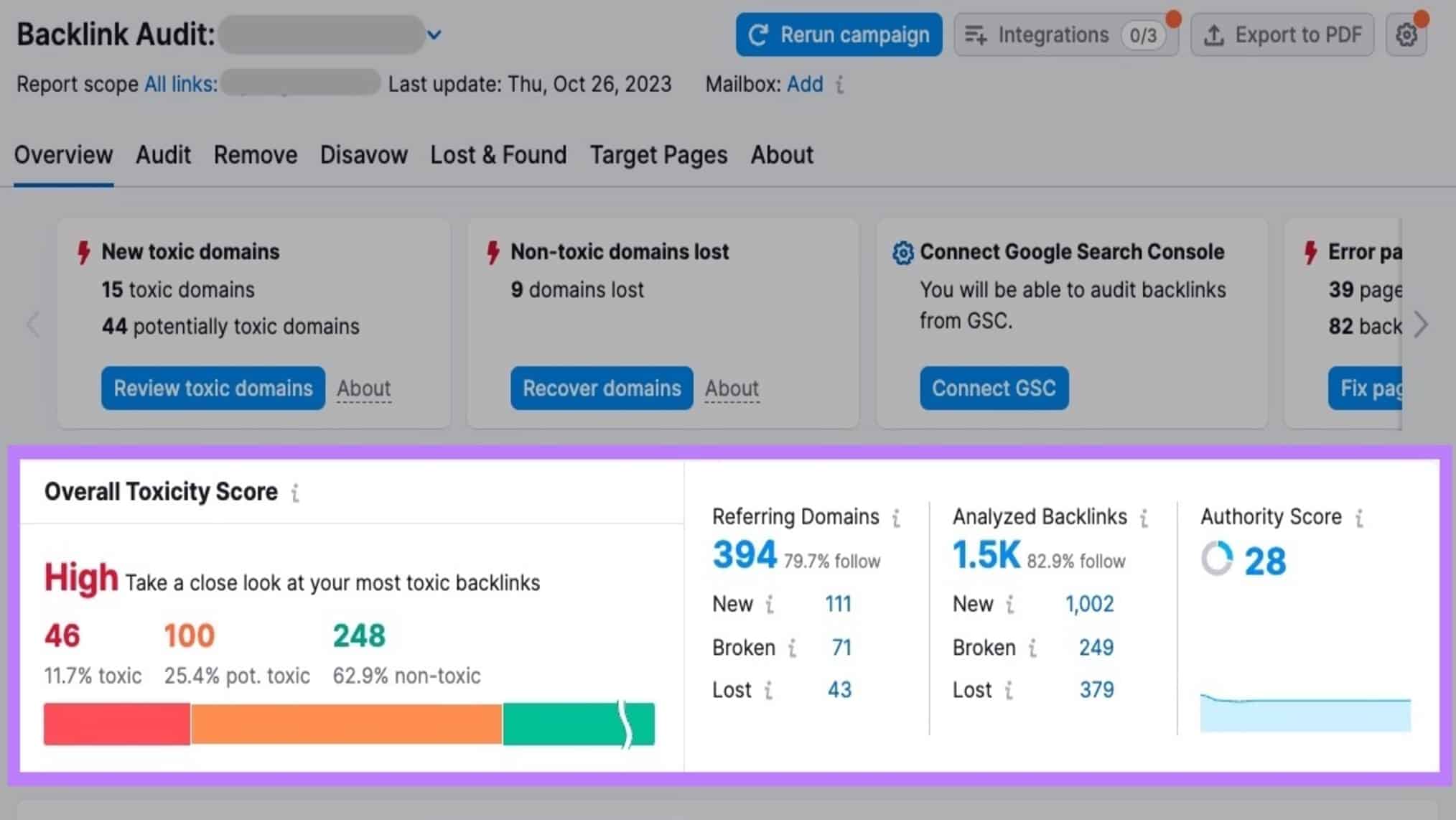
Semrush’s Backlink Audit tool assigns each link in your profile a Toxicity Score from 0 to 100, which can feel reassuring when you first open it.
The caveats matter here, though, and I want to be clear about them before you start making decisions based on those scores.
Step 1: Go to Backlink Audit in Semrush and enter your domain.
Step 2: Connect your Google Search Console and Google Analytics accounts when prompted. This improves accuracy by layering in Google’s own data.
Step 3: Once the audit runs, go to the Audit tab and sort by Toxicity Score (high to low).
Step 4: Click on individual Toxicity Scores to see which specific markers triggered the rating.
Semrush flags dozens of potential signals, from suspicious anchor text to low Authority Scores to atypical follow/nofollow ratios.
Step 5: Manually visit the top flagged domains. The score is a flag for investigation, not a verdict.
A site with a high toxicity score might turn out to be a perfectly fine niche directory; a site with a low score might be a PBN that slipped through.
The important caveat from Ahrefs and SEO practitioners like Marie Haynes is that the links most likely to actually hurt your site are rarely the ones these tools surface.
So, use the tool as an organizational aid for prioritizing your manual review, not as a source of truth.
Should I Disavow Toxic Backlinks?
No, in most cases, you should not.
That’s probably not what you expected to read here, but the evidence supporting a “disavow first” approach has weakened significantly since Penguin 4.0.
Ahrefs puts it plainly: the term “toxic backlinks” was largely invented by SEO tools to describe links they think could hurt your site, and acting on those lists often creates more problems than it solves.
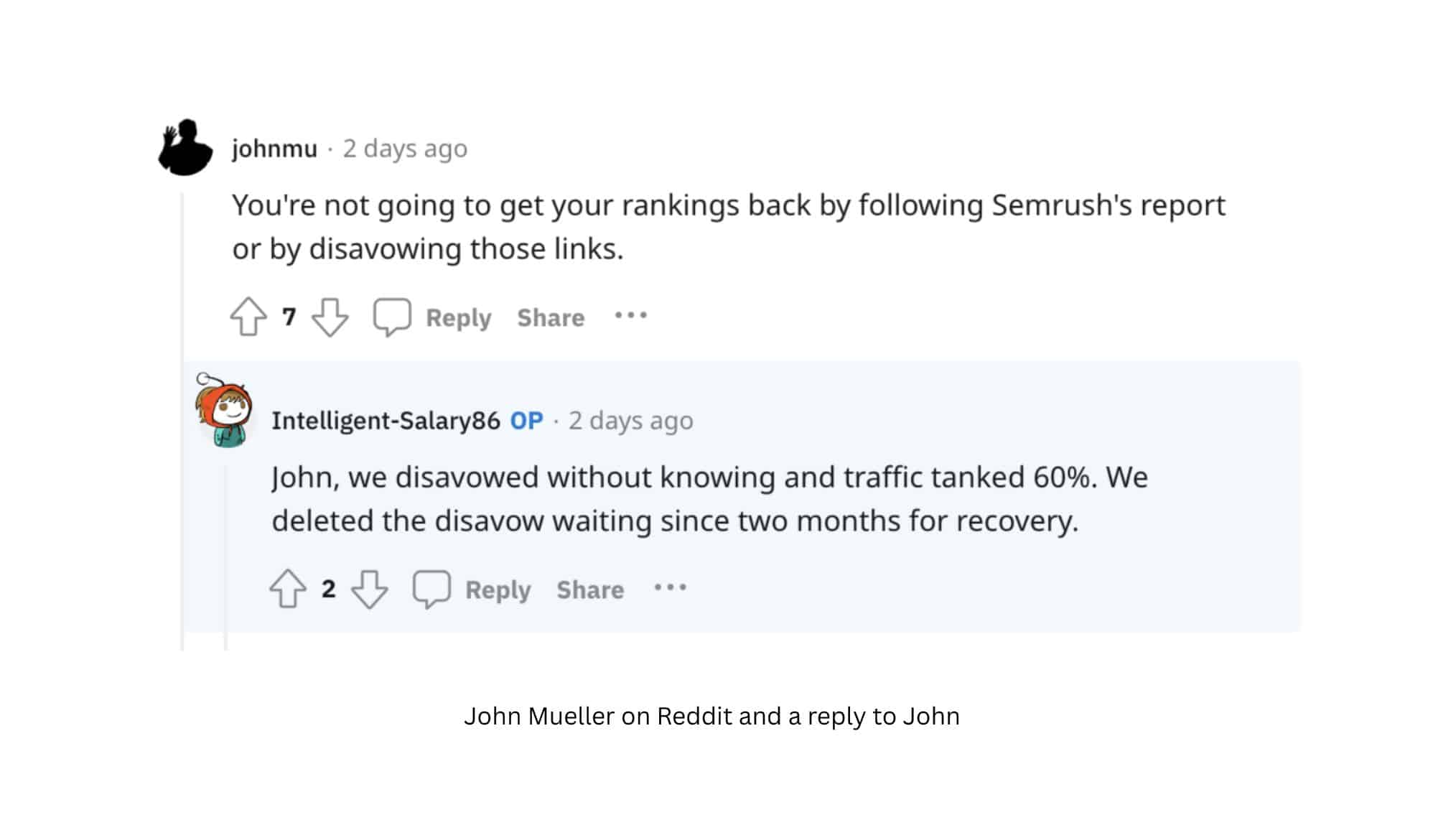
One Redditor responding to John Mueller shared that their traffic dropped 60% after disavowing a batch of “toxic” links flagged by an SEO tool.
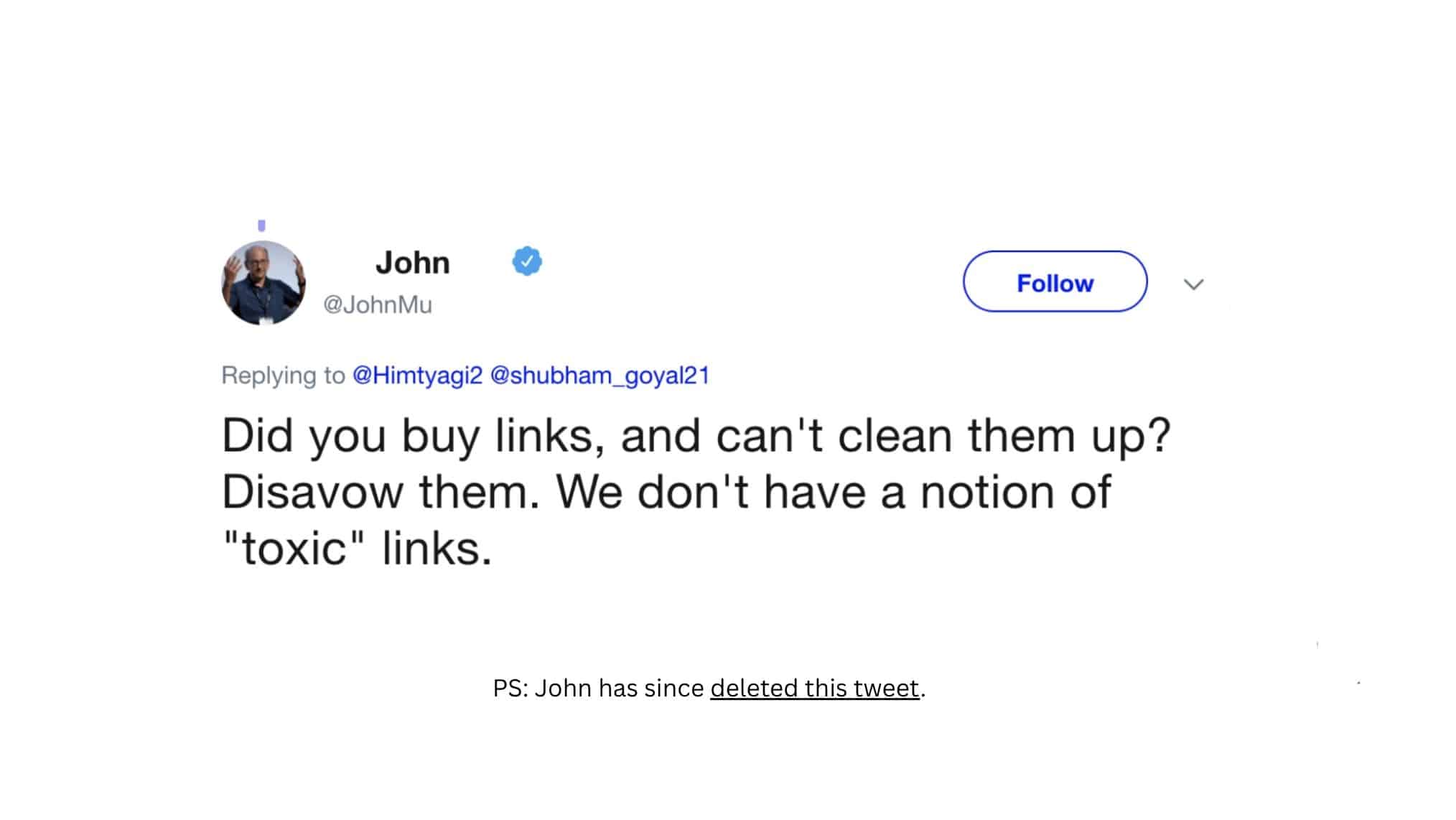
Also, Patrick Stox of Ahrefs ran an actual experiment disavowing links to the Ahrefs blog and saw a traffic dip that only recovered after the disavow file was removed.
These cases reflect what happens when you remove links that Google was already treating neutrally or even slightly positively.
Google’s own guidance on disavowal is clear: you should only use the disavow tool if you have a manual action for unnatural links or if you have a very large number of links that you yourself built or bought in a manipulative way.
If you’re a site owner who has never engaged in aggressive link building, disavowing the low-quality links that accumulate naturally is almost certainly a waste of time.
If you have a history of buying links or working with PBNs at scale, that’s a different conversation, and you likely already know you need to address it.
What to Do Instead of Disavowing
Focus on Building More High-Quality Links
The most effective way to dilute the impact of a weak backlink profile is to make it smaller relative to your overall link footprint.
If you have 200 questionable links and 2,000 strong editorial ones, that ratio tells a very different story than if the numbers are closer together.
Invest your time in link building strategies that produce real editorial placements:
- Digital PR
- Original research that earns citations
- Guest contributions on legitimate industry publications, and
- Building the kind of content that becomes a go-to reference in your niche.
This is genuinely the better ROI. Every hour spent on a manual link removal campaign is an hour not spent acquiring links that could actually move your rankings.
Over five years of doing this work, the sites I’ve seen grow most consistently are the ones focused on earning great links, not policing bad ones.
Try to Remove the Link at the Source First
If you’ve identified a link that’s genuinely problematic, especially a paid link you bought and now regret, the first step should always be to contact the webmaster and request removal.
This is what Google recommends before you even consider the disavow tool.
Keep your outreach email short, specific, and professional:
- Identify the exact URL where the link appears
- Explain that you’d like it removed, and
- Provide your contact details.
Most webmasters will either ignore the request or comply without much friction.
Keep a log of every outreach attempt and response, because if you eventually do need to submit a disavow file, having documentation showing you attempted removal first is part of a thorough process.
That said, don’t expect universal success with outreach.
Spam sites, PBNs, and hacked sites often have no real human on the other end, which is why removal requests for that category rarely pan out.
Stop Stressing About Links Google Is Already Ignoring
The vast majority of low-quality links pointing to any given site are already being ignored by Google’s algorithms.
Penguin 4.0 built this into the core of how Google evaluates link profiles, and John Mueller has confirmed it publicly on multiple occasions.
If you pulled up your backlink profile right now and found 100 links from foreign spam directories, Google almost certainly already knows about them and isn’t counting them.
The anxiety around toxic backlinks is, in large part, a product of tools that were designed to surface risk and sell auditing services.
That’s just the market reality. Your time and energy are better spent on content, on legitimate outreach, and on the fundamentals that actually drive sustainable organic growth.
Keep an eye on your Search Console Manual Actions report, run periodic sanity checks on your top referring domains, and then focus on where it creates real leverage.
Take Control of Your Backlink Strategy
The bottom line is that spammy links are normal, manipulative links are the actual risk, and building stronger, high-quality backlinks will always beat obsessing over bad ones.
If you want a link building agency that understands the difference and knows how to build the kind of backlinks that actually move rankings, First Page Digital is worth talking to.
They’re offering a FREE strategy call worth $2,000, and it may be the most valuable hour you spend on your SEO this year. Book yours today.
Frequently Asked Questions
What are toxic backlinks?
Toxic backlinks are links pointing to your site that could harm your search rankings, either by violating Google’s link spam guidelines or by forming patterns that suggest manipulative intent. The term is widely used in the SEO industry but not officially recognized by Google, which instead categorizes problematic links under “link spam.”
Do toxic backlinks hurt SEO?
They can, but only in specific circumstances. Isolated low-quality links are generally ignored by Google’s algorithms. What creates real risk is a large, systematic pattern of manipulative links, like a history of buying links or using PBNs at scale, which can trigger either an algorithmic demotion or a manual action.
How do I check for toxic backlinks on my site?
Start with Google Search Console’s Links report for a free overview of who’s linking to you, then use a tool like Ahrefs or Semrush for a deeper analysis. Focus on your anchor text distribution, domain authority of referring sites, and whether there are any patterns that look systematically manipulative rather than organically earned.
Should I disavow toxic backlinks flagged by SEO tools?
In most cases, no. Google’s Penguin algorithm already ignores most low-quality links, and disavowing them offers no real benefit while carrying real risk of removing links that were helping you. Disavowal is only warranted if you have a manual action for unnatural links or if you’ve built a significant volume of clearly manipulative links and need to clean up that history.